Accessify for BigCommerce: ADA & WCAG 2.1 Accessibility Made Effortless
Empower Every Visitor with Inclusive Design
Ensuring your BigCommerce store is easy to navigate for users with disabilities is both the right thing to do and a smart business move. Accessibility expands your audience, improves SEO and engagement, builds trust, and helps you stay legally compliant.
Accessify simplifies accessibility for BigCommerce merchants with an AI-powered widget that automatically detects and fixes issues in real time. Fully aligned with ADA and WCAG 2.1 standards, it keeps your site inclusive, and optimized, without slowing down your store or requiring technical setup.
An accessible BigCommerce site serves more people, ranks better on search engines, loads faster, and builds lasting trust with your customers.
What Is Accessify for BigCommerce?
Accessify is an AI-powered accessibility widget that makes BigCommerce stores fully accessible in minutes.
It automatically detects and fixes accessibility barriers like low contrast, keyboard navigation issues, and missing alt text, ensuring your store is usable by everyone, regardless of ability.
Unlike bulky plugins, Accessify runs on high-performance cloud servers with near-zero latency, keeping your BigCommerce site fast and optimized.
With Accessify, BigCommerce users can enhance their storefront accessibility through:
- Voice navigation for effortless browsing
- Read mode that simplifies on-page content
- Custom color adjustments for better visibility
- Focus highlighting to guide user attention
- Animation control for distraction-free viewing
How to Add Accessify to Your BigCommerce Store
Follow these steps to activate the Accessify accessibility widget on your storefront:
- Log in to your account at accessify.app.
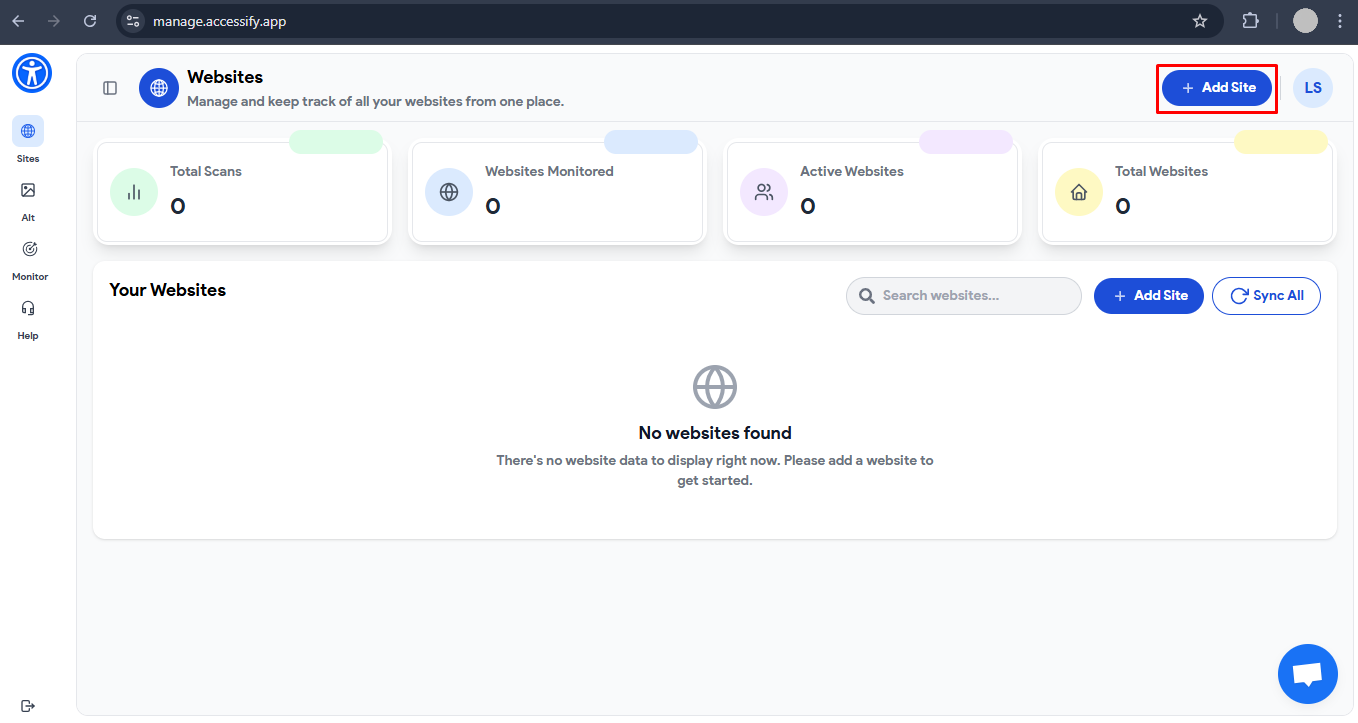
- From your Accessify Dashboard (manage.accessify.app), click Add Site and enter your BigCommerce store URL.
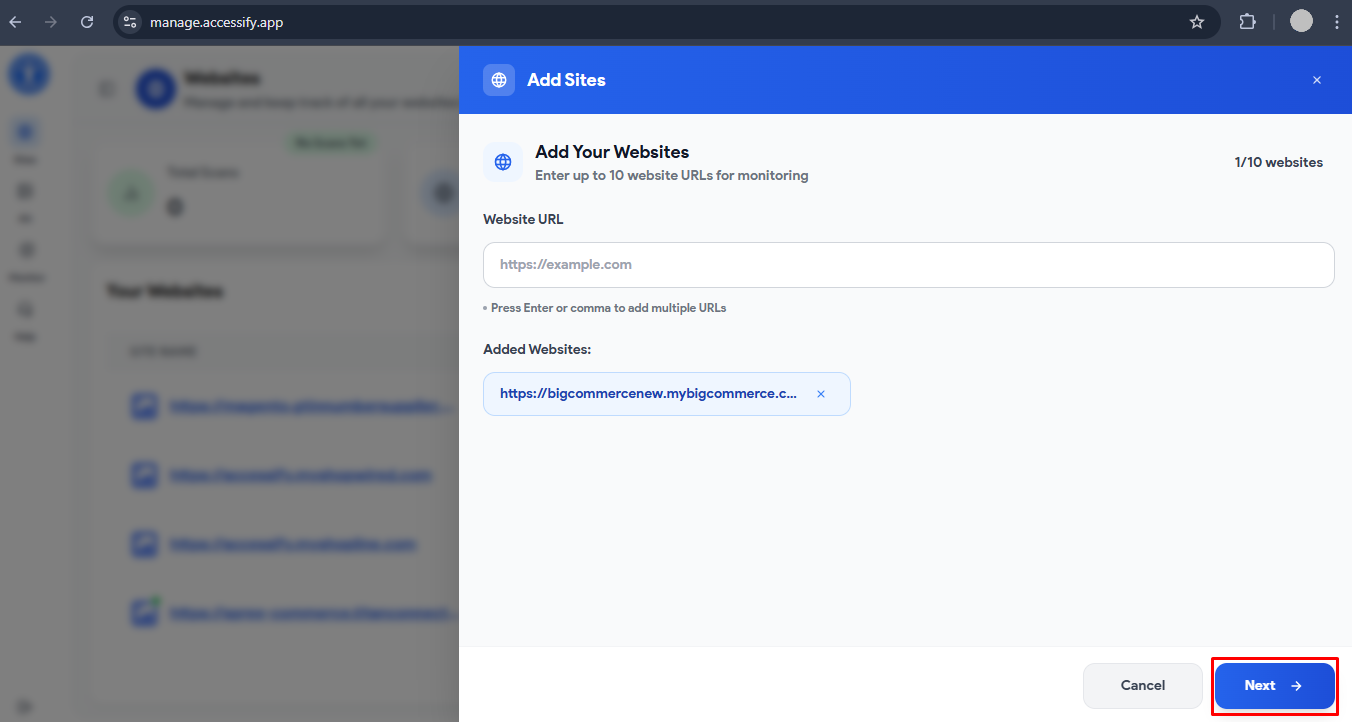
- Confirm your domain by pressing Enter or Comma, select your preferred plan, and click Next.
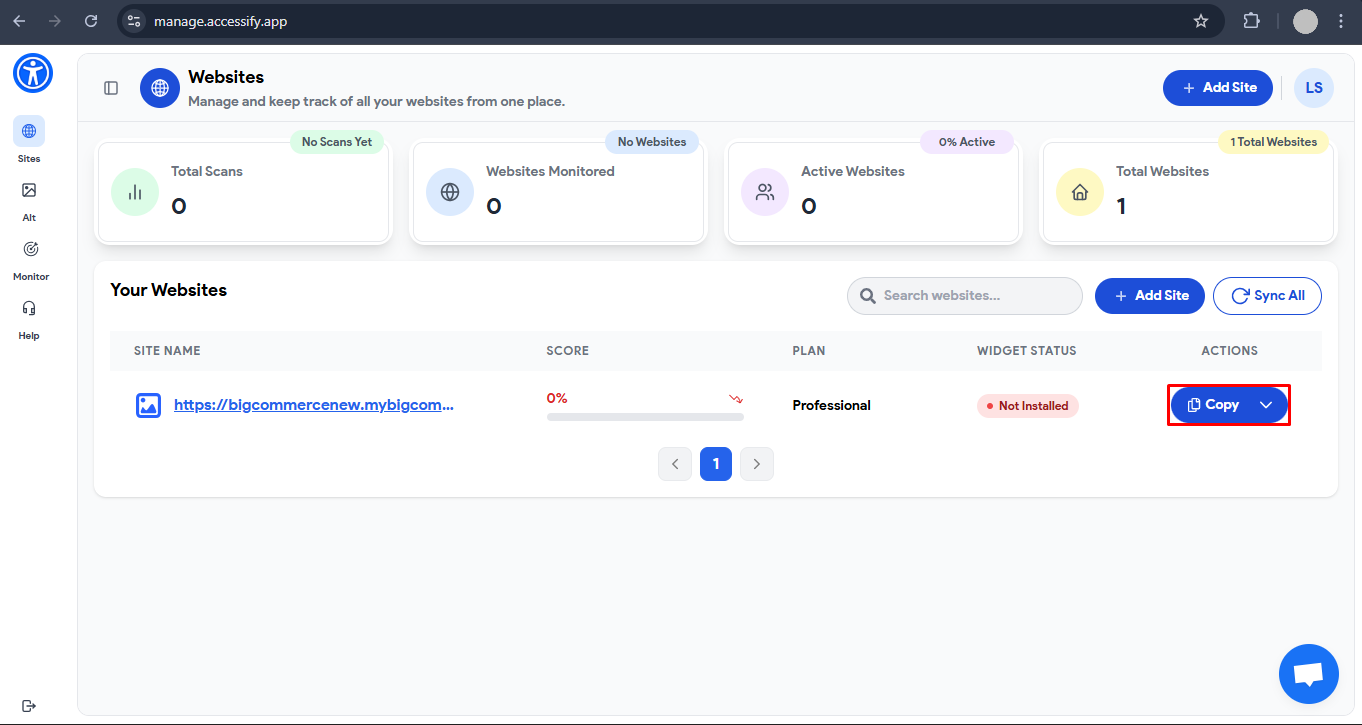
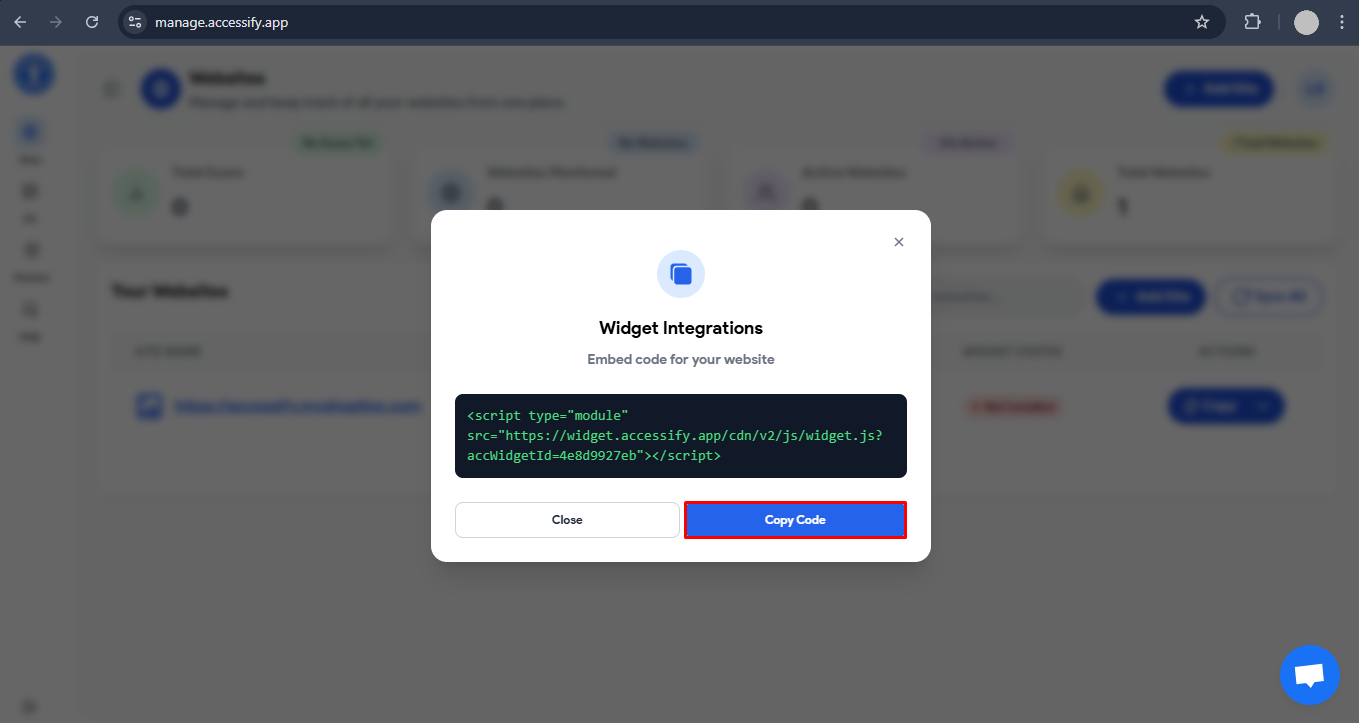
- Once your site is added, click Copy to copy the unique Accessify script.
- Log in to your BigCommerce Admin Panel and navigate to Storefront → Script Manager → Create a script.
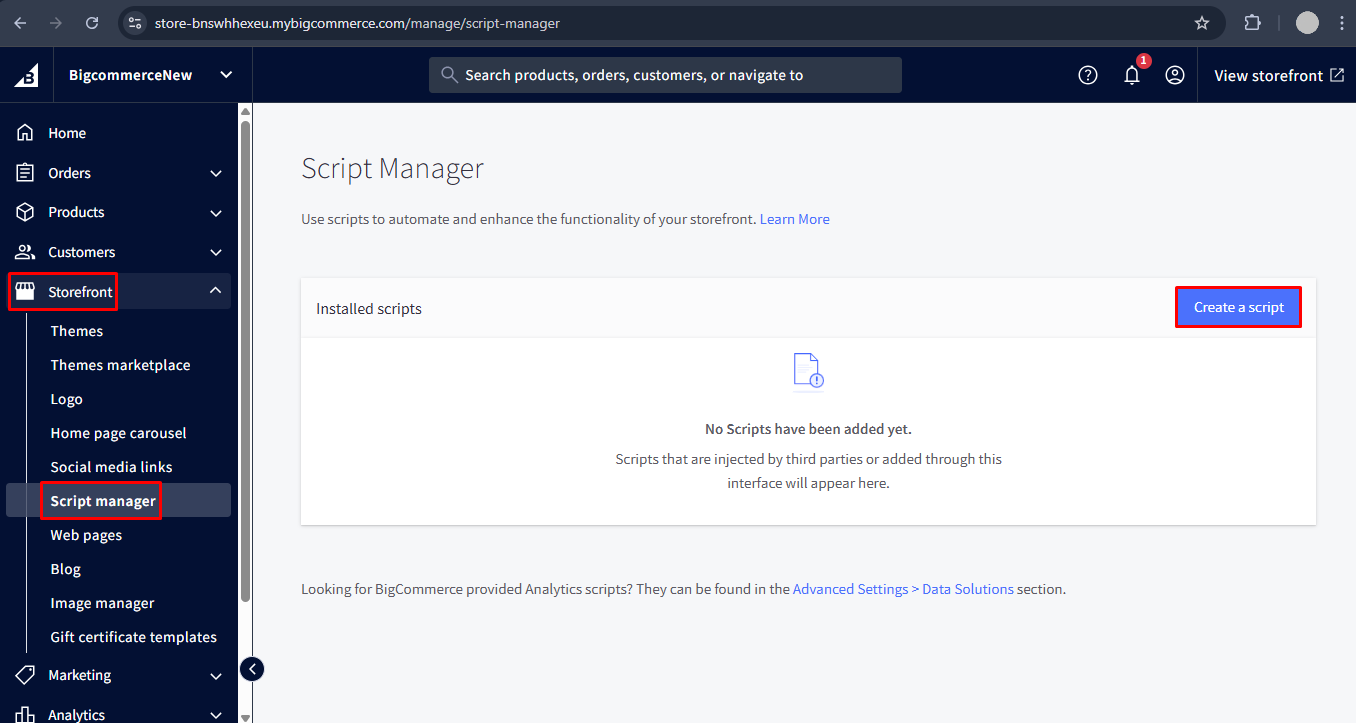
- Name your script (e.g., Accessify Accessibility Tool).
- Under Placement, choose Header or Footer.In Location, select All pages, for Script category choose Essential. Configure the following steps:
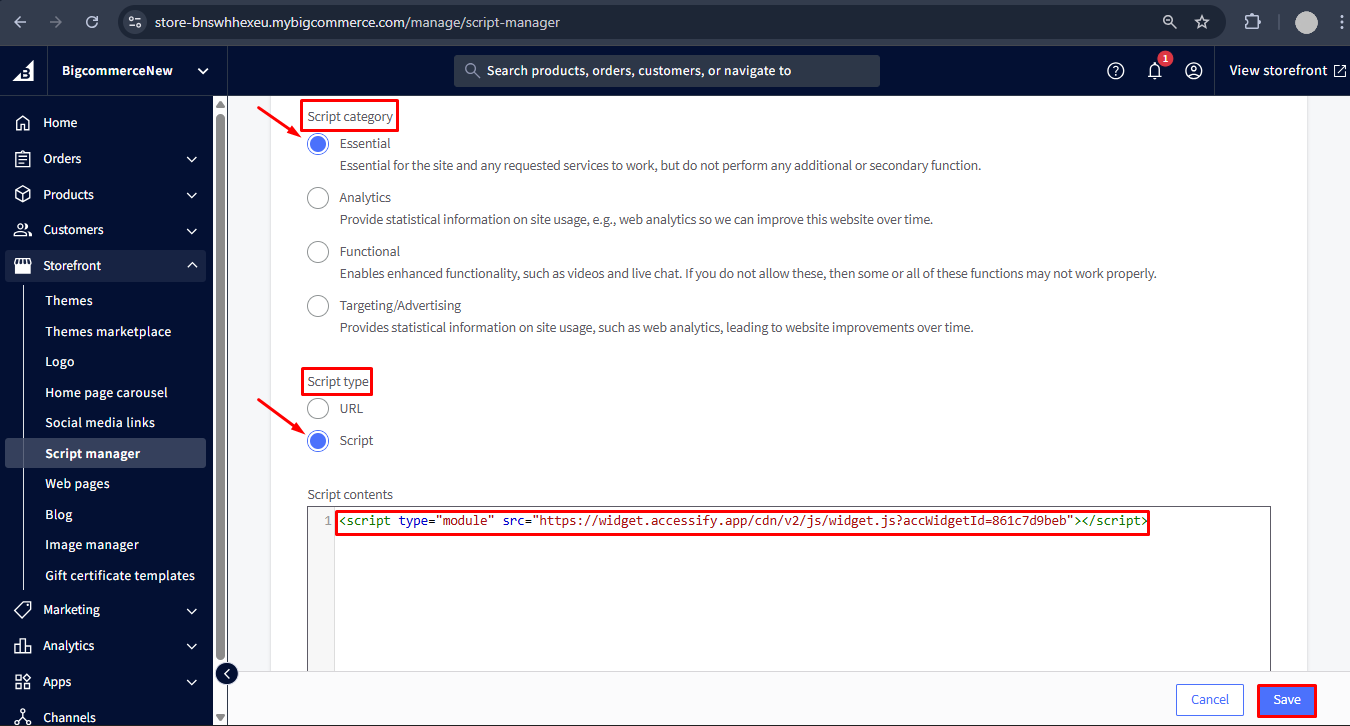
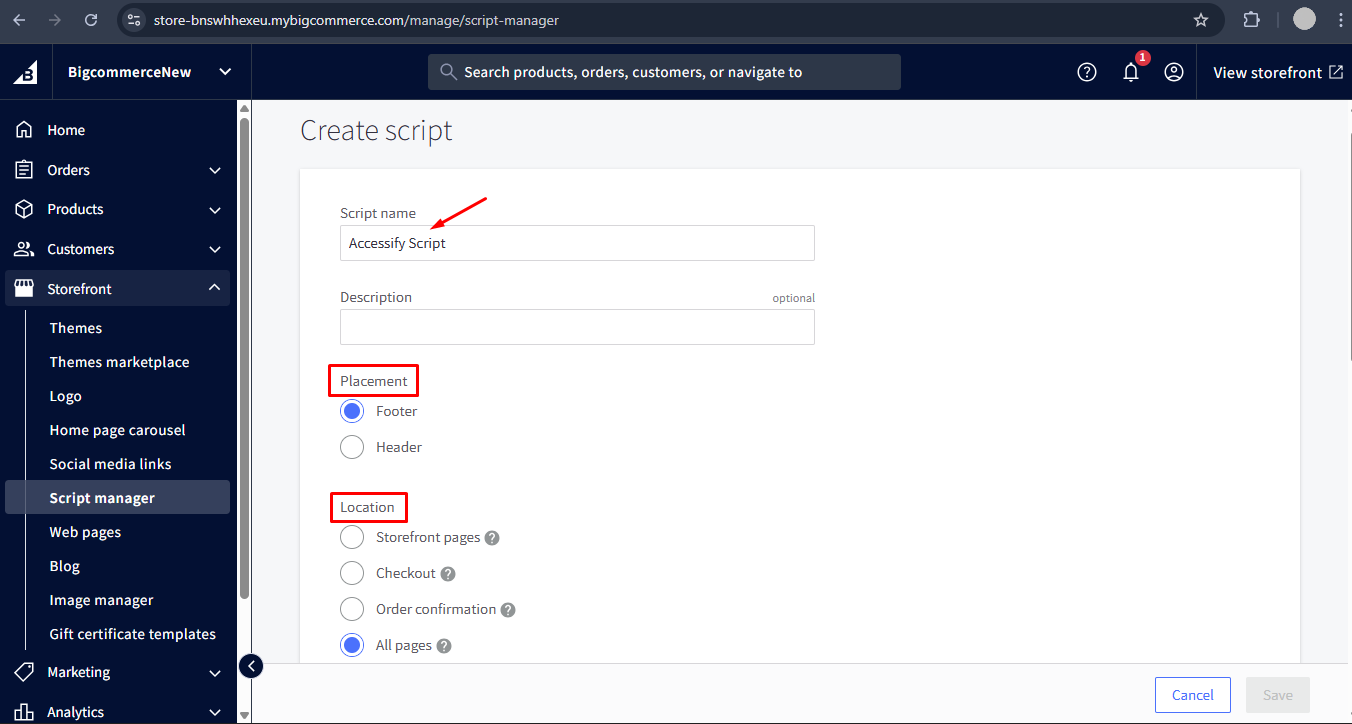 Set Script Type to Script.
- Paste your Accessify script into the Script Contents box.
- Save your changes, and you’re done!
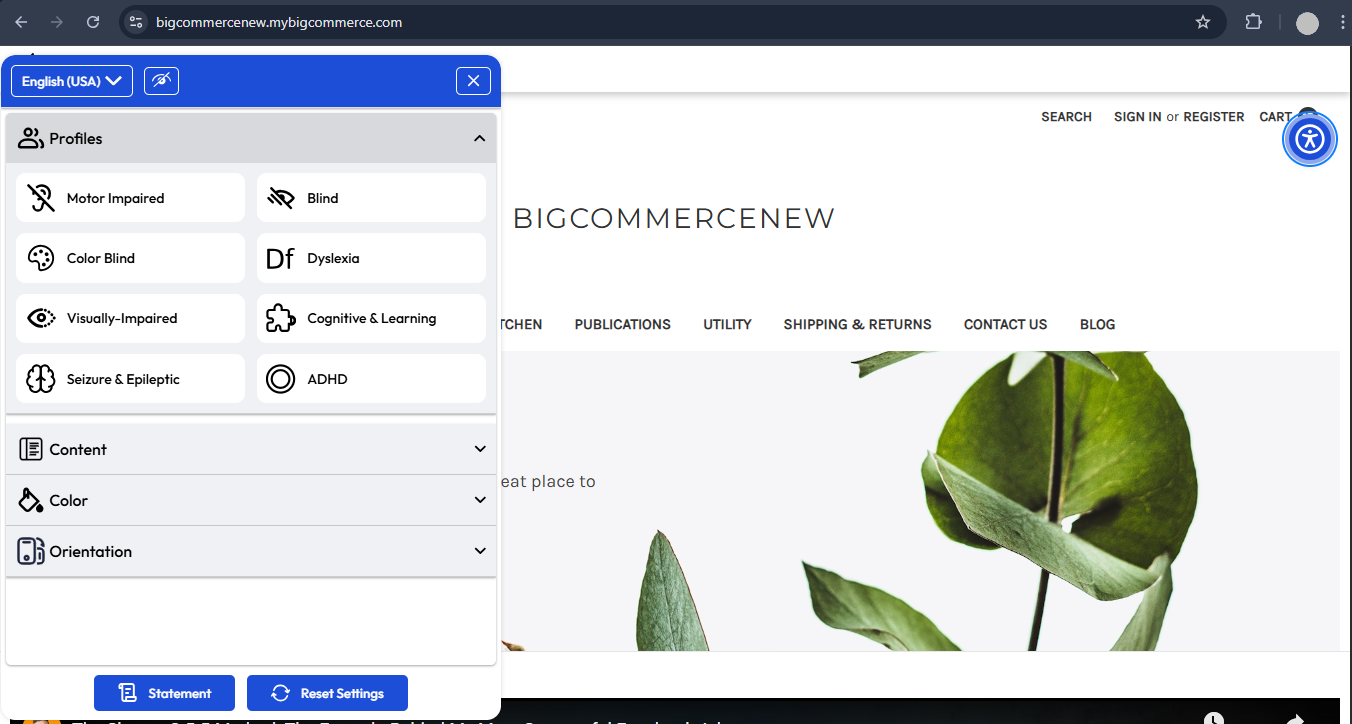
🎉Congratulations! Your Accessify accessibility widget will now appear across your entire BigCommerce site, automatically improving accessibility in real time.
Customizing the Accessify Widget on BigCommerce
Make the widget match your BigCommerce brand identity with full customization control:
- Visit manage.accessify.app and select your store.
- Or use the dropdown menu beside your site name and click Customize Widget.
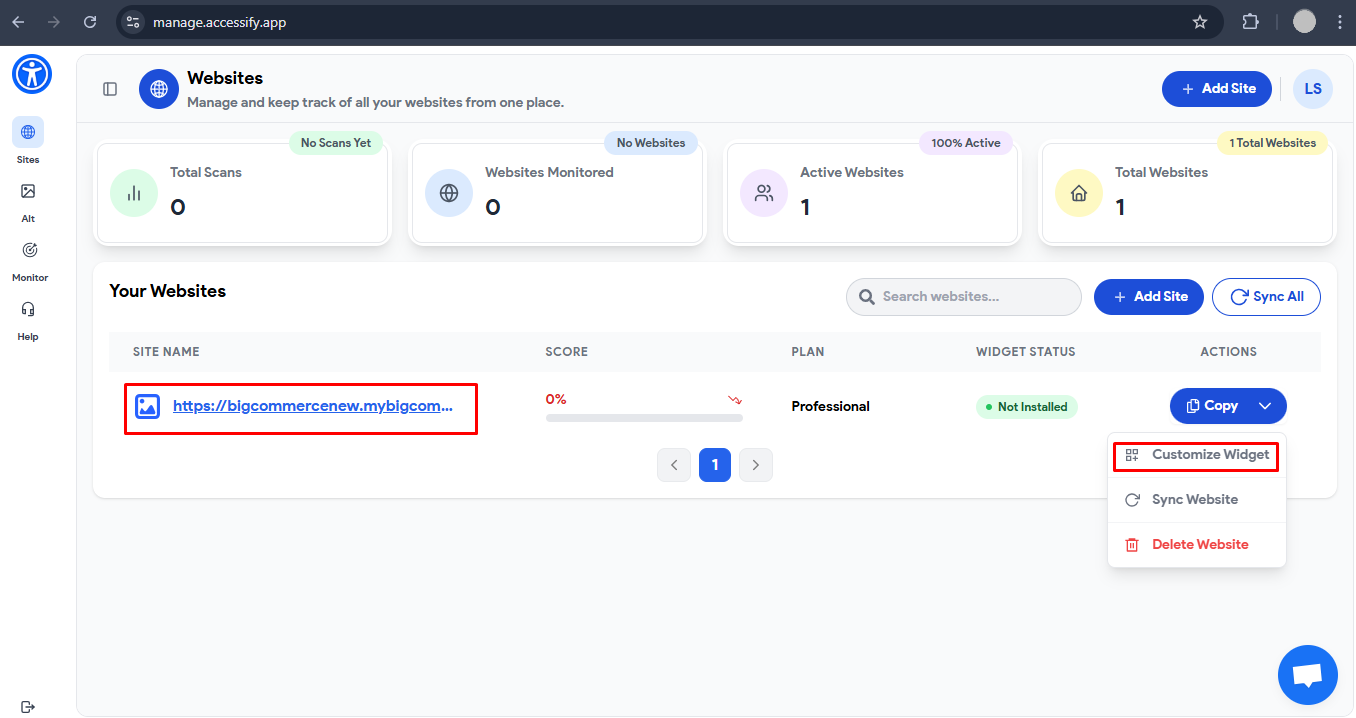
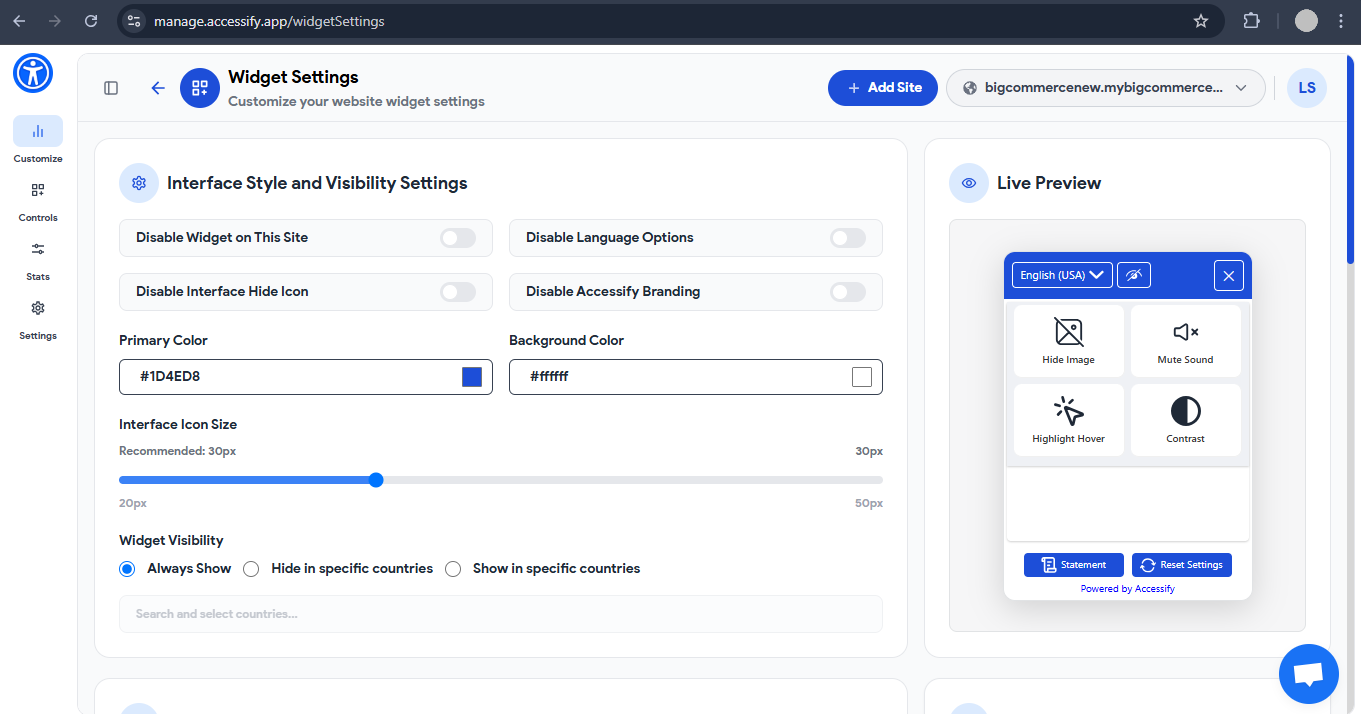
From here, you can:
- Adjust the color palette to fit your BigCommerce theme.
- Choose the icon shape and placement (left/right, top/bottom).
- Enable or disable specific accessibility features like text resizing, dyslexia-friendly fonts, or cursor enhancements.
Every customization applies instantly, giving you full design freedom without writing a single line of code.
Your BigCommerce Store, Now Accessible and Optimized
After setup, your BigCommerce storefront runs seamlessly with Accessify, delivering:
- ✅ Full Accessibility
- ⚡ Faster performance with lightweight cloud delivery
- 🌍 Inclusive user experience for every visitor
- 📈 Improved SEO visibility and accessibility scores
- 💼 Reduced legal risk under global accessibility regulations
With Accessify, you’re not just meeting accessibility requirements, you’re building a smarter, more inclusive BigCommerce store that welcomes every shopper while staying fast, functional, and future-proof.