Your Widget Should Look Like YOUR Brand: The 3-Minute Customization That Feels Native Via Accessify Web Accessibility
Brand-Native Accessibility Widgets, Customize Accessify in 3 Minutes:
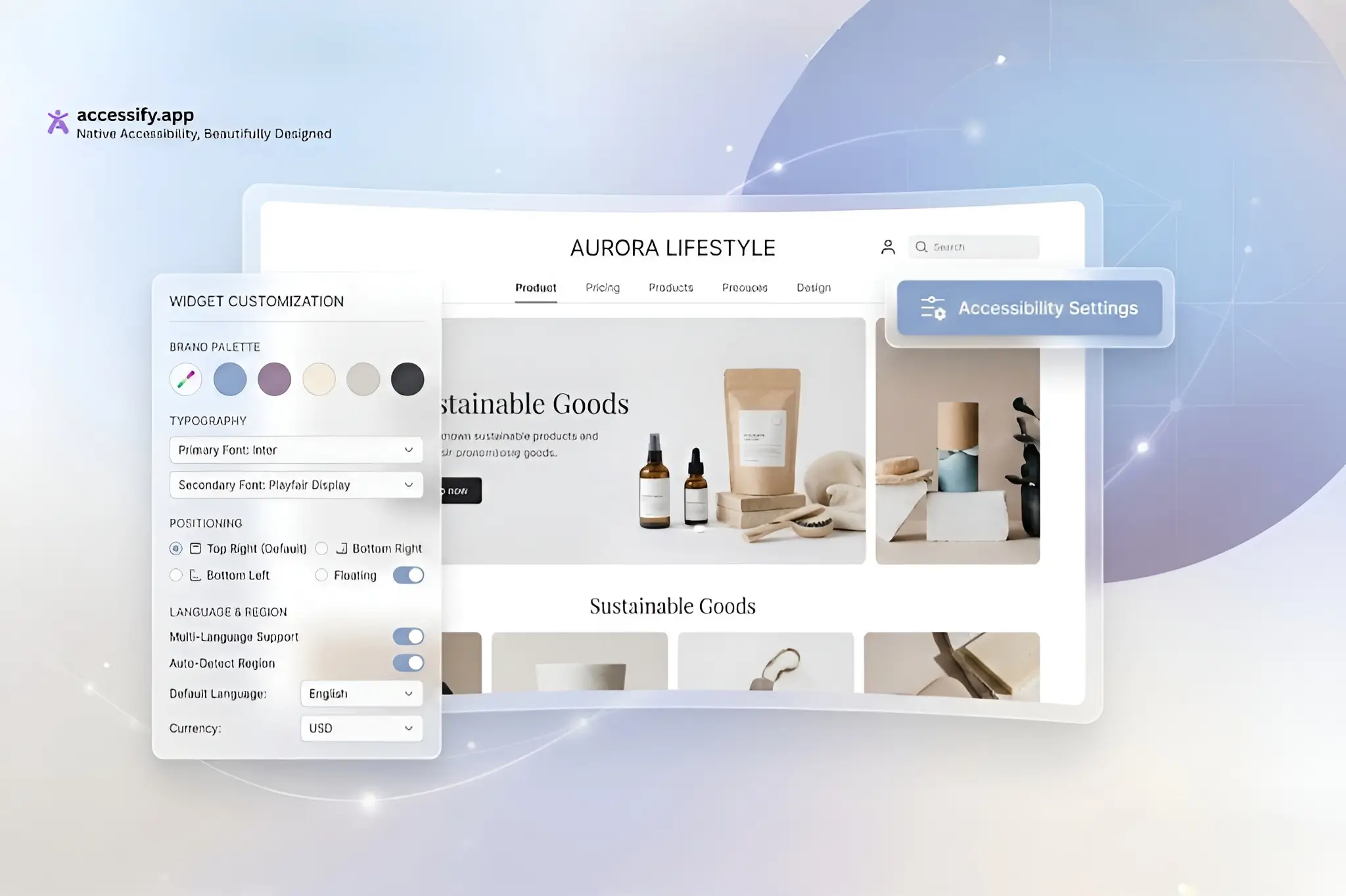
Your accessibility widget shouldn’t scream “third-party.” Make it disappear into your brand with Accessify’s 3-minute customization controls. Match colors, positions, icons, apply geo-visibility rules, or trigger the widget on specific clicks, all without code.
Complete setup, fine-tune in the dashboard, and deploy a native-feeling accessibility tool that strengthens compliance while elevating UX.
Your site. Your style.
Brand Harmony: Why Native Accessibility Widgets Convert Better
Clunky, mismatched overlays damage trust, 85% of users ignore accessibility tools that don’t visually align with the site.
Accessify gives you full design ownership, allowing you to:
- Use brand color palettes and custom icons
- Position widgets in the header, footer, or sidebar
- Apply CSS overrides for pixel-perfect styling
- Trigger the widget via buttons (e.g., open on “Help” click)
- Control visibility with geo-rules (hide in US, show in EU)
All with seamless onboarding for any website.
Fast Setup: 2 Minutes to Widget Base
Getting started takes under two minutes:
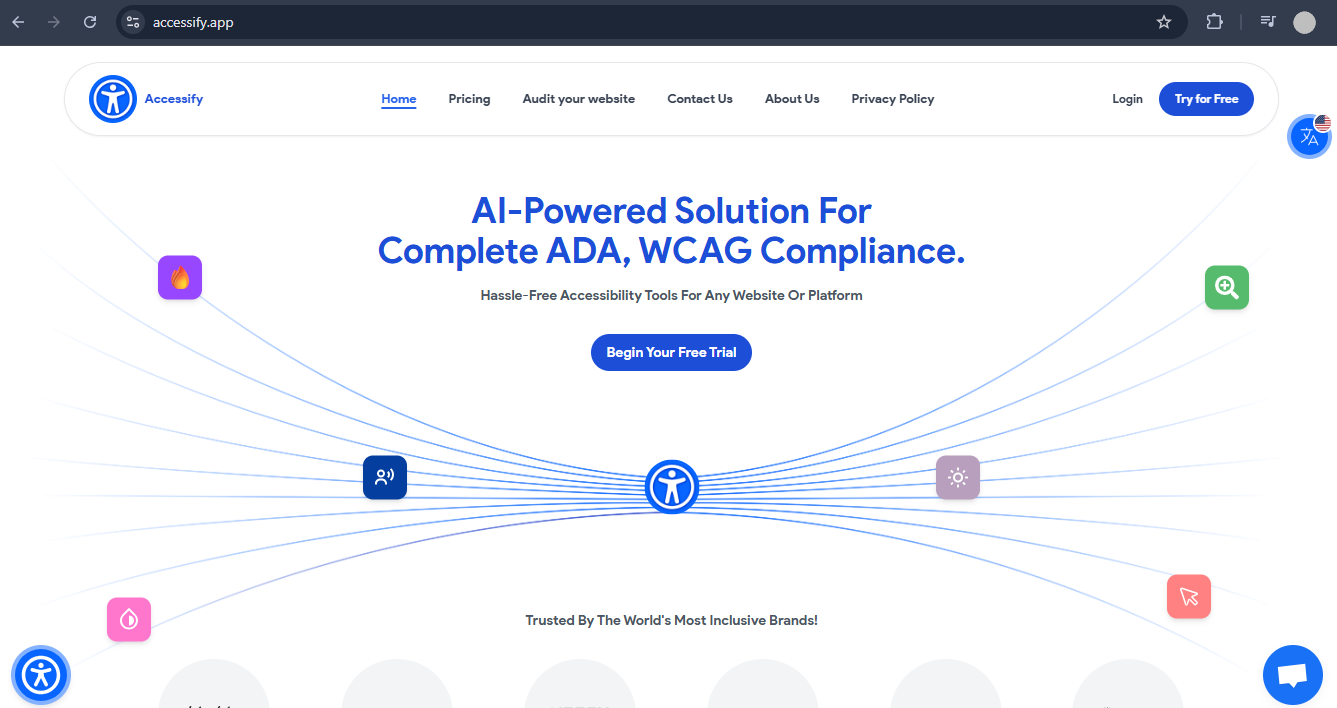
- Install Accessify via accessify.app (free trial)
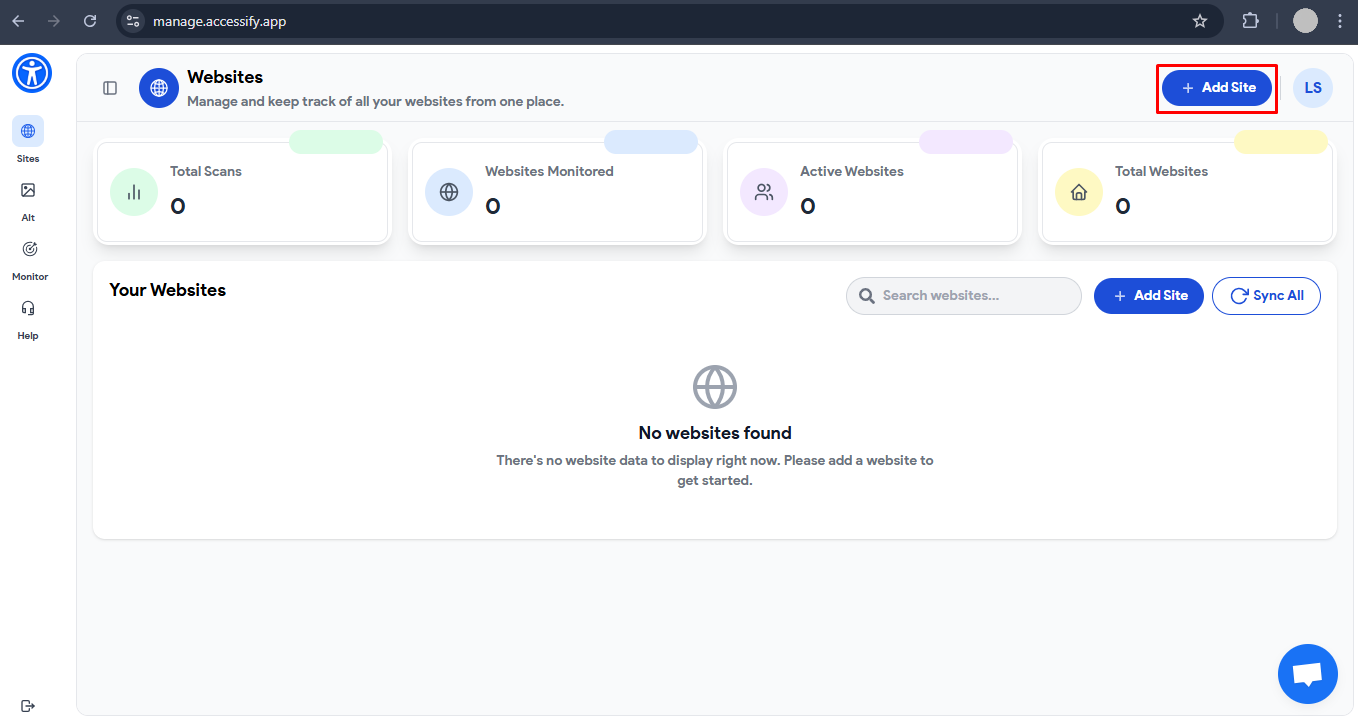
- Add your site at manage.accessify.app
- Complete quick setup
This unlocks full customization capabilities instantly.
3-Minute Customization Tutorial
Site Settings Entry
Dashboard → Click your site URL → Widget Settings page.
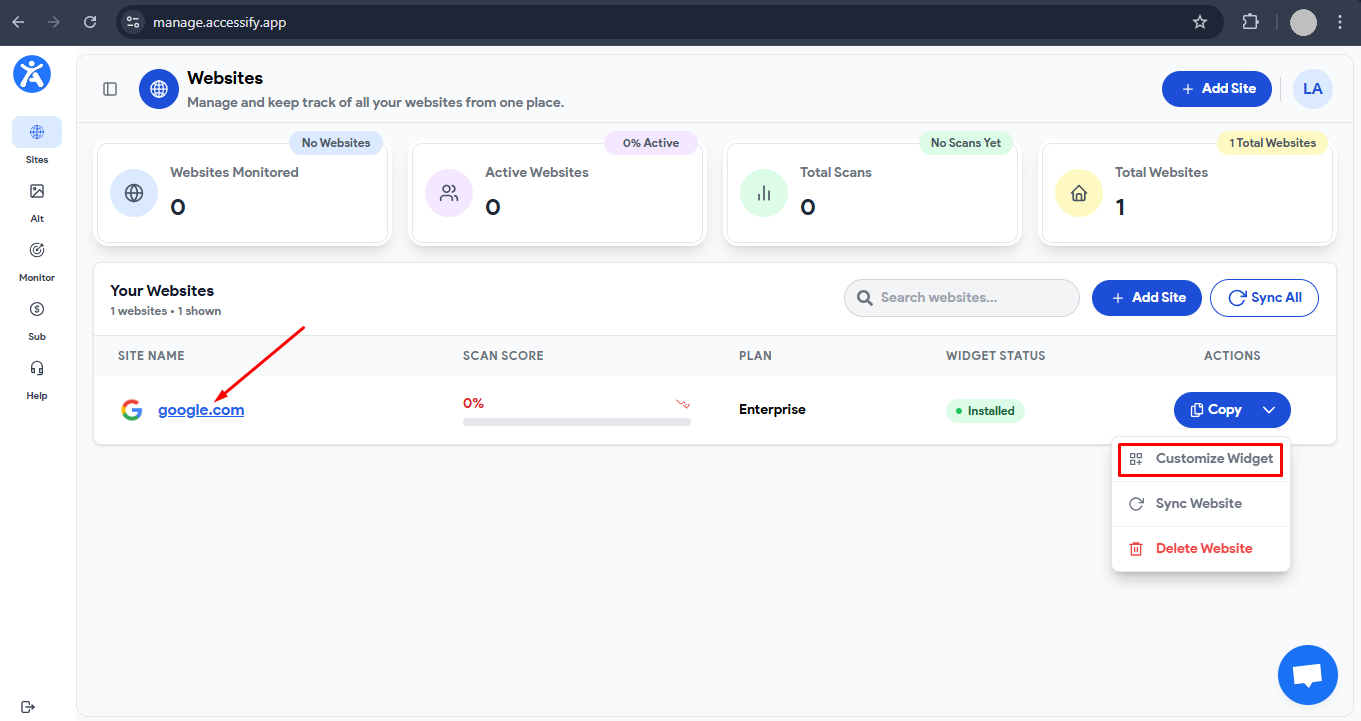
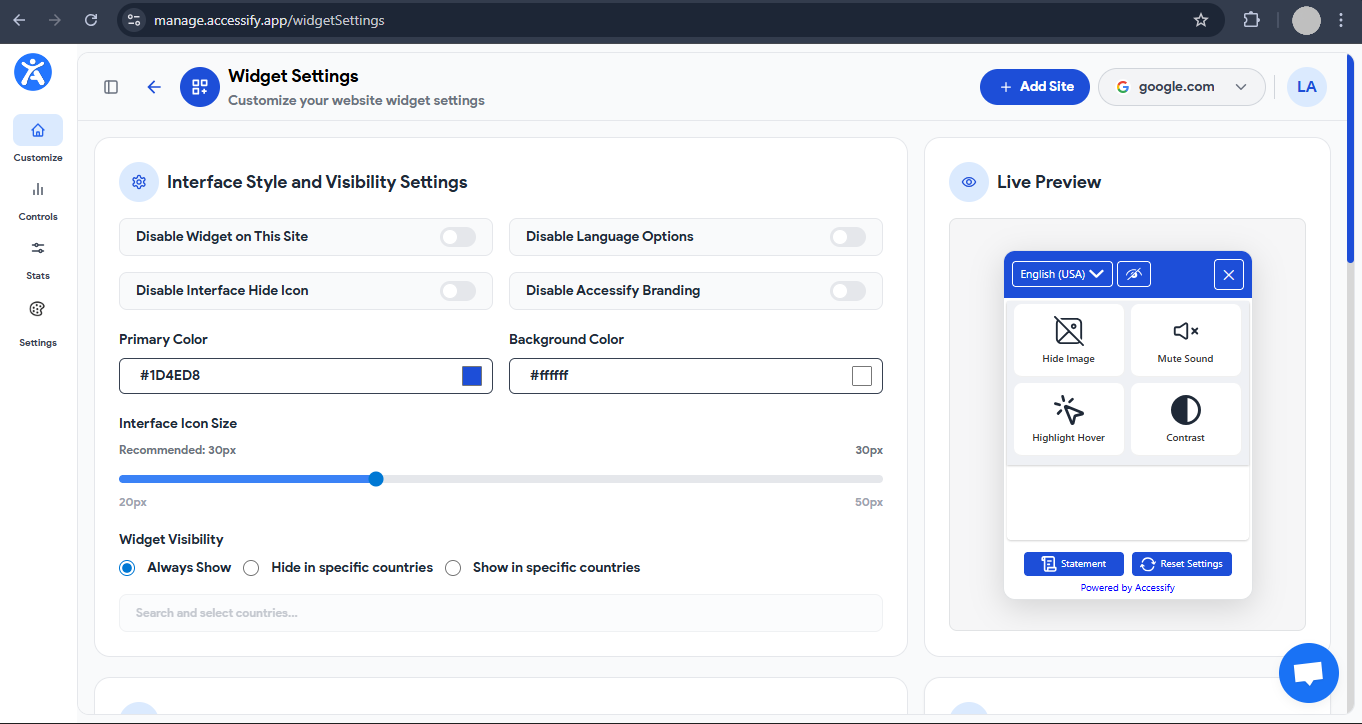
Core Appearance Tweaks
- Position:Place in header, footer, or at top/mid/bottom of left/right side of the screen
- Colors & Icons:Match brand hex values (e.g.,
#yourcolor), swap icons (gear, globe) - Visibility Controls:Geo-toggle visibility (e.g., hide in US, show GDPR EU countries)
Advanced Options (Scroll Down)
- Live Site Translations:Enable 30+ languages and style the selector (flags or dropdown)
- Trigger Selectors:Assign a CSS class (e.g.,
.help-btn) to open the widget on click - Custom CSS:Paste rules such as:
border-radius: 10px; font-family: 'YourFont';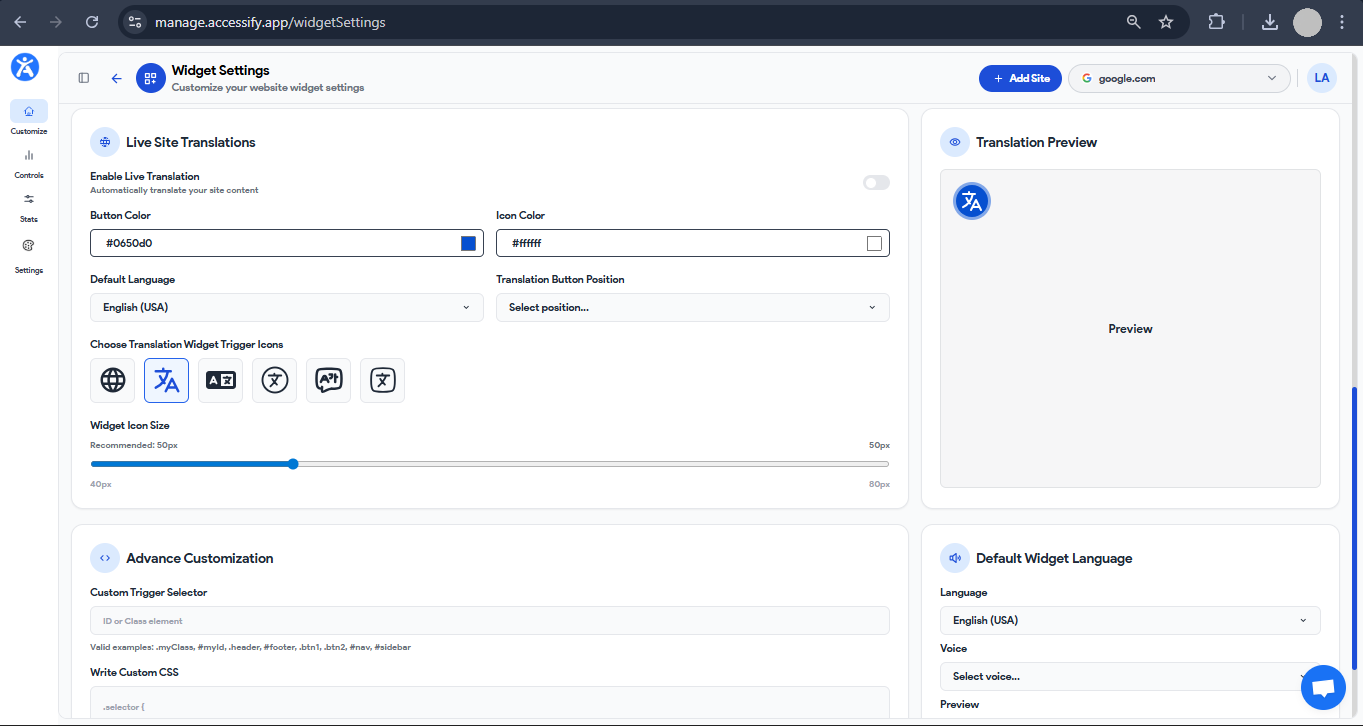
Preview & Deploy
Use the real-time preview, then click Save.
The widget goes live instantly, fully native to your site’s design.
Case Study: Premium Hotel Group Achieves Invisible Accessibility
A premium 12-property hotel group sought an accessibility solution that delivered full inclusivity without compromising its high-end, minimalist aesthetic. Standard accessibility widgets were rejected for adding visual clutter and breaking brand harmony.
Challenges
- Aesthetic Friction:Standard footer widgets conflicted with the site’s bespoke theme.
- Regional Requirements:European visitors required translations, while North American users needed a streamlined interface.
- Custom Navigation:The accessibility menu had to be triggered via the existing “Contact” button instead of a floating icon.
The Solution
The group implemented a flexible accessibility platform using a two-minute base setup, followed by advanced no-code customization:
- Strategic Placement:Interface pinned to the header-right to preserve visual balance.
- Brand Alignment:Custom color palettes and CSS matched brand fonts and introduced subtle shadows.
- Geo-Targeting:“Geo-hide” enabled to toggle features by visitor location.
- Advanced Triggers:Trigger Selector linked accessibility directly to the existing
.contact-usbutton. - Refined Localization:Clean EN / FR / ES text-based dropdowns replaced flags for a minimalist UI.
Results
- +28% increase in accessibility tool engagement
- Zero developer involvement required for deployment
- Seamless Design: Achieved “invisible perfection” by integrating directly into the site’s architecture
The platform supports header/footer pinning, full CSS control, and advanced triggers, making it ideal for organizations that demand complete design ownership.
Need Help Customizing?
Accessify offers 24/7 live chat and expert support for advanced branding and accessibility setups.
Brand-Blend Your Accessibility Widget Today
Start your free trial at accessify.app and customize your accessibility widget in minutes, compliance that looks and feels native.