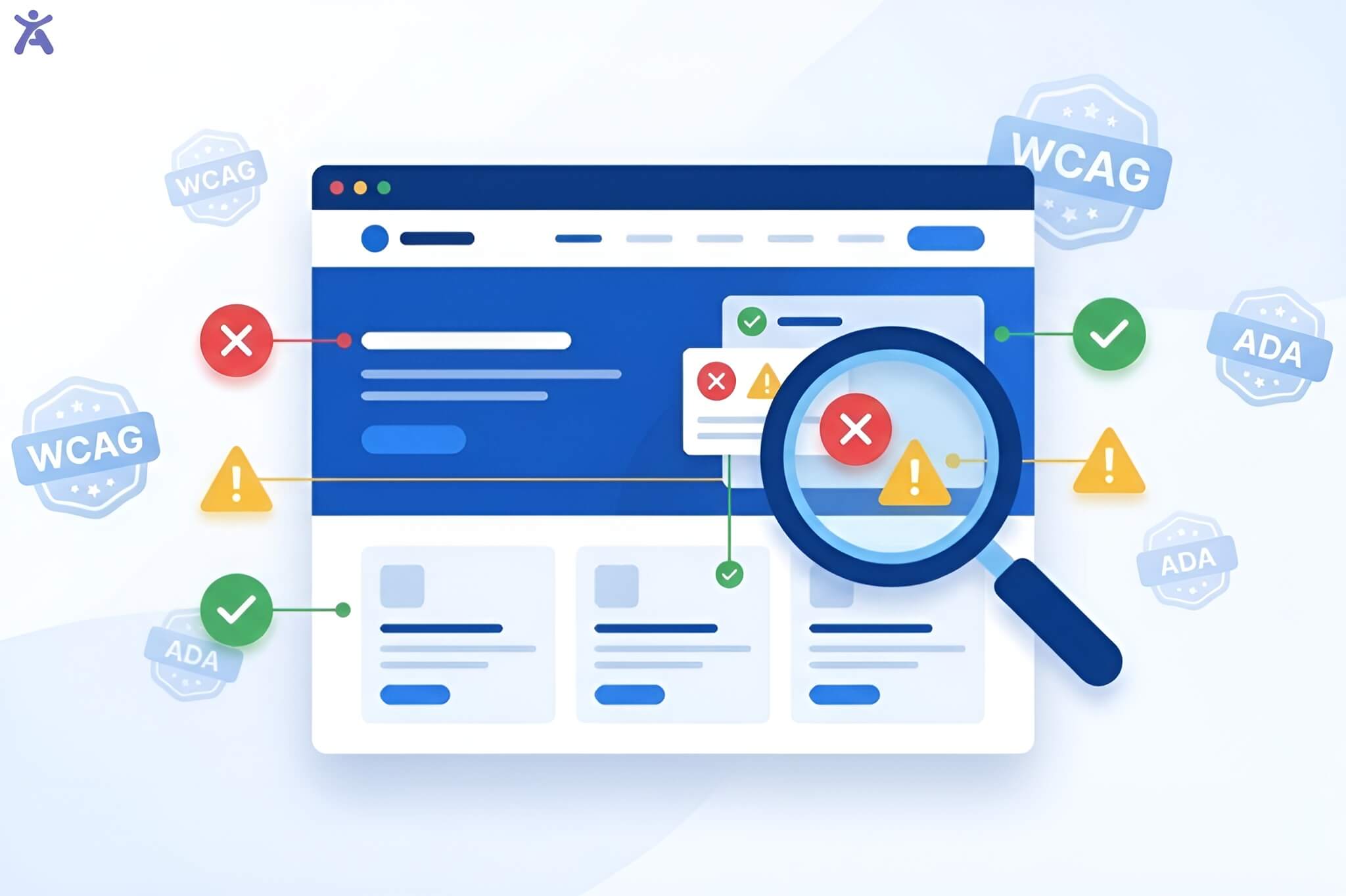
Web accessibility guidelines exist for one reason: to make the web accessible for everyone. Creating a website isn’t just about sleek design and fast load times; it’s about ensuring people with different abilities can navigate and interact with it. That’s where universal standards come in, defined through the four core POUR principles: Perceivable, Operable, Understandable, and Robust. These principles aren’t just compliance requirements; they serve as the framework for building digital experiences that actually work.
Quick Summary
The POUR principles form the backbone of web accessibility. Perceivable ensures users can access content through multiple senses. Operable means interfaces can be navigated by everyone, including keyboard users. Clear and understandable content reduces confusion and cognitive load. Robust design ensures compatibility across assistive technologies and future platforms. These principles build inclusive digital experiences. They help all users, including those with disabilities.
Building an Inclusive Digital World with Accessibility Guidelines

In today’s digital world, inclusivity is essential. An inclusive digital space ensures equal access to information and technology for all. It all begins with understanding what web accessibility means.
What is Web Accessibility?
Web accessibility is the practice of making digital content usable for people with disabilities. It ensures that users with visual, auditory, motor, and cognitive impairments can perceive, navigate, and interact with websites without barriers. Accessible design benefits everyone, including people with temporary limitations, older adults, and anyone relying on alternative input methods.
Understanding WCAG and the POUR Accessibility Principles
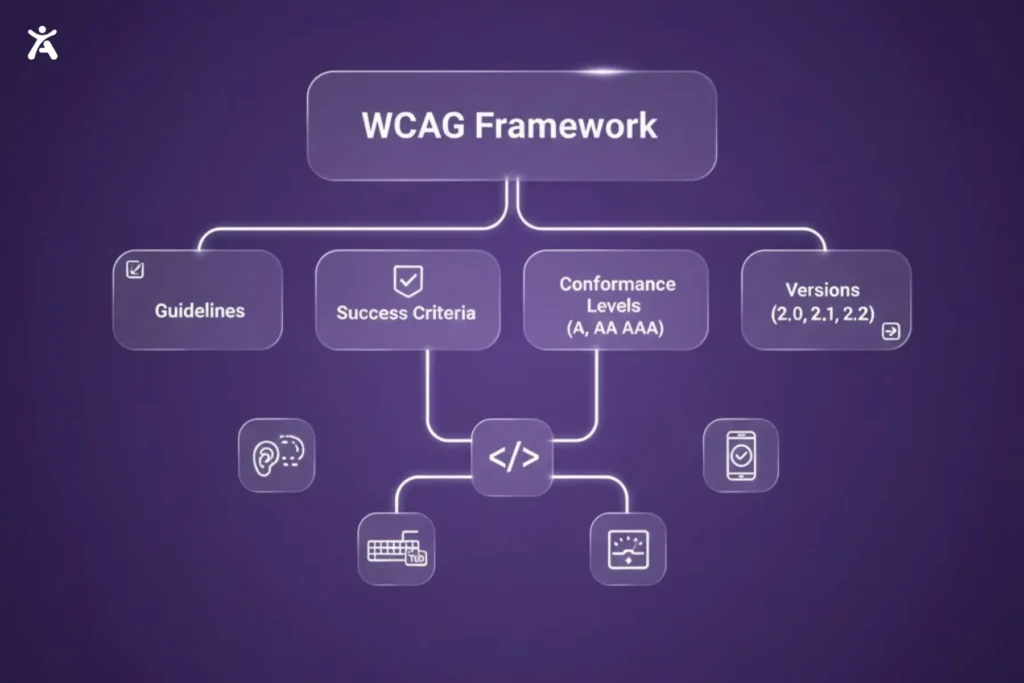
WCAG, developed by the World Wide Web Consortium, sets the global standard for accessible digital design. Its four POUR principles provide a practical framework that guides decisions such as color contrast, structure, and error messaging. Tools like Accessify can support this process by highlighting issues tied to perceivability, operability, understandability, and robustness, helping teams apply these principles more effectively.
Why Accessibility Matters for Inclusion Beyond Compliance
Yes, accessibility laws like Section 508, the Americans with Disabilities Act (ADA), and the European Accessibility Act exist. But if compliance is your only motivation, you’re missing the point.
Accessible design opens your brand to a wider audience. It improves SEO and enhances usability for everyone. It shows a real commitment to inclusion. Accessibility isn’t just good ethics; it’s good business.
WCAG as the Global Accessibility Guidelines Standard
WCAG provides global standards for making digital content accessible and usable. It defines criteria that ensure consistency and inclusivity across websites and apps.
What is WCAG?
WCAG, maintained by the W3C, outlines testable requirements for designing accessible content that works with assistive technologies and across devices.
The Role of WCAG in Universal Access
WCAG exists to remove barriers in the digital space. The guidelines help designers and developers create content that works with assistive technologies, such as screen readers, Braille displays, and voice recognition software. WCAG also ensures compatibility across browsers, mobile devices, user agents, and emerging technologies.
Conformance Levels (A, AA, AAA) and Versions (2.0, 2.1, 2.2)
WCAG divides its accessibility requirements into three levels of conformance:
- Level A: Basic accessibility features. Level A is the minimum requirement.
- Level AA: Addresses major barriers. Level AA is the standard that most organizations aim to meet.
- Level AAA: Enhanced accessibility. Level AAA represents the highest level, but it is not always achievable for all content.
Current versions are WCAG 2.0, 2.1, and 2.2. Each iteration builds on the last, adding new success criteria for today’s digital world. These updates enhance mobile accessibility and support users with cognitive challenges.
The POUR Principles of Web Accessibility Guidelines
The POUR principles form the core of WCAG. They ensure digital content can be perceived, operated, understood, and reliably accessed by all users.
Principle 1: Perceivable
The Perceivable principle focuses on how users access content through their senses. It ensures that everyone can fully understand and experience the information.
Understanding What “Perceivable” Means
Perceivable content is accessible through at least one of the senses. If someone cannot see an image, they can read a description. If they cannot hear audio, captions or transcripts provide access.
Why Perceivable Design Matters in Accessibility Guidelines
Without perceivable design, key information is lost. Videos without captions or images without alt text exclude certain users. Perceivable design ensures everyone can access content.
Key Aspects and Practical Applications
- Text Alternatives: Provide descriptive alt text for images.
- Time-based Media: Add captions and audio descriptions.
- Color Contrast: Maintain sufficient contrast between text and background.
- Adaptable Content: Use semantic HTML to ensure content works across devices.
How Perceivable Content Benefits Diverse Users
Perceivable content supports users who are blind, deaf, or have low vision. Captions help in noisy environments, alt text improves SEO, and clear layouts improve readability for everyone.
Principle 2: Operable
The Operable principle ensures that interface components work for all users alike. It works toward accessibility through easy navigation for all users.
Defining What “Operable” Means
Operable design ensures users can interact with content using keyboards, touch, voice, or assistive devices. Navigation and interactive elements must work across all input methods.
Why Following Operable Design Is Crucial
Users with motor impairments or those relying on keyboard navigation are excluded if sites are mouse-only. Clear, operable interfaces remove barriers for these users.
Key Aspects and Practical Applications
- Keyboard Accessible: All interactive elements must be keyboard-navigable.
- Enough Time: Provide sufficient time for interactions.
- Seizures and Physical Reactions: Avoid flashing content.
- Navigable: Use clear headings, skip links, and logical focus order.
- Input Modalities: Support multiple input methods (touch, keyboard, voice).
How Operable Interfaces Benefit Diverse Users
Keyboard navigation and clear structure help users with motor or visual impairments. Everyone benefits from faster workflows and intuitive navigation.
Principle 3: Understandable

The Understandable principle ensures that content is clear and easy to navigate. Users can comprehend information and interact without confusion.
Exploring What “Understandable” Means
Clear, understandable content is predictable and easy to navigate. Users can easily comprehend information and interact with interfaces.
Why Understandable Design Is Crucial
Complex or inconsistent interfaces can frustrate users and pose barriers for individuals with cognitive impairments, learning disabilities, or who are non-native speakers. Clear language and predictable design guide all users to success.
Key Aspects and Practical Applications
- Readable: Use simple language, short sentences, and define jargon.
- Predictable: Keep consistent navigation and behavior across pages.
- Input Assistance: Provide clear labels, instructions, and descriptive error messages.
How Understandable Content Benefits Diverse Users
Clear content helps users with cognitive challenges and those who are non-native speakers. It reduces confusion, speeds up tasks, and improves the experience for everyone.
Principle 4: Robust
The Robust principle ensures content works reliably across platforms, browsers, and assistive technologies. It is built with valid code and semantic markup to ensure compatibility now and in the future.
Clarifying What “Robust” Means
Robust content is designed to work reliably across browsers, devices, and assistive technologies. Use valid HTML and semantic markup to ensure compatibility now and in the future.
Why Robust Design Is Crucial
Technology evolves quickly. Robust design ensures content remains accessible on new browsers, devices, and assistive tools.
Key Aspects and Practical Applications
- Compatible: Follow web standards, use valid HTML and ARIA attributes.
- Tested: Check accessibility across browsers, devices, and with screen readers.
- Built-in Accessibility: CMS, authoring tools, and templates should support accessibility from the start.
How Robust Design Benefits All Users
Semantic HTML and ARIA attributes help screen reader users and maintain accessibility on older devices. A strong structure ensures that content remains usable as technology advances.
The Interconnectedness of POUR Principles
The POUR principles work together to ensure accessibility and functionality across all users.
How these Principles Support Each Other
Each principle reinforces the others. A perceivable button is useless if it is not operable. An operable form fails without understandable labels, and understandable content has no impact if it isn’t robust enough to reach users.
Creating a Seamless User Experience
Implementing all four principles creates a cohesive experience. Captions (perceivable), keyboard navigation (operable), clear language (understandable), and reliable code (robust) allow all users to engage successfully. This holistic approach makes accessibility a practical design philosophy rather than just a compliance checklist.
Building Inclusion with Accessibility Guidelines
Inclusion goes beyond compliance, improving usability for everyone. Integrating accessibility early ensures long-term success and continuous improvement.
Enhanced Usability for All
Accessibility features benefit all users. Captions help in noisy cafés or quiet libraries. Keyboard navigation speeds workflows. Clear headings improve scannability. High contrast enhances readability in all lighting conditions. Designing for accessibility means designing for real people in real contexts.
Embedding Principles from Design to Deployment
Accessibility should be integrated from the start:
Design phase: Choose accessible colors, plan keyboard navigation, and structure content logically.
Development phase: Use semantic HTML, test with keyboards and screen readers, and validate code.
Before the deployment phase: Run automated scans, conduct manual testing, and gather feedback from users with disabilities.
Continuous Evaluation and User Testing with Accessibility Tools
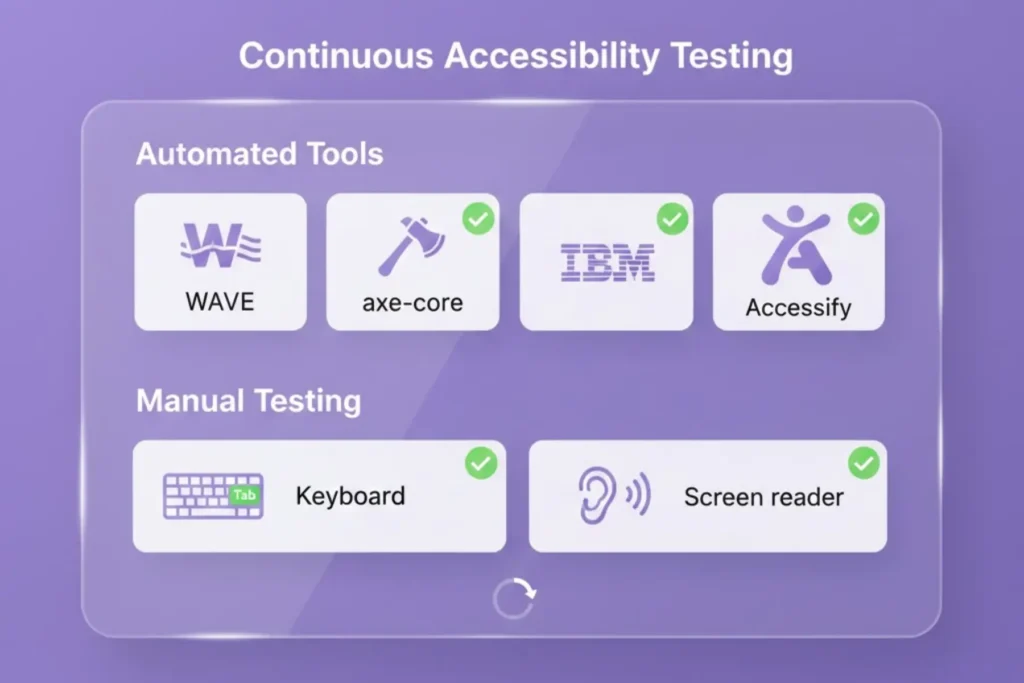
Accessibility isn’t a one-time checkbox; it’s an ongoing commitment. Tools like WAVE or IBM Equal Access Accessibility Checker help identify common issues, but they cannot catch everything. To address what automated scans miss, teams should follow clear, principle-based guidance rooted in the POUR framework to create solutions that are perceivable, operable, understandable, and robust.
Combining automated scans with usability testing delivers the most accurate insights. Test with real users who have disabilities to uncover barriers that tools may overlook. Schedule regular accessibility audits, train your team, and designate an accessibility champion to support continuous improvement and maintain inclusive digital experiences.
Final Thoughts
Accessibility guidelines such as the POUR principles (Perceivable, Operable, Understandable, and Robust) are key to creating accessible digital experiences. Integrating them ensures inclusivity and makes digital content usable by everyone, regardless of ability.
Begin by auditing your projects against the POUR framework and make quick improvements, such as adding alt text or fixing keyboard navigation. Share these insights with your team and make accessibility a standard practice, ensuring a web that’s accessible to all.
FAQs
Web development should ensure websites work for all users, including those with diverse abilities. Implementing inclusive design principles enhances usability and facilitates compliance with legal and ethical requirements.
Following accessibility guidelines improves navigation for everyone. Tools like Axe and WAVE, and Accessify, can help identify usability barriers and maintain a smooth user experience.
Perceivable, operable, understandable, and robust are the key principles. They ensure that websites function reliably for all users, regardless of abilities, while supporting assistive technologies.
Websites optimized for all users, including those using assistive tools, perform better in search rankings. A clear structure, readable content, and smooth navigation enhance both user experience and SEO.
Enhance accessibility by adding text alternatives, enabling keyboard navigation, and giving clear instructions. Platforms like Lighthouse and IBM Equal Access, together with Accessify, simplify compliance monitoring and site audits.