Accessify: AI-Powered Accessibility Widget for OpenCart
Why Web Accessibility Matters for OpenCart Stores?
Over one billion people worldwide live with disabilities, making web accessibility essential for every online business, including OpenCart stores. Ensuring accessibility not only protects your business from legal risks but also improves user experience, SEO visibility, and conversion rates.
An accessible OpenCart website loads faster, engages more users, and ensures a smooth navigation experience for all visitors, while strengthening your store’s brand reputation and search engine rankings.
Introducing Accessify: The AI-Powered Accessibility Solution for OpenCart
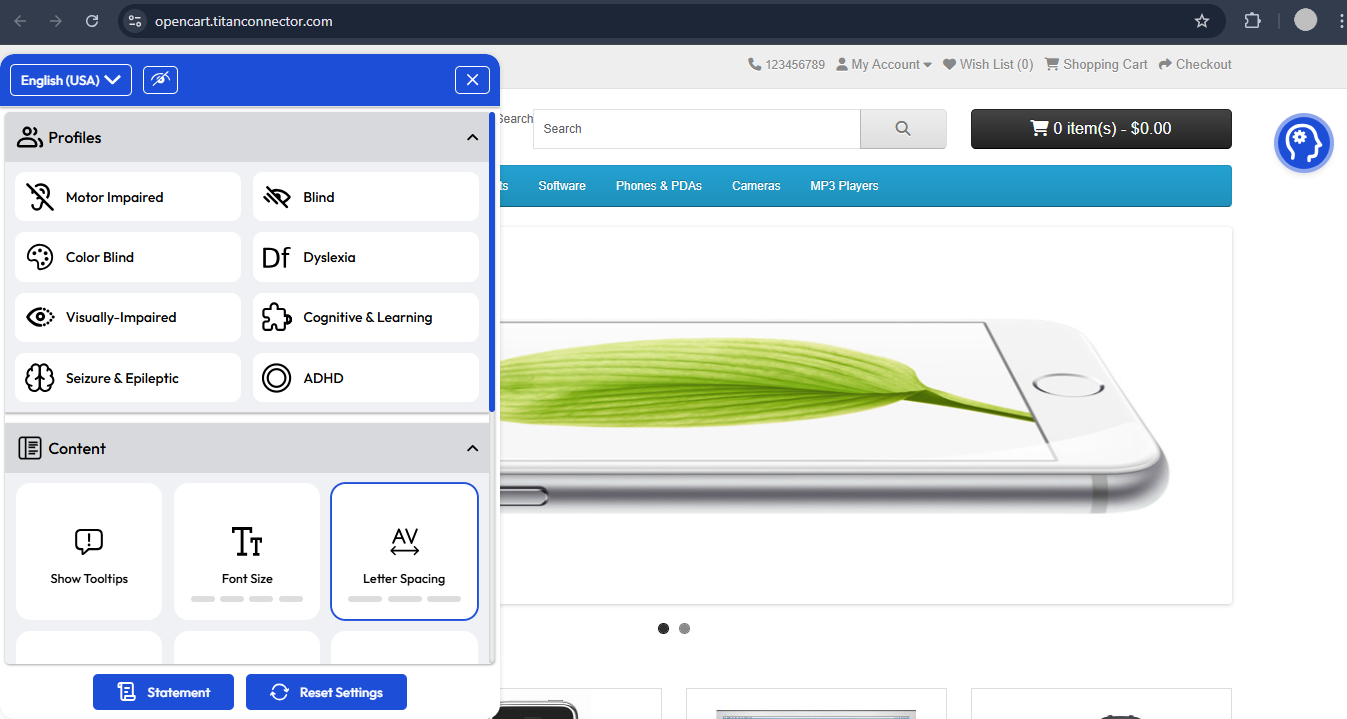
Accessify is an AI-driven accessibility widget for OpenCart that instantly brings your store into alignment with global accessibility standards. Accessify upgrades your OpenCart store with intuitive accessibility settings, allowing users to adjust text spacing, enable keyboard shortcuts, and control page zoom for smoother navigation.
With Accessify for OpenCart, your store remains inclusive and optimized for performance, all without slowing down your website or requiring complex configuration.
Powered by our ultra-fast servers, Accessify ensures millisecond-level latency, keeping your site lightweight, efficient, and fully accessible to everyone.
Simplify Accessibility for OpenCart
Accessify provides a simple, code-based integration method that activates your OpenCart Accessibility Widget in just minutes.
By inserting a small JavaScript snippet into your theme’s header or footer, you can instantly enable accessibility without affecting your site speed or theme structure.
How to Integrate Accessify with OpenCart
Follow these simple steps to install the Accessify Accessibility Widget on your OpenCart store:
- Visit accessify.app, log in or sign up, and you’ll be redirected to your personal dashboard on manage.accessify.app.
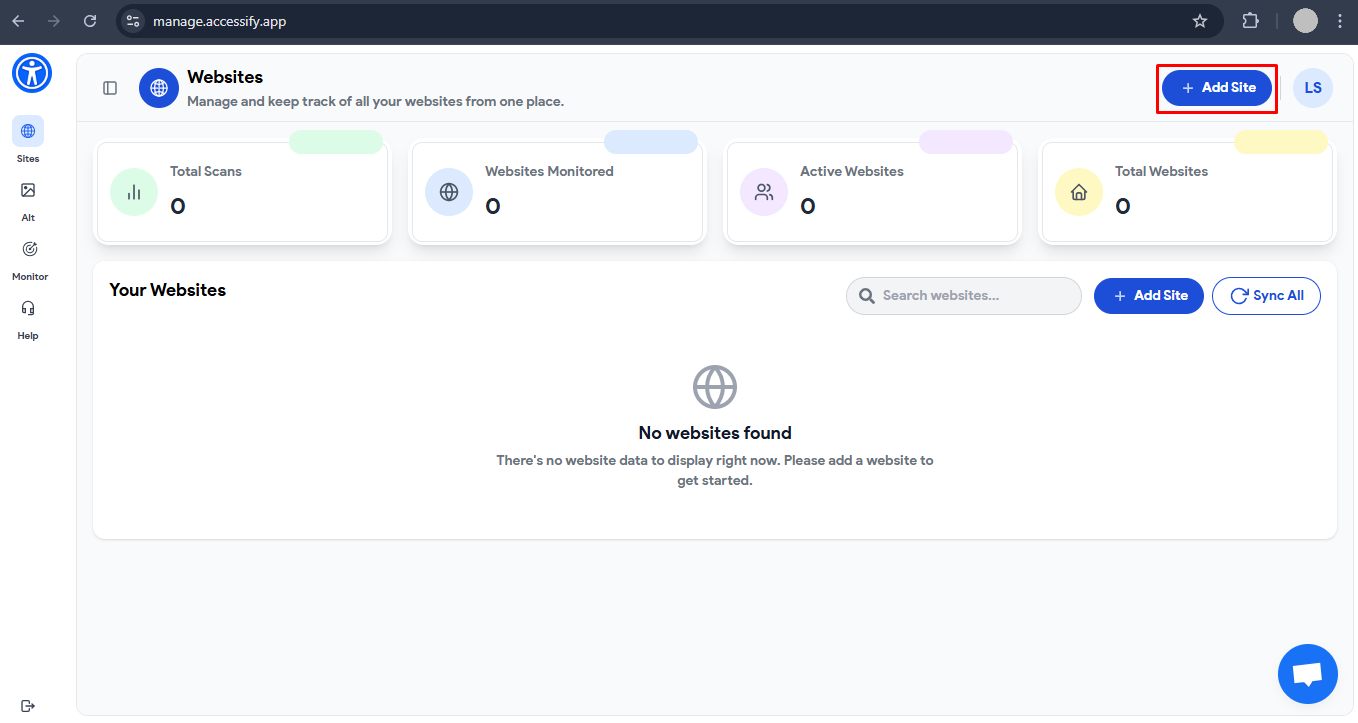
- Click Add Site, then enter your OpenCart store URL. Press Enter or Comma to confirm and click Next.
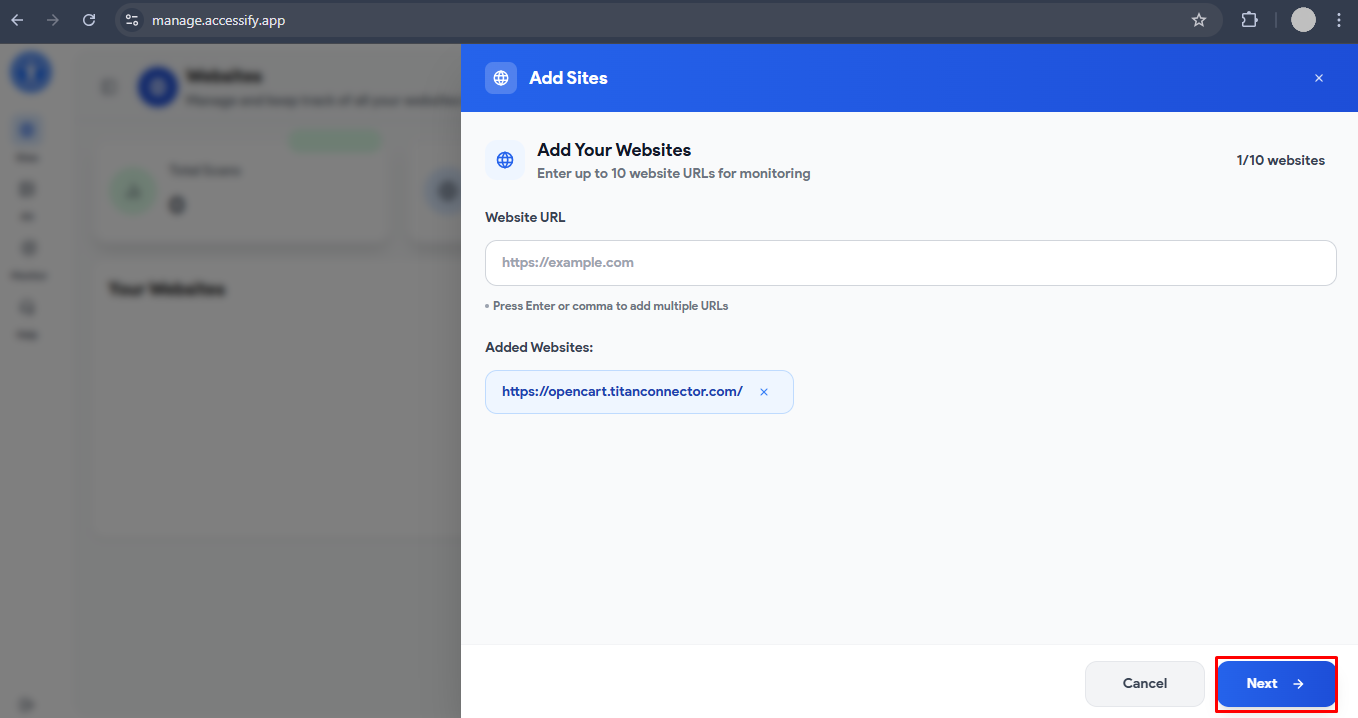
- Choose your preferred Accessify plan and continue to your customized dashboard.
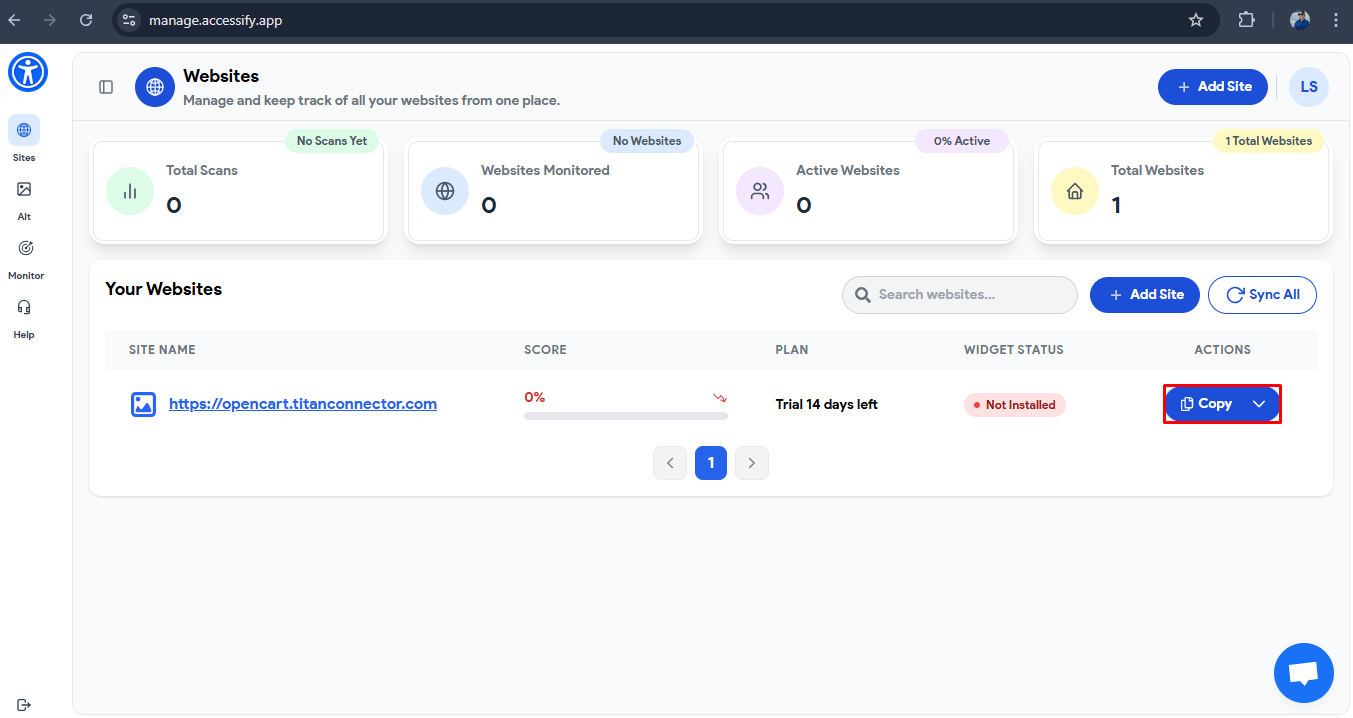
- Find your newly added site, then click Copy to copy your unique Accessify script.

- In your OpenCart Admin Panel, navigate to Design → Theme Editor → Common (or use FTP/File Manager for manual access).
- Open your header.twig or footer.twig file, paste the Accessify JavaScript snippet, and save your changes.
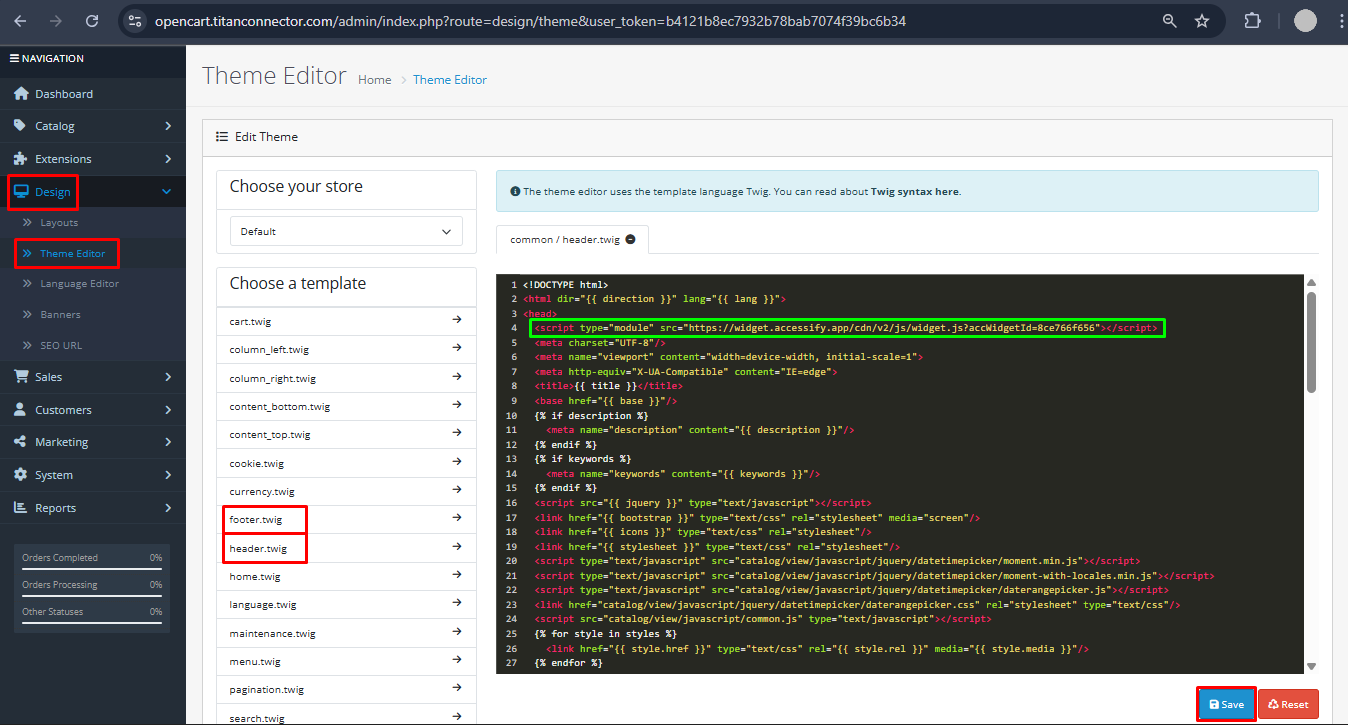
Once saved, the Accessify Accessibility Widget for OpenCart will automatically activate across your store, ensuring full Accessibility for all users.
🎉 Congratulations! Accessify is now live on your OpenCart website. Visit your storefront to confirm that the widget is visible, responsive, and fully functional.
Customize Your OpenCart Accessibility Widget
To personalize the look and behavior of your Accessify widget:
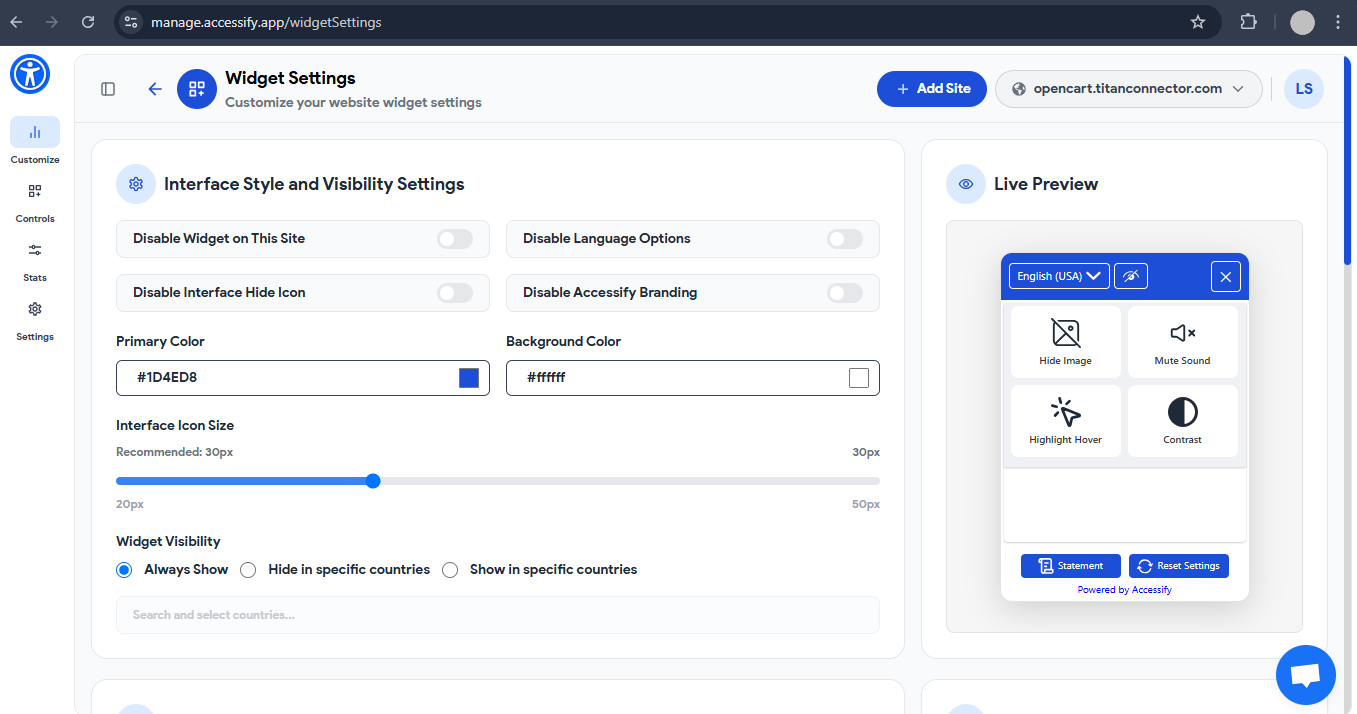
- Go to manage.accessify.app and click your site URL to open the Widget Customizer.
- Alternatively, click the dropdown menu next to the Copy button and select Customize Widget.

From here, you can easily adjust colors, placement, and accessibility features to match your OpenCart store’s brand identity and design preferences.
Your OpenCart store is now accessible, and AI-optimized with Accessify.
Enjoy improved SEO rankings, broader audience reach, and an inclusive digital experience that meets both user expectations and accessibility requirements.