No-Code Accessibility Widget Customization That Matches Your Brand:
Blend your accessibility widget seamlessly into your brand with Accessify’s Brand Match. In just 2 minutes, define colors, fonts, positions, and styles to create a native-looking accessibility experience that feels like part of your site.
No development team required. Match your exact palette, typography, and layout, transforming accessibility from a generic utility into a branded asset that quietly builds trust and improves conversions.
Brand Consistency: The Trust Multiplier
Generic accessibility widgets disrupt visual flow. When tools feel out of place, user hesitation increases and bounce rates rise by 15–20%.
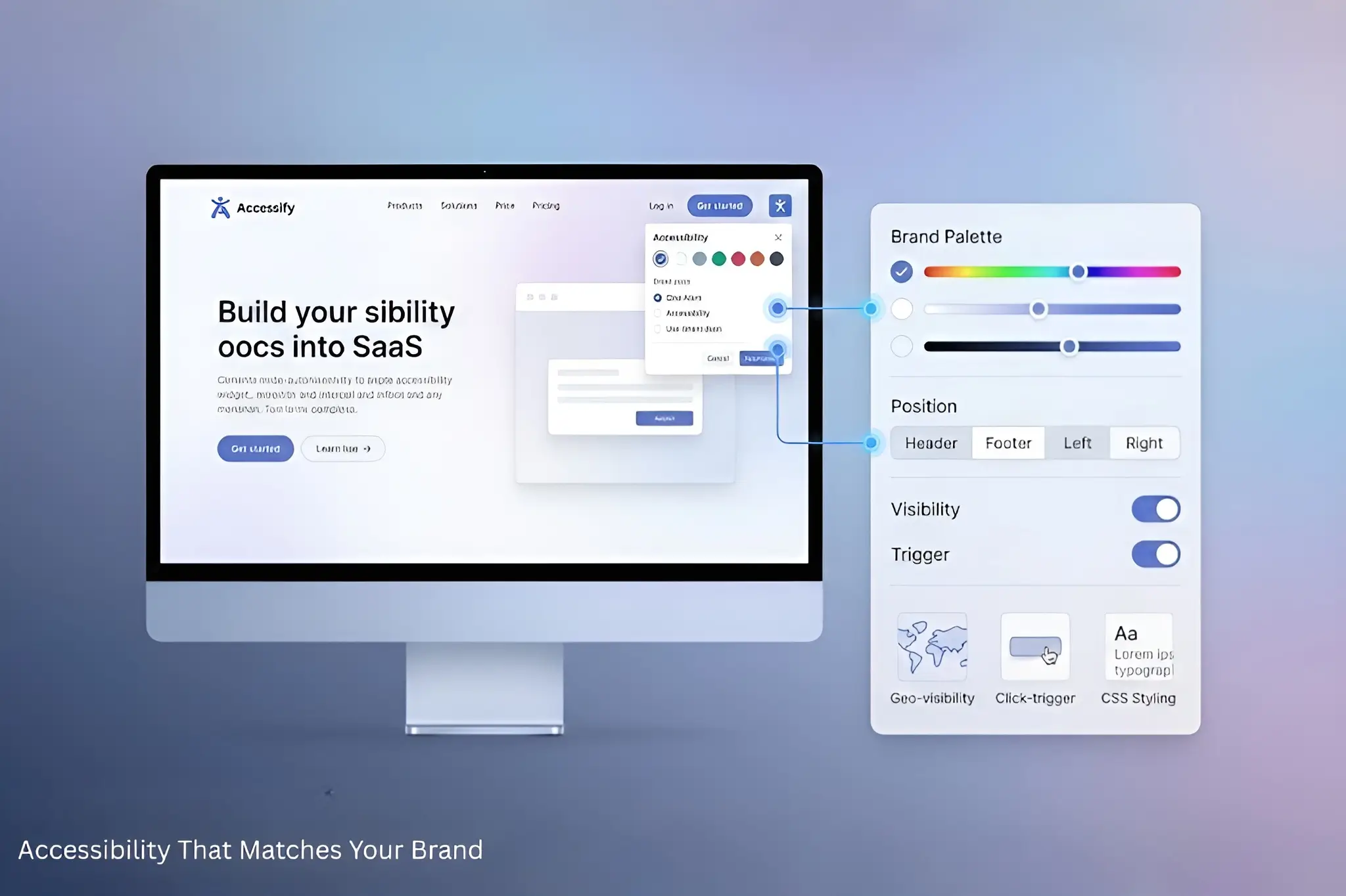
Accessify’s deep customization eliminates that friction, enabling pixel-perfect alignment with your design system:
- Brand fonts (Google Fonts + custom imports)
- Exact hex color matching
- Strategic widget positioning
- Geo-based visibility rules
- Click-based trigger behaviors
- Full raw CSS control
This is accessibility that complements your design DNA, not competes with it.
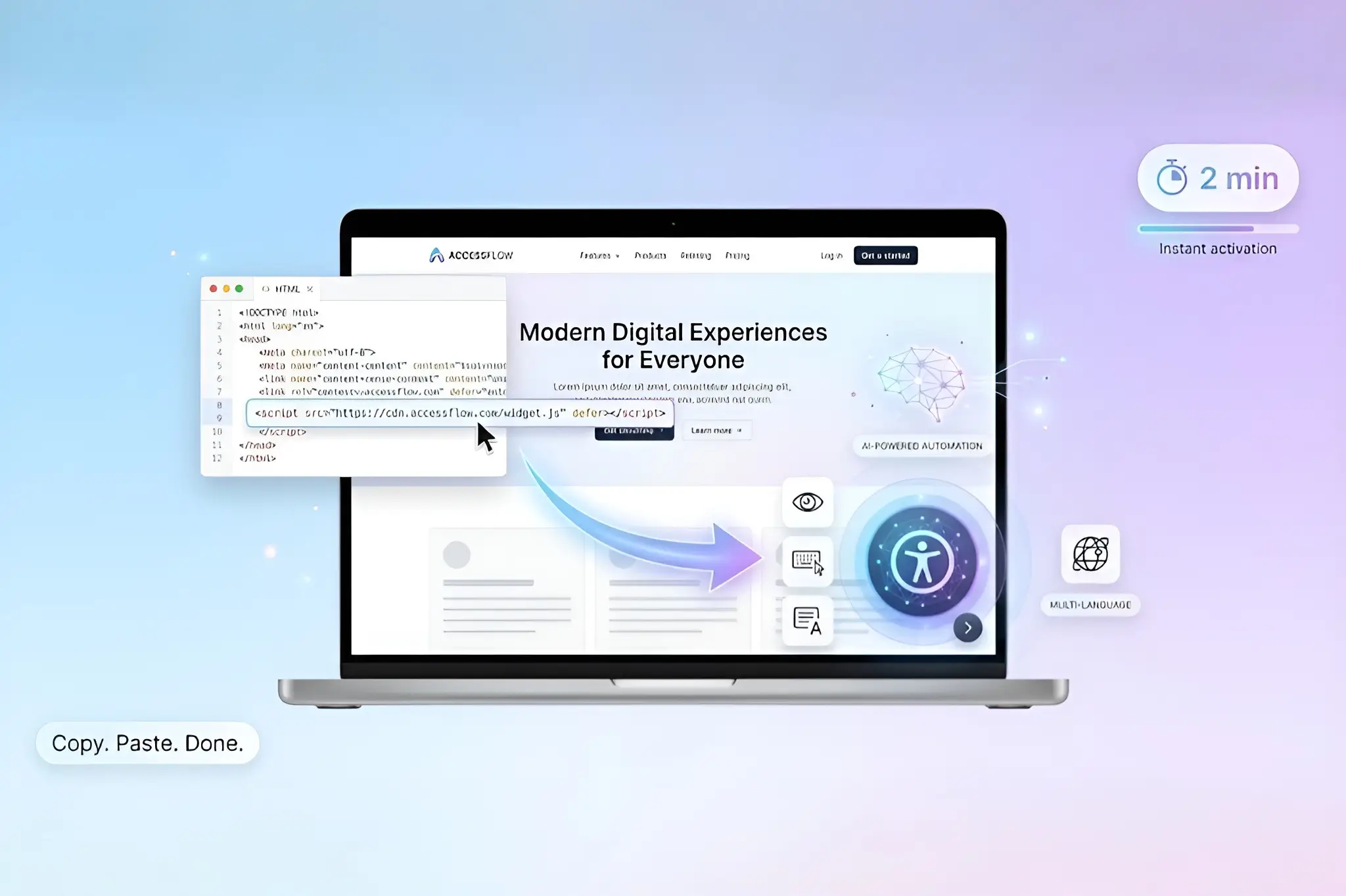
Instant Foundation: 2-Minute Widget Launch
Getting started is frictionless:
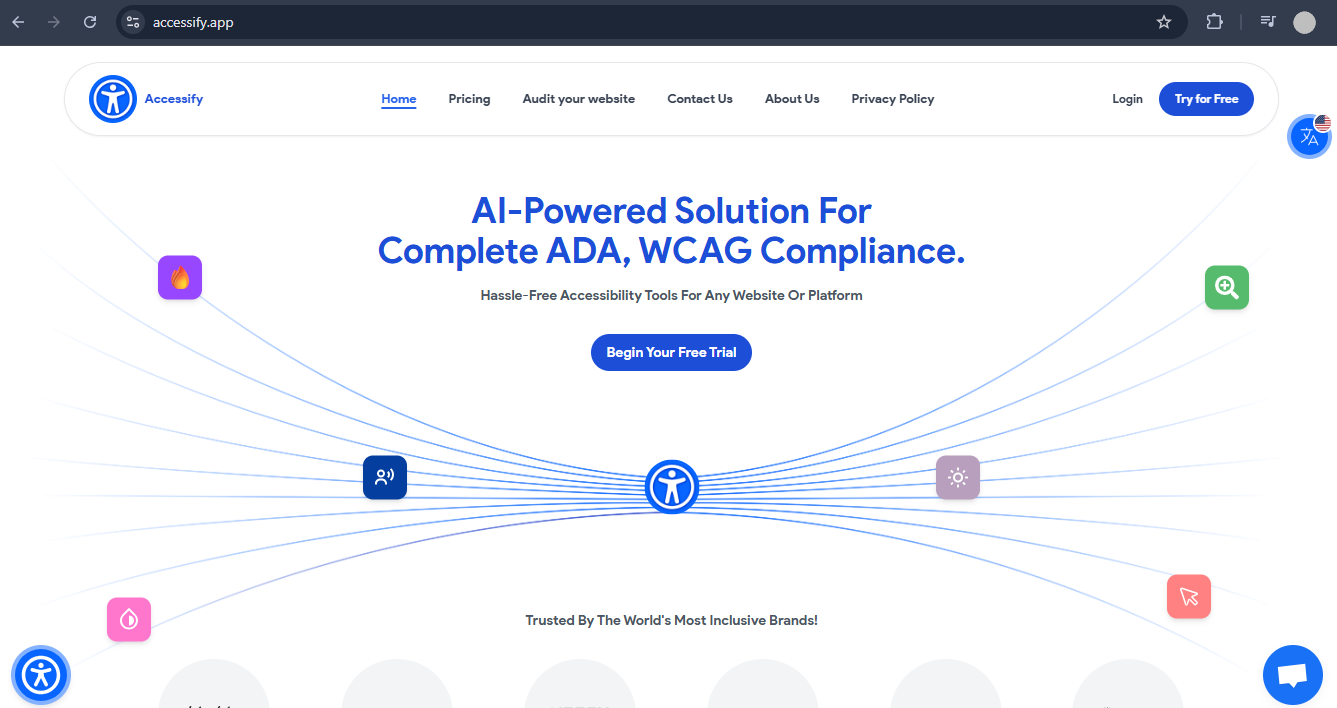
- Start a free trial at accessify.app
- Add your site at manage.accessify.app
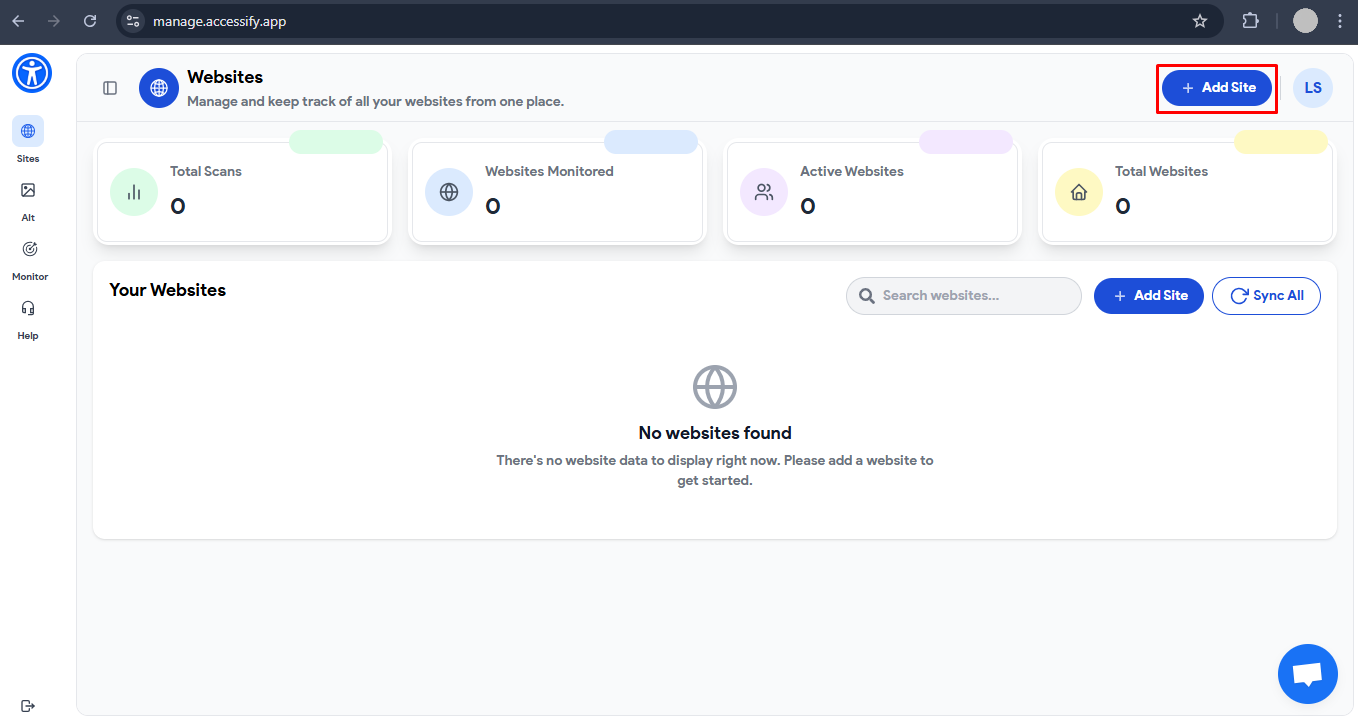
- Complete setup in under 2 minutes
Your widget foundation is live, ready for brand customization.
Detailed Brand Match Customization Guide
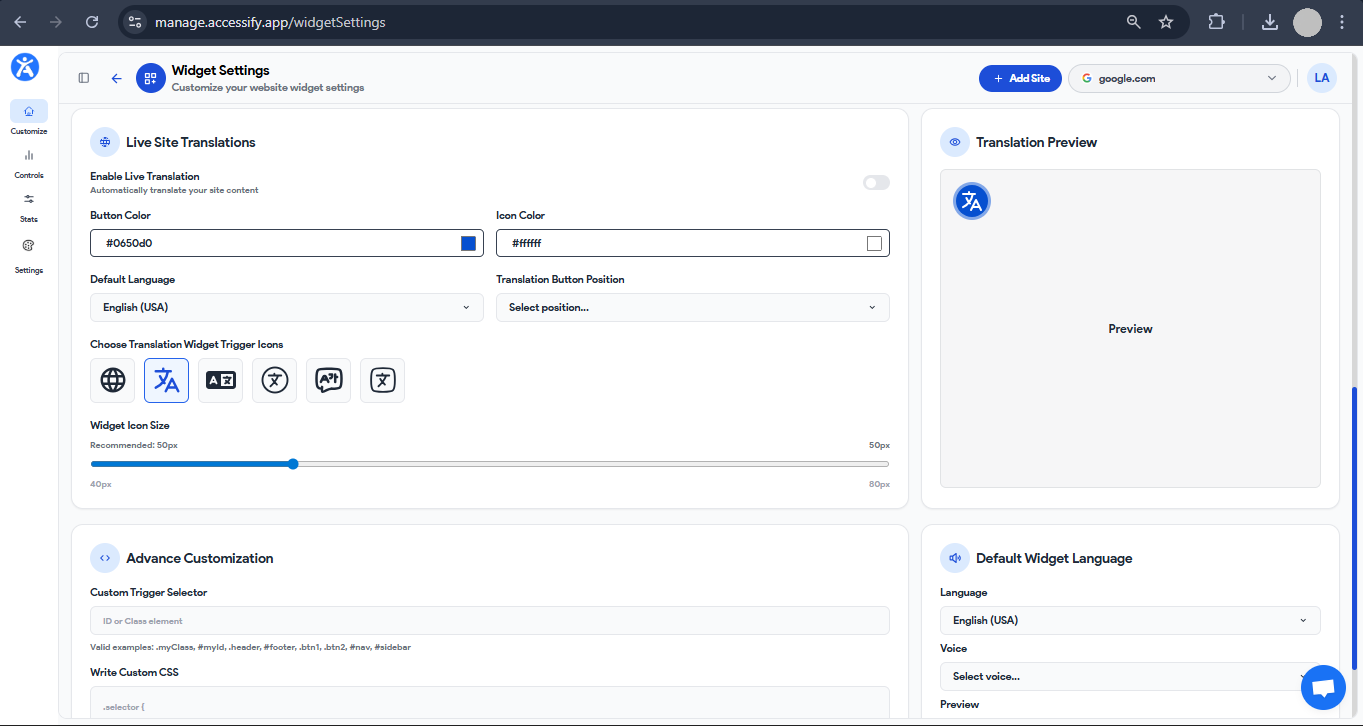
Enter the Brand Control Center
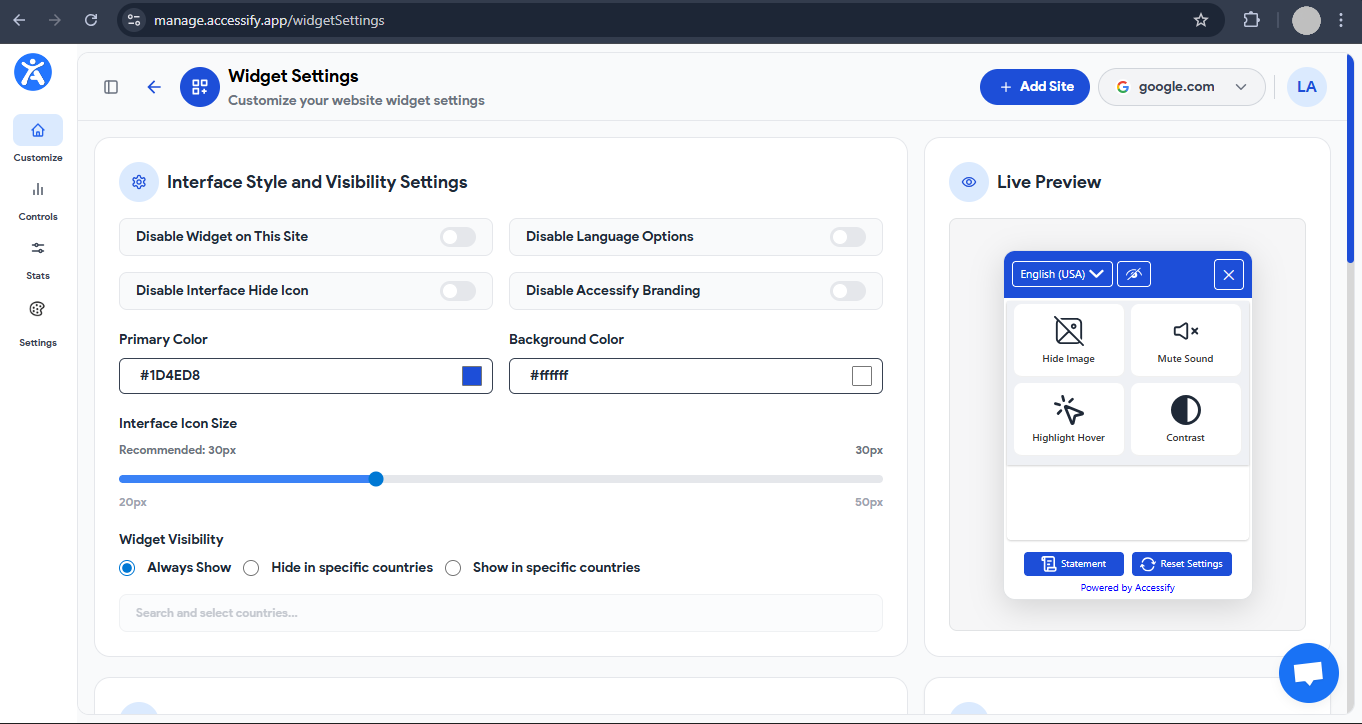
Dashboard → Click your site URL → Widget Settings page loads.
Core Brand Elements
- Colors:
Input precise hex codes (e.g.,
#1E3A8Aprimary,#F3F4F6secondary). Buttons, borders, and backgrounds update instantly. - Fonts:
Choose system fonts (Roboto, Inter) or import custom fonts via CSS
(
@import yourfont.googleapis.com). - Icons:
Upload your own SVGs or select from 100+ built-in icons (shield, eye, globe), all color-adjustable.
Position & Behavior
-
- Placement:
Header-left, footer-center, viewport-right, sticky or static.
- Triggers:
Assign a CSS selector (e.g.,
.brand-help) to open the widget on click instead of hover. - Geo-Control:
Hide the widget in the US, show it in Brazil or Germany for region-specific compliance.
- Placement:
Advanced Power (Scroll Down)
- Live Translations:
Enable 30+ languages and style the selector to match your UI (minimal flags or text-only).
- Custom CSS Editor:
Full override support, for example:
.accessify-widget {

border-radius:12px;

box-shadow:04px20pxrgba(0,0,0,0.1);

font-family:'YourBrandFont', sans-serif;

}
Live Preview & Deploy
border-radius:12px;
box-shadow:04px20pxrgba(0,0,0,0.1);
font-family:'YourBrandFont', sans-serif;
}
Use the real-time site preview.
Click Save, and changes deploy instantly.
Case Study: Premium Skincare Brand Achieves Perfect Brand Harmony
Lumiere Botanicals, a luxury clean-beauty brand generating $8M ARR, rejected default accessibility widgets that clashed with their refined sage-and-pearl aesthetic.
Before Accessify
- Bright blue accessibility button screamed “plugin”
- Visual mismatch with minimalist cream layout
- Widget click rate: 8% (vs. industry average of 25%)
Accessify Brand Overhaul
- Colors: Sage (
#A8B5A2) and pearl white (#F8F1E9) - Fonts: Custom Lumiere Serif loaded via CSS
- Position: Header-right, aligned 20px from logo
- Trigger: “Need Help?” footer link
- CSS: Subtle glass morphism (
backdrop-filter: blur) - Geo Controls: Hidden in US, visible in EU/AU (GDPR focus)
Results
- Widget usage +210% (42% activation rate)
- Dwell time +18% due to native look and feel
- Now supports FR / DE / ES translations, styled identically
“Finally, accessibility that doesn’t look like accessibility.” , Creative Director
Need Customization Help?
Accessify provides 24/7 live chat and optional design consultations for advanced branding needs.
Turn Compliance into a Brand Advantage
Start your free trial at accessify.app and match your accessibility widget to your brand instantly, quiet compliance, stronger trust, better conversions.