The SEO Hack Most Competitors Miss: Alt Text That Ranks (And You Generate in Seconds) With Accessify Web Accessibility:
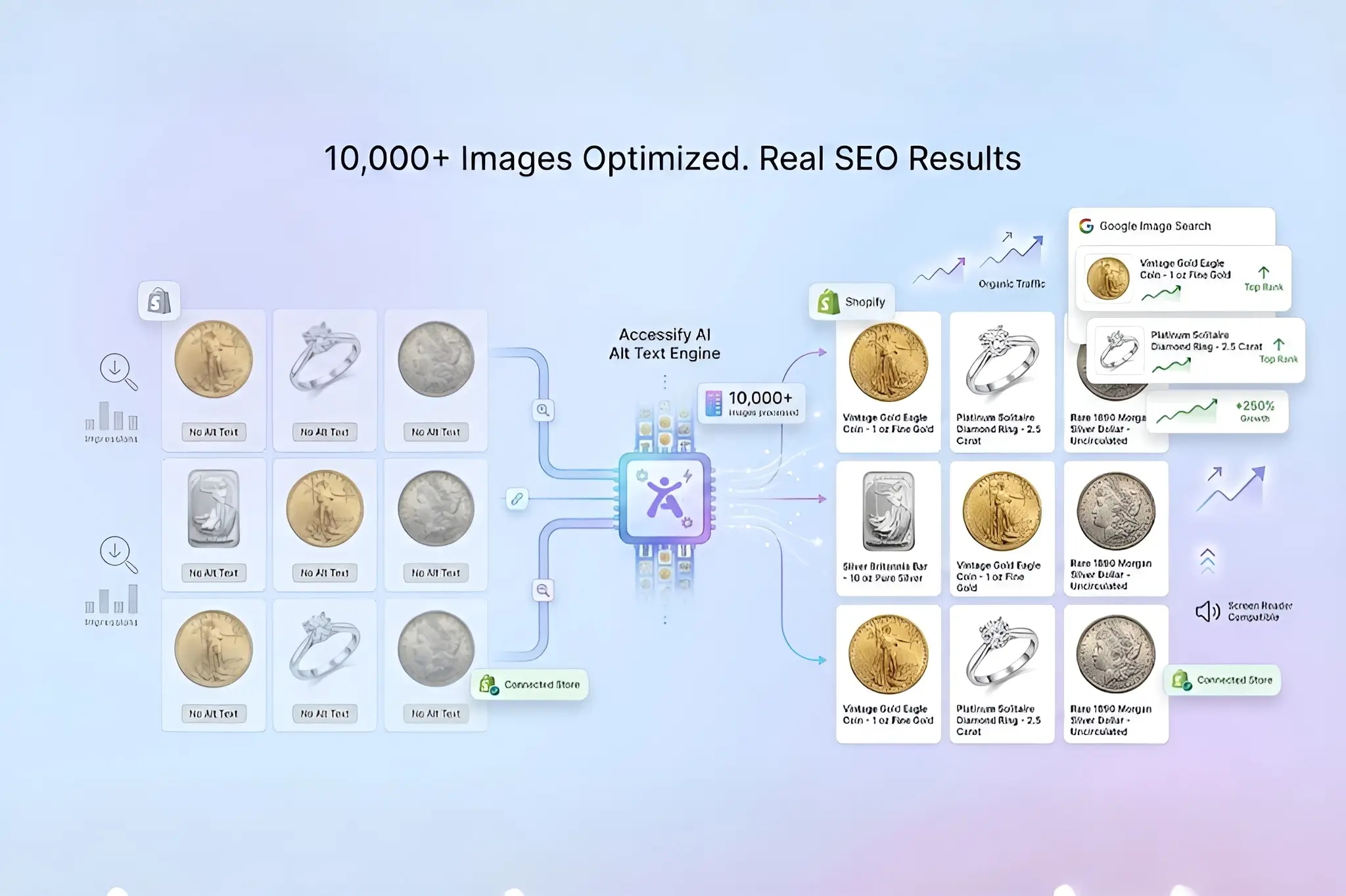
The SEO hack most competitors ignore? Alt text optimization that pushes your images to Google’s top spots, driving 30–50% more organic traffic, yet 92% of websites still get it wrong, leaving rankings and revenue untapped.
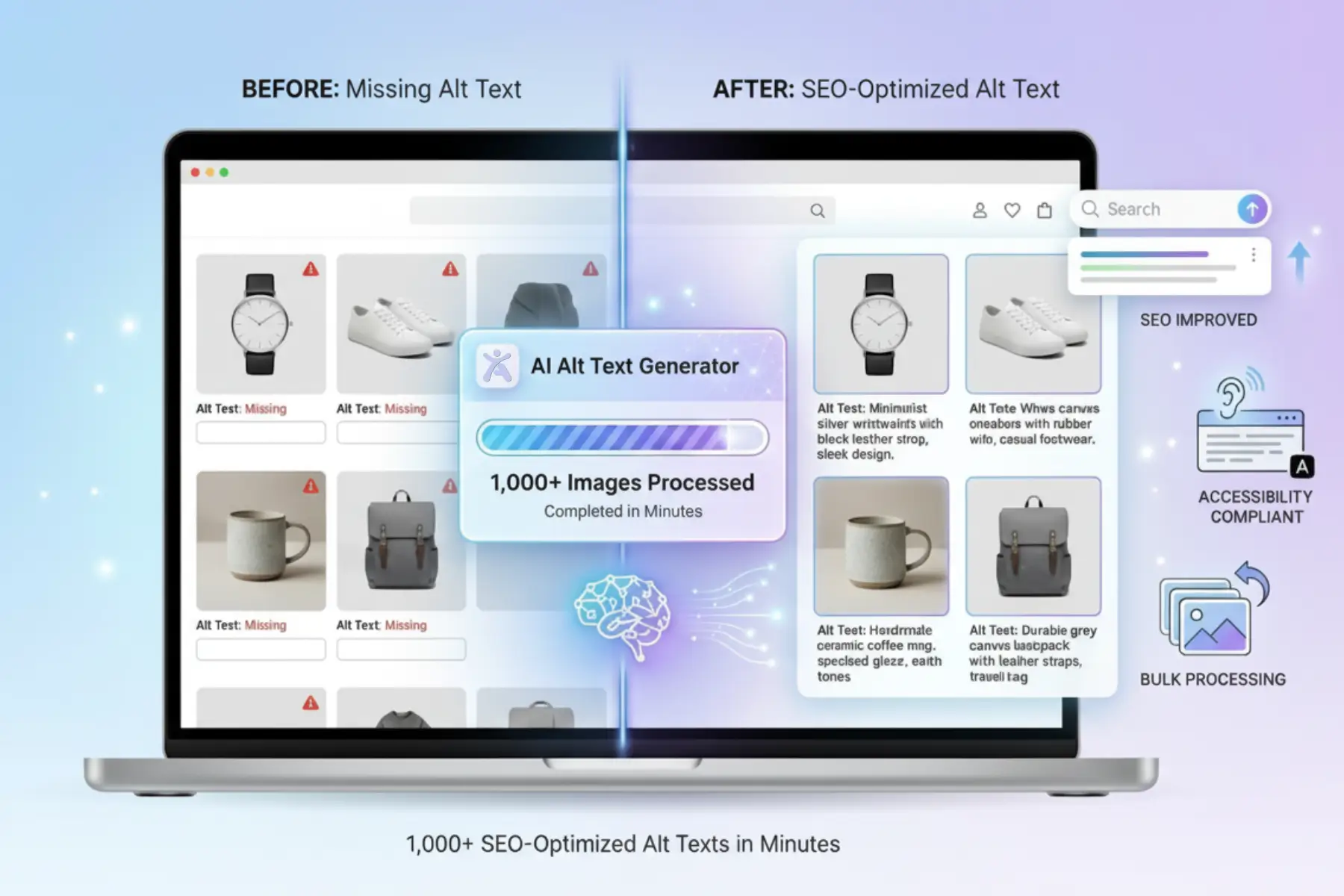
Accessify changes the game. Generate SEO-powered alt text for thousands of images in seconds, eliminate manual work, and instantly sync updates to your Website for maximum visibility and sales growth.
Alt Text: Your Hidden SEO Superpower
Image alt text isn’t fluff, it’s a critical Google ranking signal. Properly optimized alt text improves:
- Google Image Search visibility (nearly 20% of all search queries)
- Page relevance and topical authority
- Conversions from visually driven ecommerce shoppers
Studies show websites using descriptive, keyword-aligned alt text achieve up to 2.5x higher rankings. Ignore it, and you lose traffic, accessibility compliance, and sales.
Accessify’s AI generates precise, intent-matching alt text that satisfies search algorithms and real users, automatically and at scale.
Why Speed + SEO Wins with Accessify
Manual alt text creation can take hours per page.
Accessify completes bulk alt text generation in under 2 minutes, automatically embedding SEO keywords for:
- Website product pages
- Promotional popups
- Homepage banners and visuals
While competitors struggle with copy-paste workflows, you stay focused on revenue, launches, and growth, not repetitive SEO tasks.
Quick Setup Requirements
To get started, you’ll need:
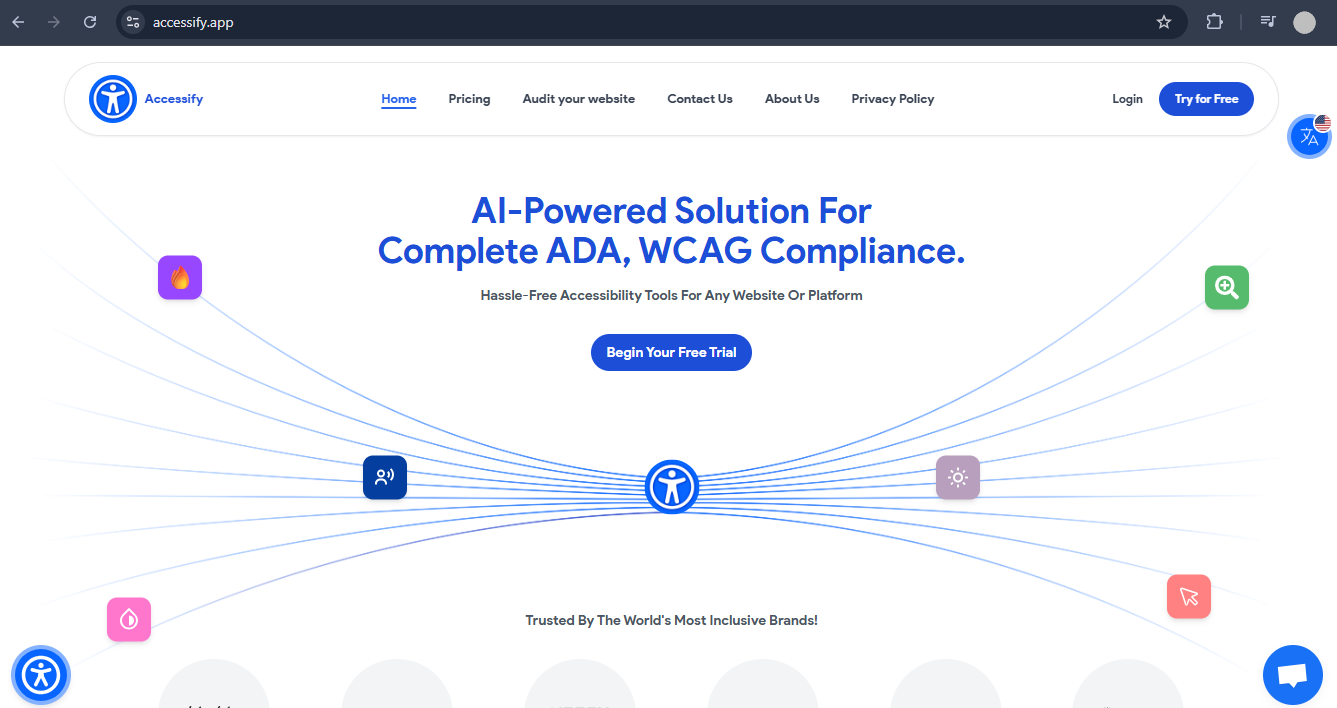
- A free Accessify trial (sign up at accessify.app)
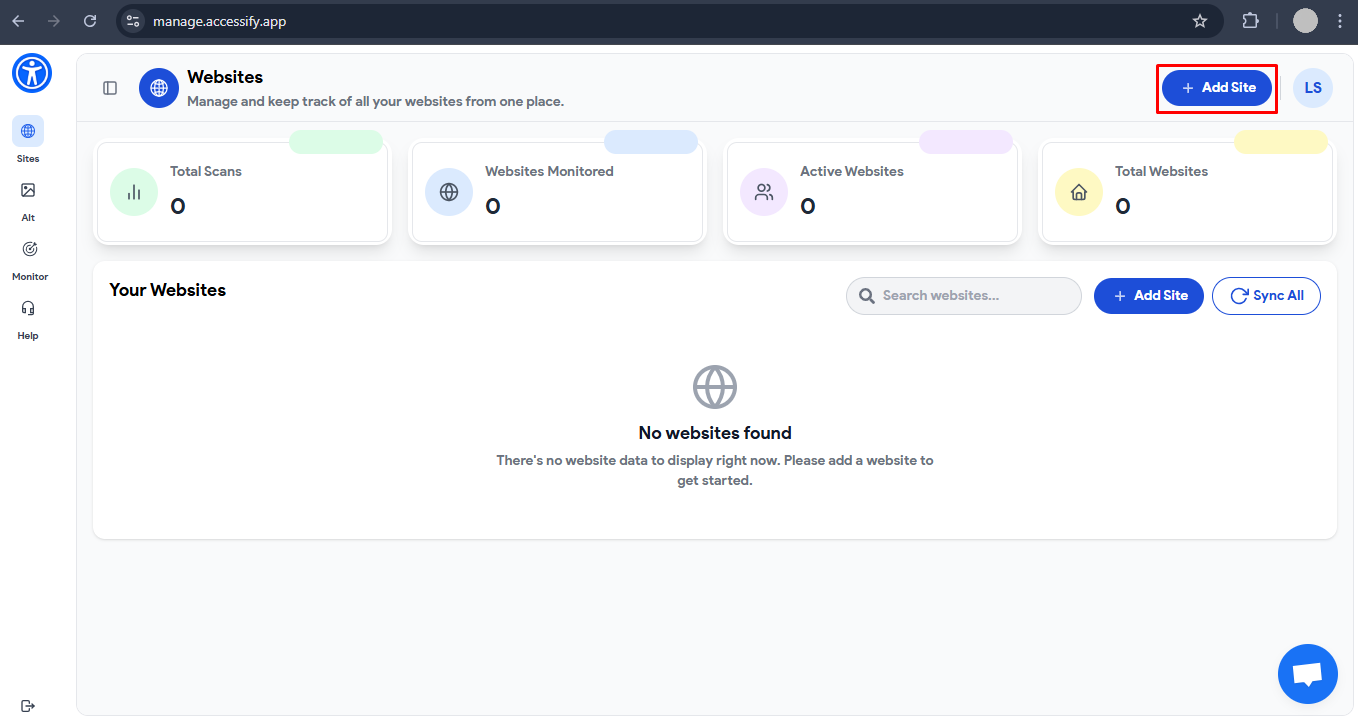
- Your Shopify site added to the dashboard at manage.accessify.app
- Images ready for instant SEO optimization
Generate SEO Alt Text in 5 Lightning-Fast Steps
1. Launch the Dashboard
Go to manage.accessify.app and verify your Shopify site is listed.
If not, add it using the one-click integration, no code required.
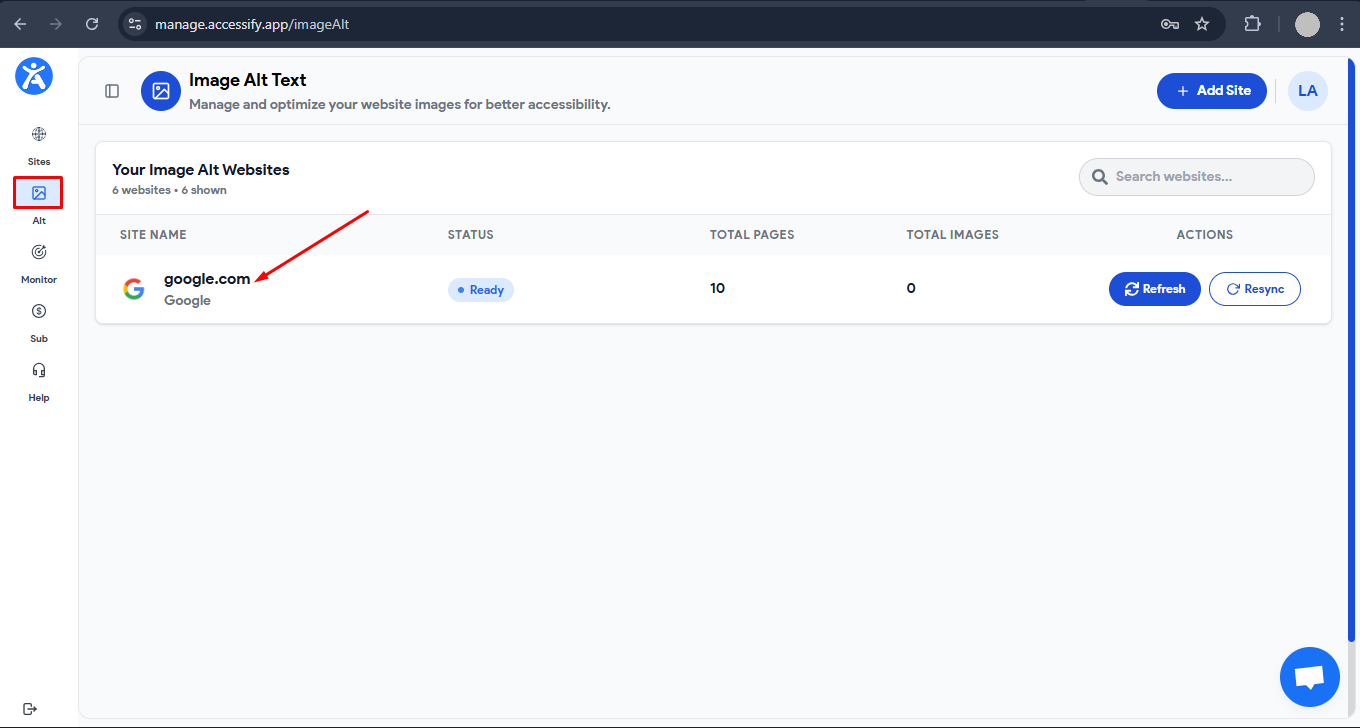
2. Enter the Alt Text Module
Click the “Alt Text” tab and select your site.
This opens your sitemap with every page and image pre-loaded automatically.
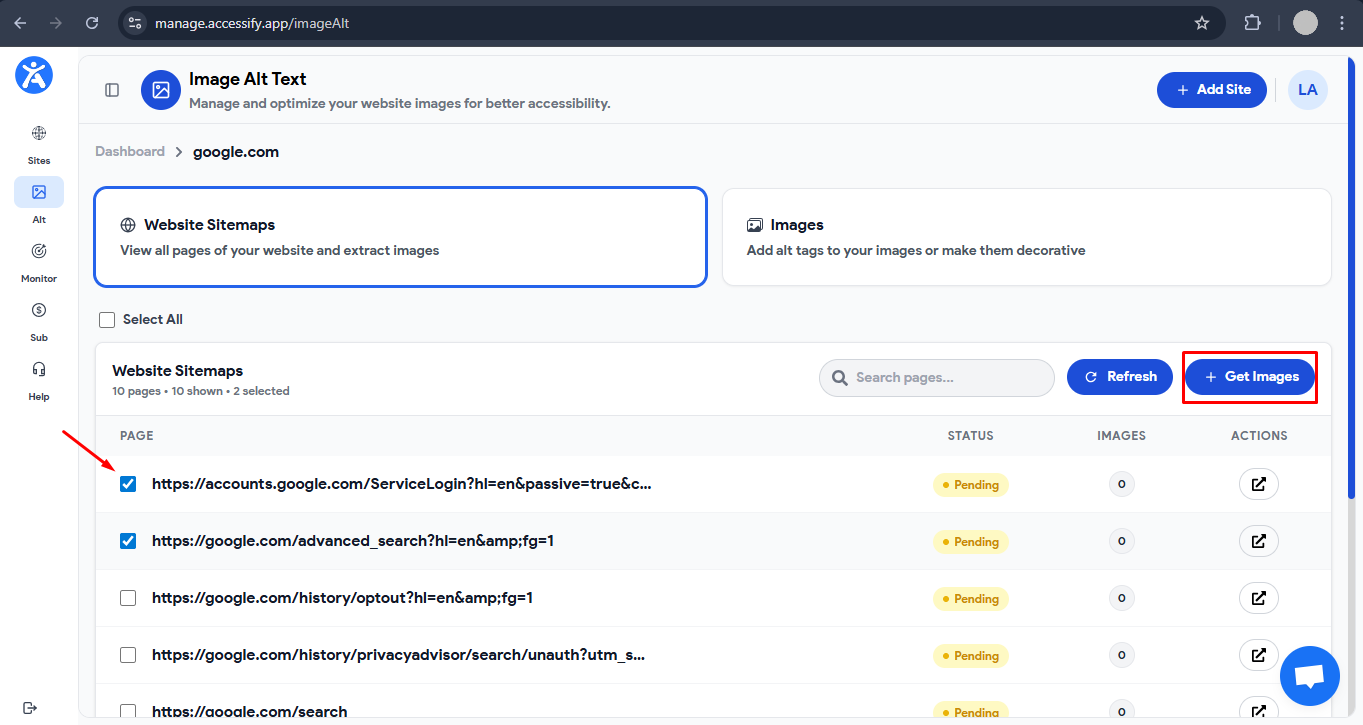
3. Harvest Images at Scale
Choose “All Pages” for full coverage or target high-traffic pages only.
Click “Get Images” to scan and extract thousands of images instantly.
4. Target Missing SEO Opportunities
Navigate to “Images” → “Without Alt Text.”
Bulk-select images with missing alt text or preview individual ones for context.
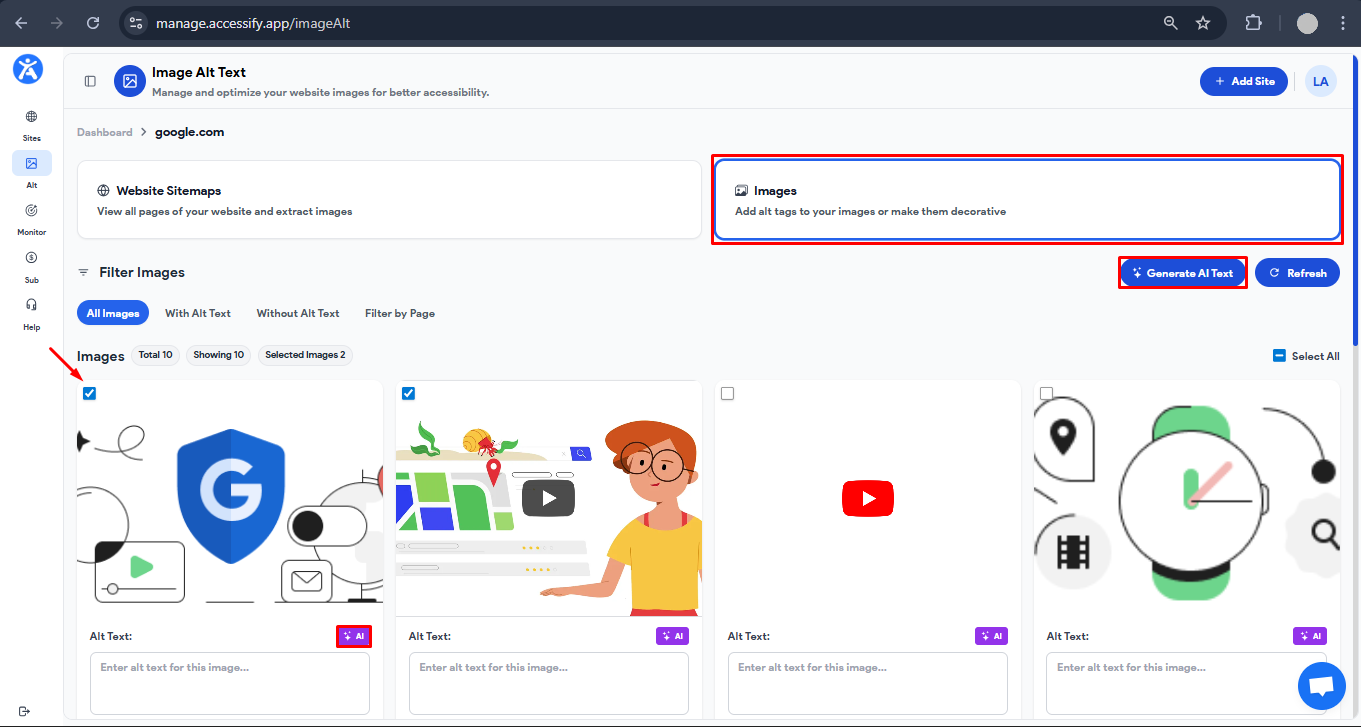
5. AI Boost & Deploy Live
Click “Generate AI Alt Text” for batch processing (or “AI” per image).
SEO-optimized descriptions appear instantly, click “Save” to sync live with your Website store.
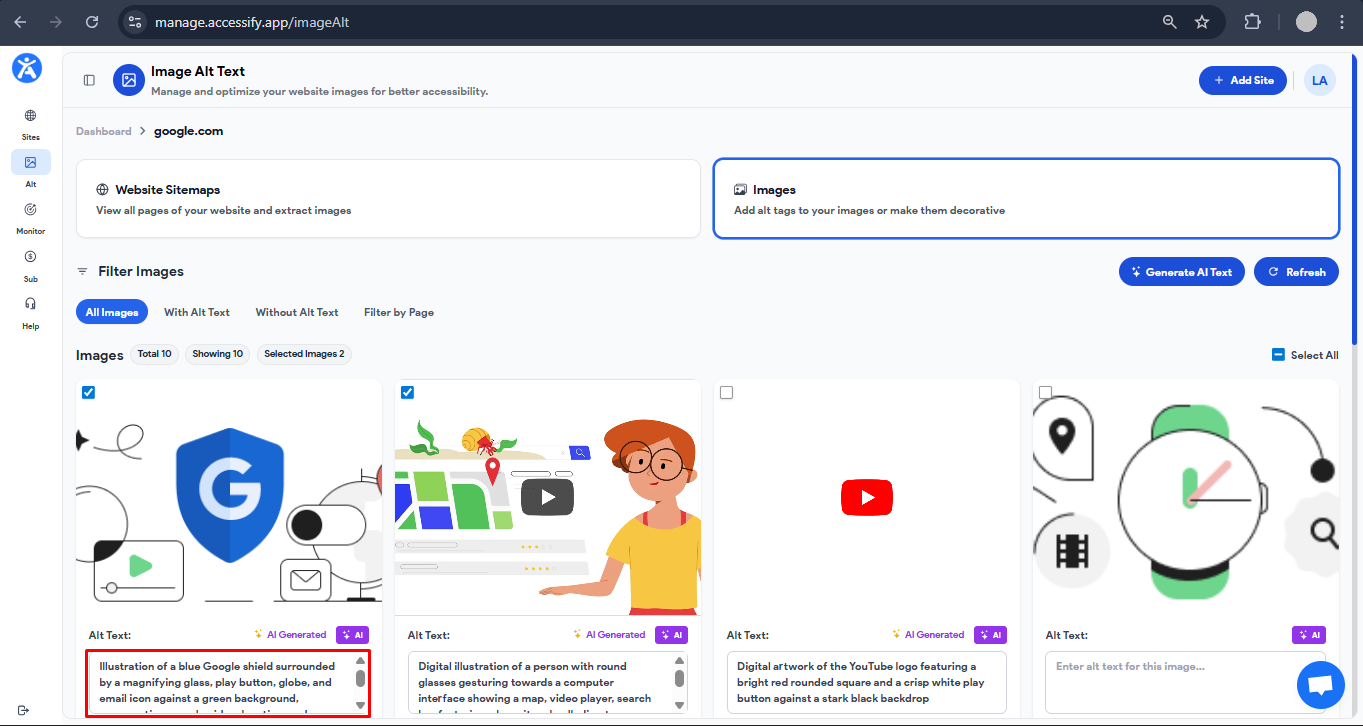
SEO Pro Strategies for Maximum Impact
- Layer product-specific keywords (e.g., “wireless earbuds black”) to dominate Google Image Packs.
- Review AI-generated alt text before saving to ensure perfect brand alignment.
- Re-scan monthly to capture new images and maintain a consistent SEO advantage.
Need Help Getting Started?
Not sure how to begin with alt text generation? Our 24/7 support team is ready to help.
Reach out via the chat box in the bottom-right corner or schedule a session with our experts.
Start Ranking Where Your Rivals Don’t
Unlock image rankings your competitors can’t touch.
Start your free Accessify trial today and generate alt text that drives traffic, accessibility, and sales.