Accessify: AI-Powered Accessibility Widget for Spree Commerce
Why Web Accessibility Matters
Roughly 15% of the global population experiences a disability, yet many online stores still present barriers to access. For OpenCart store owners, addressing accessibility means unlocking a larger customer base while strengthening brand trust.
Accessify simplifies this process by automatically identifying and fixing accessibility issues, ensuring your store meets WCAG 2.1 and ADA guidelines. Beyond compliance, it enhances user experience, increases session time, and drives higher conversions, all without altering your site design.
Introducing Accessify: The AI-Powered Accessibility Solution for Spree
Accessify is an AI-driven accessibility widget designed to make your Spree Commerce website instantly compliant with global accessibility standards. Accessify empowers Spree Commerce sites with adaptive features like screen focus highlighting, readable font adjustments, and custom cursor options. These enhancements simplify content interaction and deliver a smoother, barrier-free shopping experience aligned with modern accessibility standards.
With Accessify for Spree, your store remains inclusive, and performance-optimized, without affecting site speed or requiring complex setup. The widget runs on high-performance servers, ensuring millisecond-level response times and seamless user interaction across devices.
Simplify Accessibility for Spree Commerce
To make your Spree Commerce store accessible, Accessify provides a lightweight custom code integration method. Simply add a small JavaScript snippet to your store’s header or footer, and the Accessify accessibility widget activates automatically, optimizing your Spree storefront accessible within minutes.
How to Integrate Accessify with Spree Commerce
Follow these simple steps to add Accessify to your Spree store:
- Visit accessify.app, log in or sign up, and you’ll be redirected to your dashboard at manage.accessify.app.
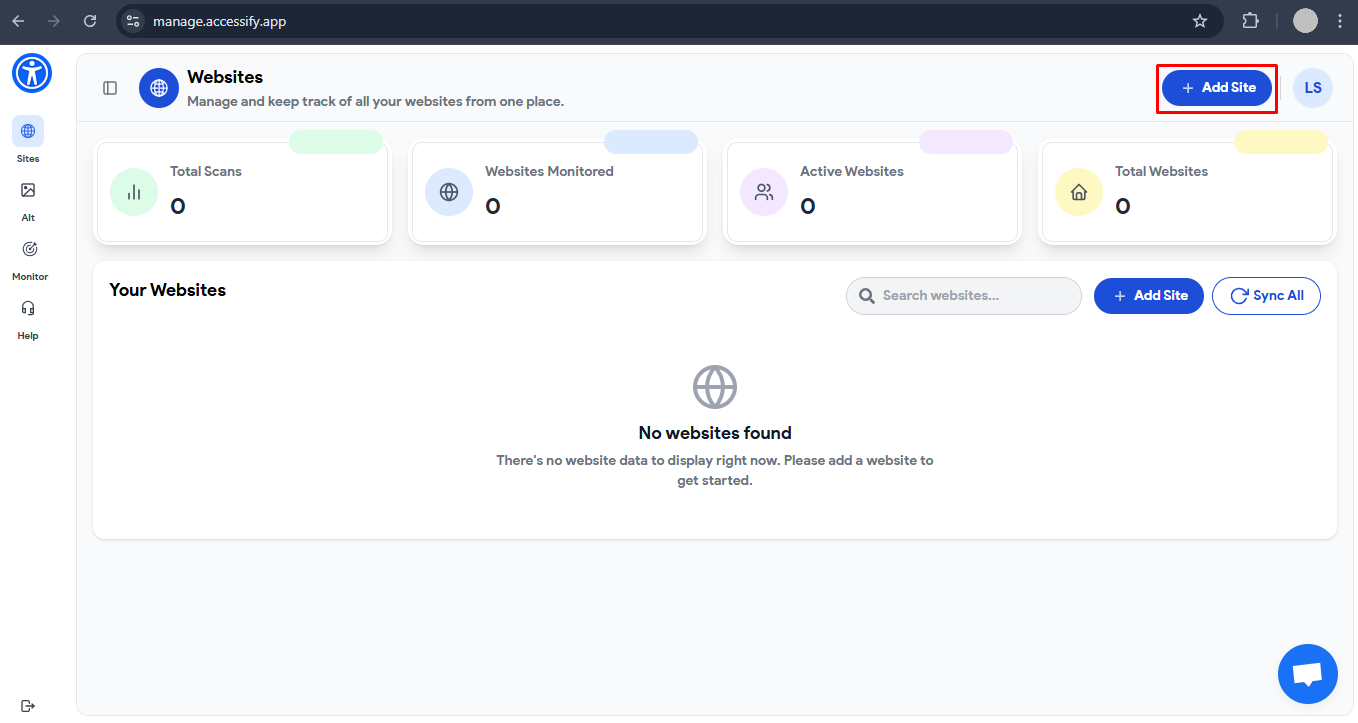
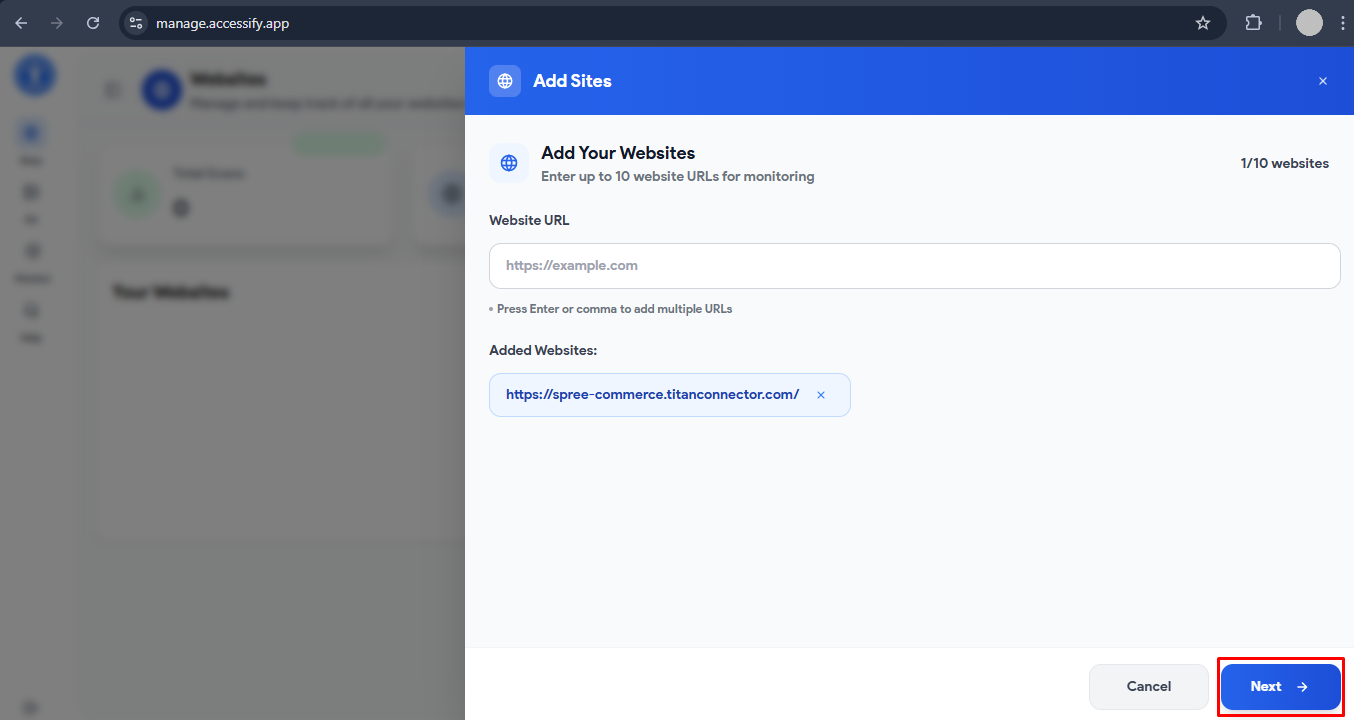
- Click Add Site, then enter your Spree store URL. Press Enter or Comma to confirm, and click Next.
- Choose your preferred Accessify plan and access your personalized dashboard.
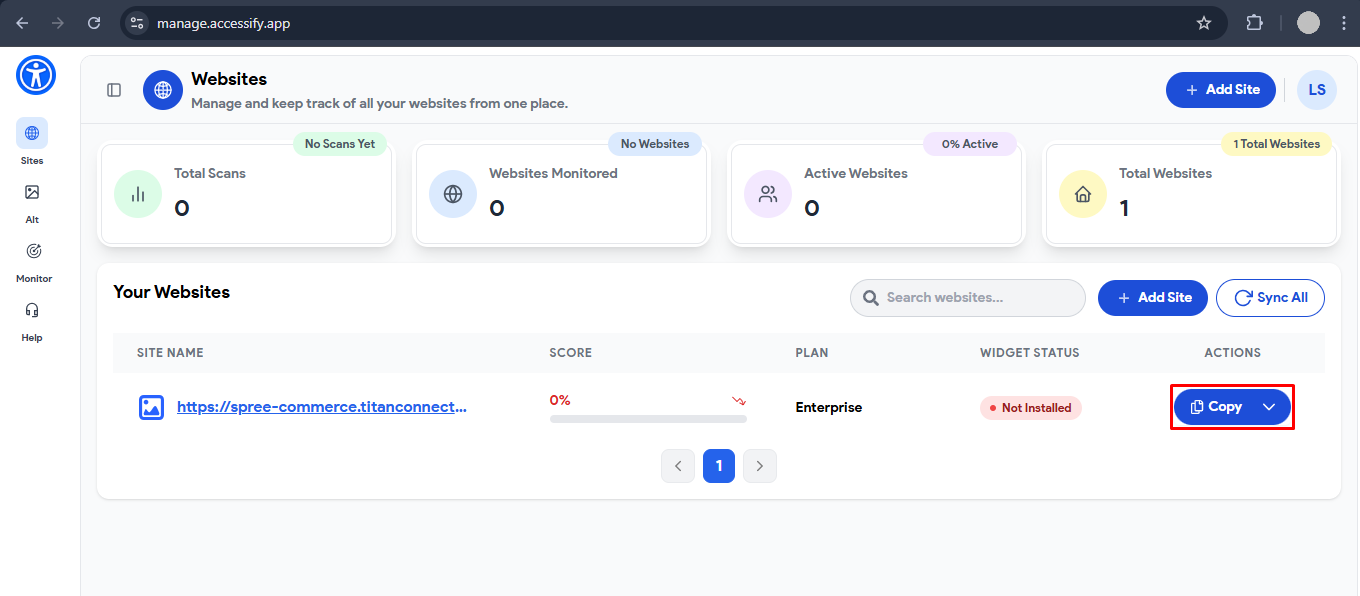
- Locate your site’s unique Accessify script and click Copy.

- In your Spree Admin Panel, go to your Storefront → Settings.
- Locate the Custom Code section, then paste the Accessify script into either the head tag, body tag start, or body tag end , and save your changes to apply the integration.
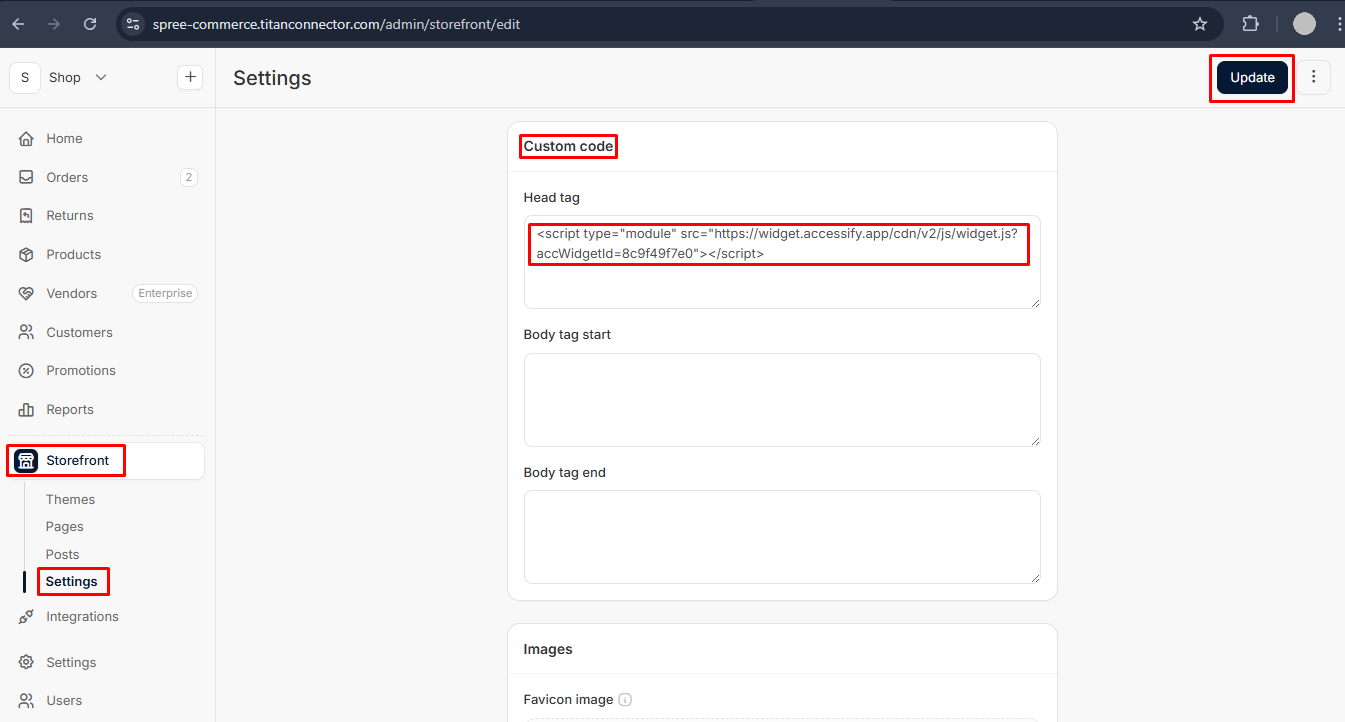
Your Accessify Accessibility Widget will now activate automatically across all pages of your Spree Commerce store, ensuring an accessible and inclusive experience for every user.
🎉 Success! Accessify is now active on your store. Visit your website to verify that the widget is visible, responsive, and fully functional.
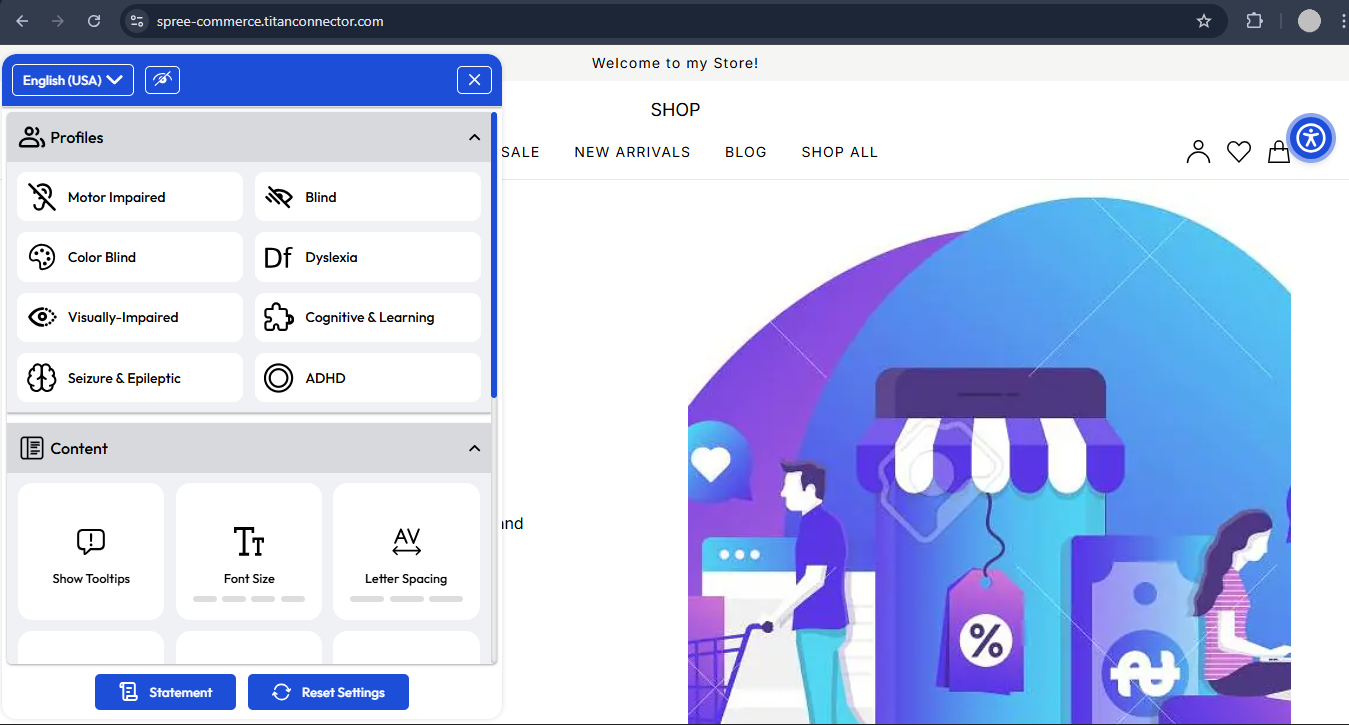
Customize Your Widget
To personalize your Accessify widget’s appearance and accessibility settings:
- Go to manage.accessify.app and click your store’s URL to open the Widget Customizer.
- Alternatively, open the dropdown menu next to the Copy button and select Customize Widget.
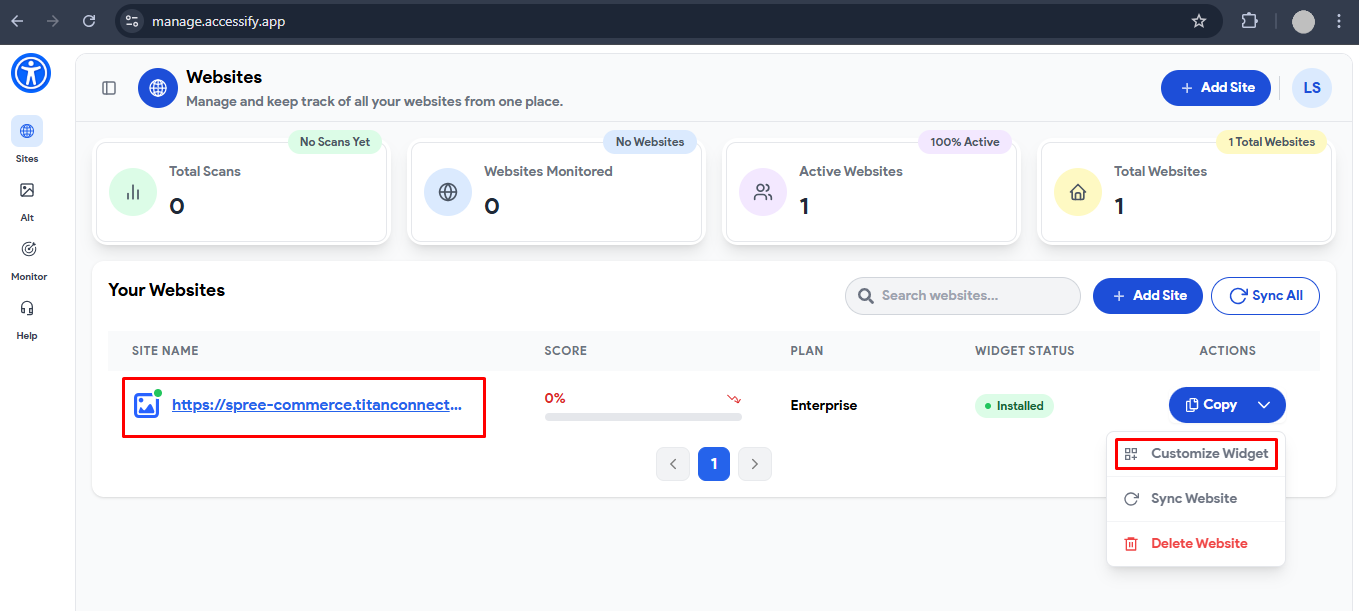
From the customization panel, you can adjust colors, positioning, and feature preferences to match your Spree store’s branding and layout.
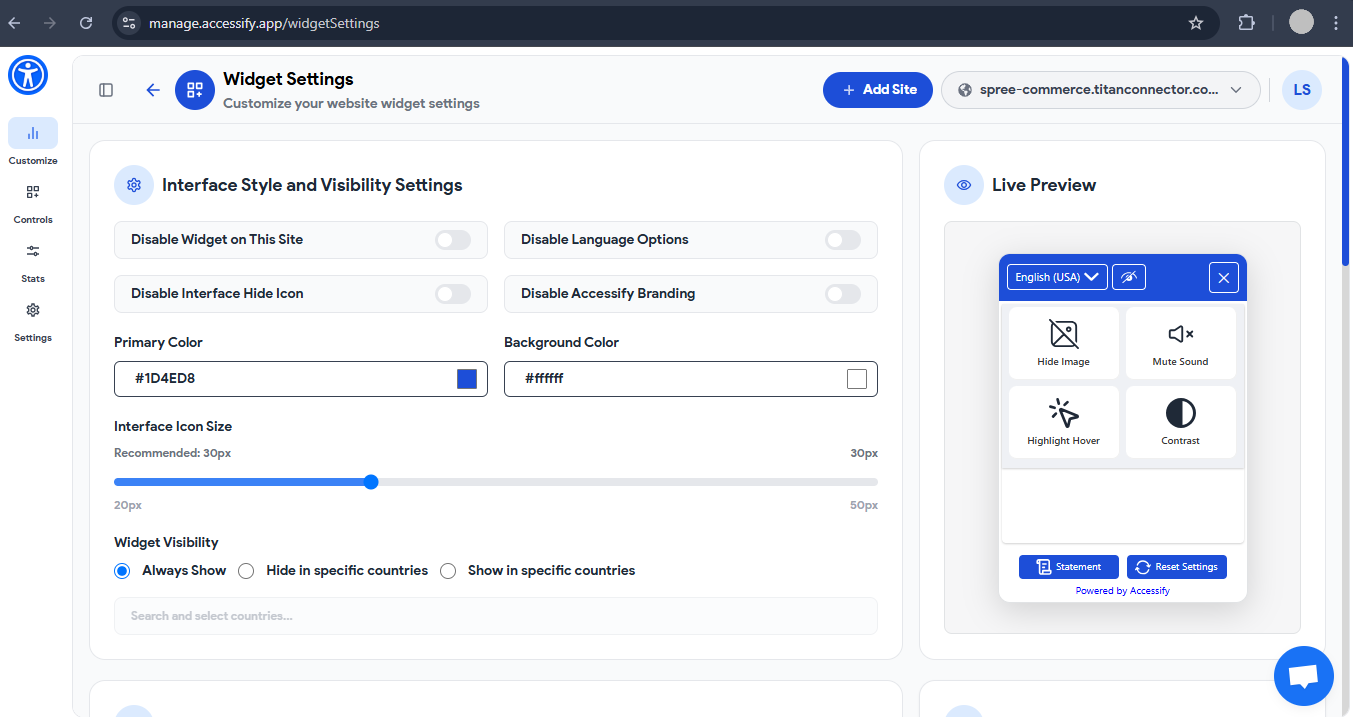
Your Spree Commerce store is now accessible, AI-optimized, and SEO-enhanced with Accessify.
Enjoy improved search visibility, broader customer reach, and a seamless, inclusive shopping experience that meets both user expectations and global accessibility standards.