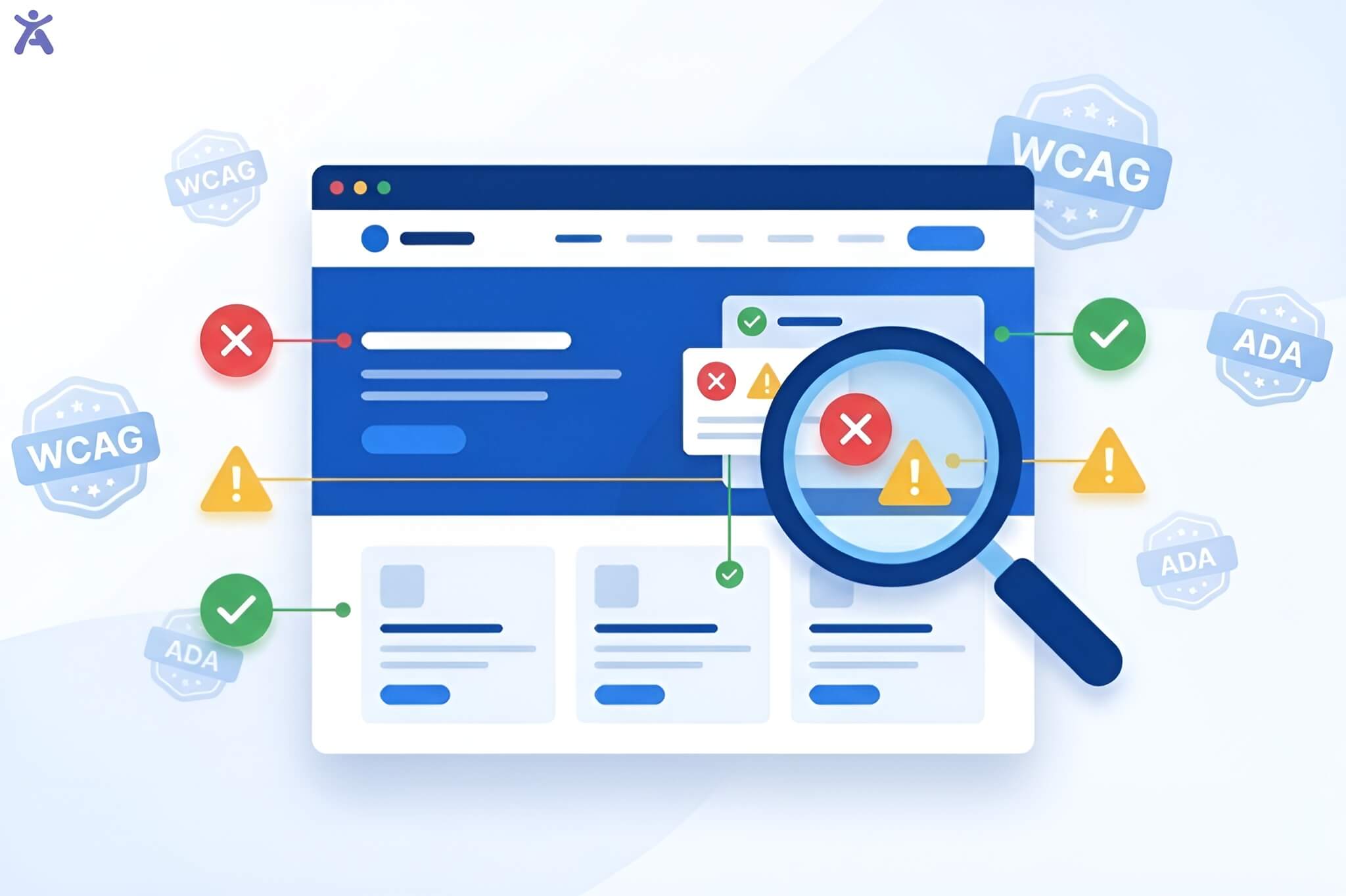
Have you ever wondered about the factors contributing to a website’s accessibility? The answer is in understanding WCAG principles. These guidelines help make digital experiences accessible to everyone, no matter their ability. Creating accessible websites isn’t just about compliance. It’s about opening digital doors to the 1.3 billion people worldwide who experience some form of disability.
Designing with accessibility in mind doesn’t limit creativity. Instead, it expands your reach and helps create better products for everyone. This guide breaks down the four WCAG principles (known as POUR) that form the backbone of accessible web design. Whether you’re a UX designer making wireframes, a developer coding, or an educator training future digital pro, this article offers tips for creating inclusive digital experiences.
Short Summary
The Web Content Accessibility Guidelines (WCAG) are built on four core principles called POUR: Perceivable, Operable, Understandable, and Robust. These principles ensure that people with diverse abilities can access and use web content. Meeting WCAG conformance at Level AA provides a practical baseline for digital accessibility, while Level AAA represents the highest standard. Implementing these principles requires understanding success criteria, conducting both automated tools and manual testing techniques, and integrating accessibility into your design and development workflow from day one.
Understanding WCAG and the POUR Framework
What are the Web Content Accessibility Guidelines (WCAG) and WCAG principles? The Web Content Accessibility Guidelines are the global gold standard for digital accessibility. WCAG, published by the World Wide Web Consortium (W3C), offers a clear guide. It helps make web pages, mobile apps, and digital documents accessible for people with disabilities.
WCAG exists in multiple versions. Version 2.1 (a W3C Recommendation since 2018) expanded on version 2.0 to address mobile accessibility, low vision needs, and cognitive limitations. Another Version 2.2, released in 2023, added further refinements. These guidelines inform major accessibility standards worldwide, including the Americans with Disabilities Act (ADA), Section 508 in the United States, and the European Accessibility Act.
Why POUR? The WCAG Principles Explained
The acronym POUR stands for four key principles of web accessibility. These principles aren’t arbitrary. They came out of years of research and testing with users of assistive technology. This includes screen readers, voice recognition software, and other input devices. Each principle addresses a fundamental question:
- Perceivable: Can users perceive the information being presented?
- Operable: Can users navigate and interact with the interface?
- Understandable: Can users comprehend the content and how to use the interface?
- Robust: Does the content work reliably across different technologies and devices?
Bridging Sensory Gaps for Information Access
Not everyone perceives information the same way. A person who is blind can’t see images. Someone who is deaf can’t hear audio. Users with low vision may struggle with small text or poor color contrast. The Perceivable principle ensures that users understand every part of the interface and content differently.
How to Make Content Perceivable?
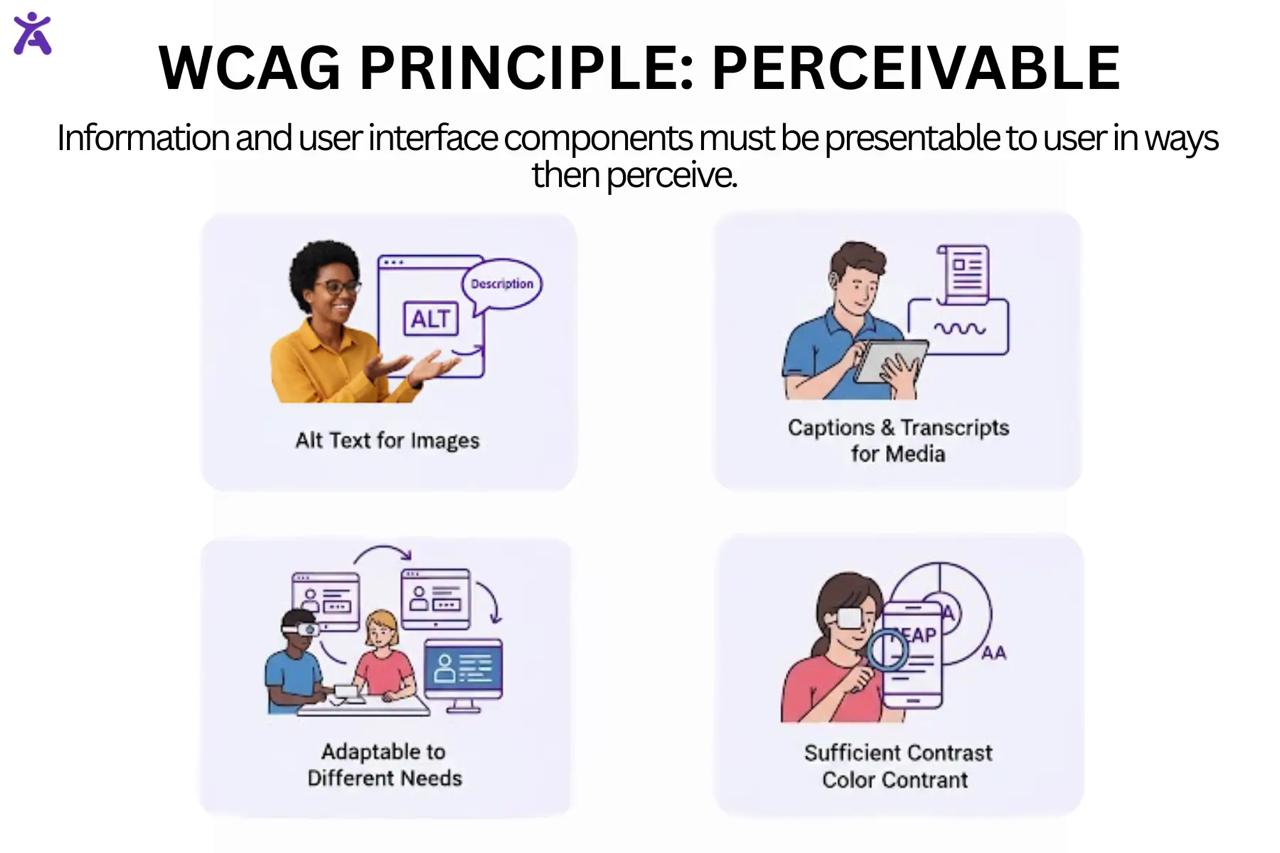
This isn’t about oversimplifying your design but providing many pathways to the same information.
Text Alternatives (Success Criterion 1.1.1)
Every non-text element needs a text alternative that serves the same purpose. This includes:
- Alt text for images that convey meaning
- Text descriptions for charts and infographics
- Captions for data visualizations
Use empty alt attributes (alt=” “) for decorative images. This way, screen readers won’t waste users’ time saying “image, image, image.”
Time-based Media (Success Criteria 1.2.1 – 1.2.9)
Videos and audio content require alternatives:
- Captions for all pre-recorded video content
- Audio description tracks that describe visual elements for blind users
- Transcripts for audio-only content
- Sign language interpretation for Level AAA conformance
Adaptable Content (Success Criteria 1.3.1 – 1.3.6)
Structure your content so it can be presented in different ways without losing meaning:
- Use proper HTML markup (headings, lists, tables with proper header cells)
- Ensure reading order makes sense when linearized
- Don’t rely on visual presentation alone to convey information (avoid “click the red button”)
- Provide text instructions alongside visual cues
Distinguishable Content (Success Criteria 1.4.1 – 1.4.13)
Make it easier for users to see and hear content:
- Maintain a contrast ratio of at least 4.5:1 for normal text (7:1 for Level AAA)
- Ensure color isn’t the only way to convey information
- Allow users to resize text up to 200% without losing functionality.
- Avoid Images of Text when real text would work
- Provide Audio Control for any sound that plays without user initiation.
- Support reflows so content adapts to narrow viewports without horizontal scrolling.
Designing for Accessibility
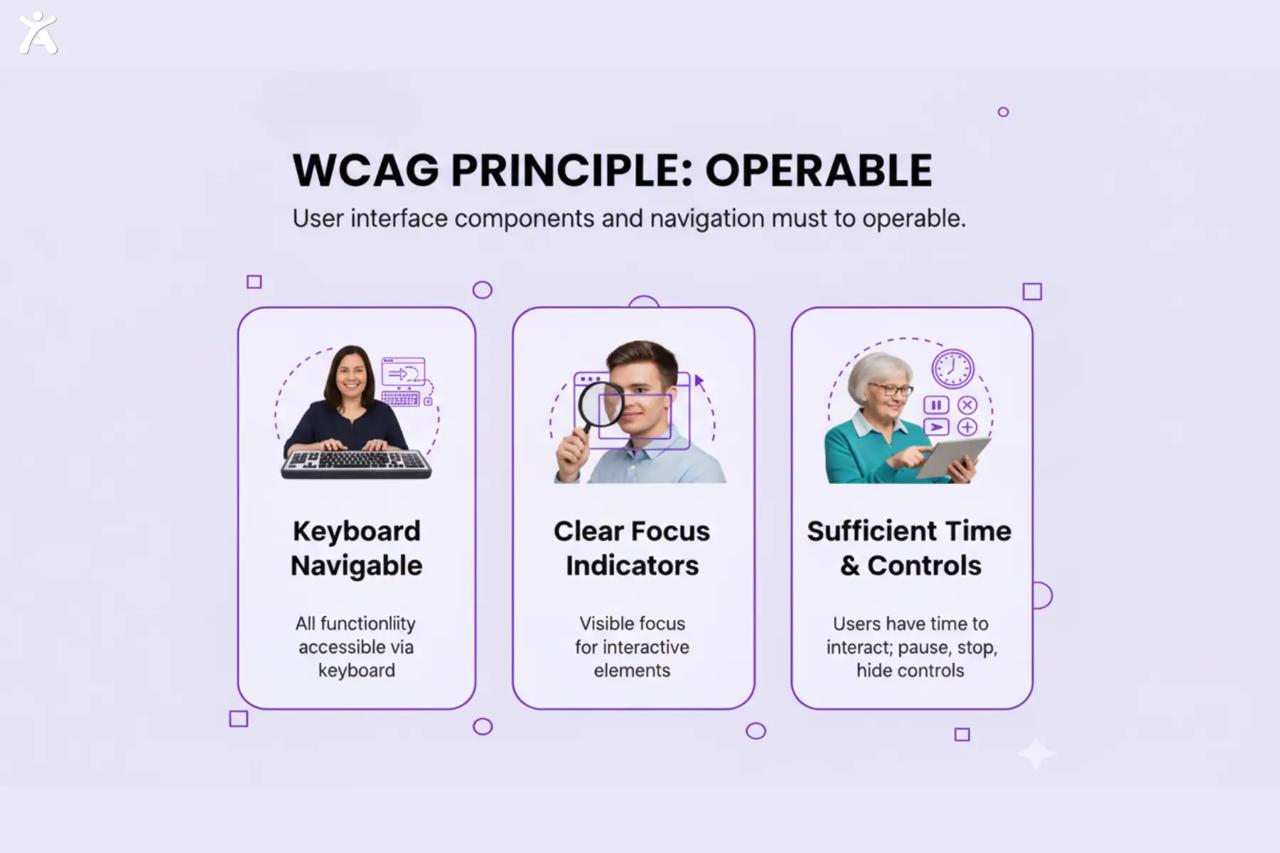
Here is the updated infographic for the ‘Operable’ principle, now featuring real people to illustrate each aspect:
Many users can’t use a mouse. Some navigate using only a keyboard. Others use voice commands, eye-tracking systems, or switch devices. The Operable principle ensures that all interactive elements work regardless of input method. A web page might look beautiful, but if a keyboard user gets trapped in a modal dialog or can’t access the navigation menu, the design has failed.
Keyboard Accessible (Success Criteria 2.1.1 – 2.1.4)
All functionality must work with a keyboard interface:
- Every interactive element (links, buttons, form fields, controls) must be reachable by pressing Tab
- Users can activate elements with Enter or Space
- No keyboard traps users can always navigate away from any component
- Provide visible focus indicators so users know where they are (Level AA requires 3:1 contrast for focus indicators)
- Consider keyboard shortcuts that don’t conflict with assistive technology
Enough Time (Success Criteria 2.2.1 – 2.2.6)
Give users control over time limits:
- Allow users to turn off, adjust, or extend time limits
- Provide warnings before sessions expire
- Avoid content that automatically updates (like news tickers) without user control
- Let users pause, stop, or hide moving content
Seizures and Physical Reactions (Success Criteria 2.3.1 – 2.3.3)
Protect users from harmful visual effects:
- Avoid flashing content that could trigger seizures (Three Flashes or Below Threshold)
- Follow flash thresholds: no more than three flashes per second
- Cut animation that might cause vestibular disorders
Navigable (Success Criteria 2.4.1 – 2.4.10)
Help users find content and determine where they are:
- Provide a “skip to main content” link
- Use descriptive page titles
- Ensure the focus order follows a logical sequence
- Write clear link text (avoid “click here”)
- Offer many ways to find pages (search, sitemap, navigation)
- Use descriptive Headings and Labels
- Make keyboard focus visible at all times
Input Modalities (Success Criteria 2.5.1 – 2.5.6)
Support various input methods:
- Don’t need complex gestures (like drawing patterns or multi-finger swipes)
- Ensure touch targets are at least 44×44 pixels
- Provide labels for all controls
- Support both pointer and keyboard activation
Clarity, Predictability, and Preventing Confusion
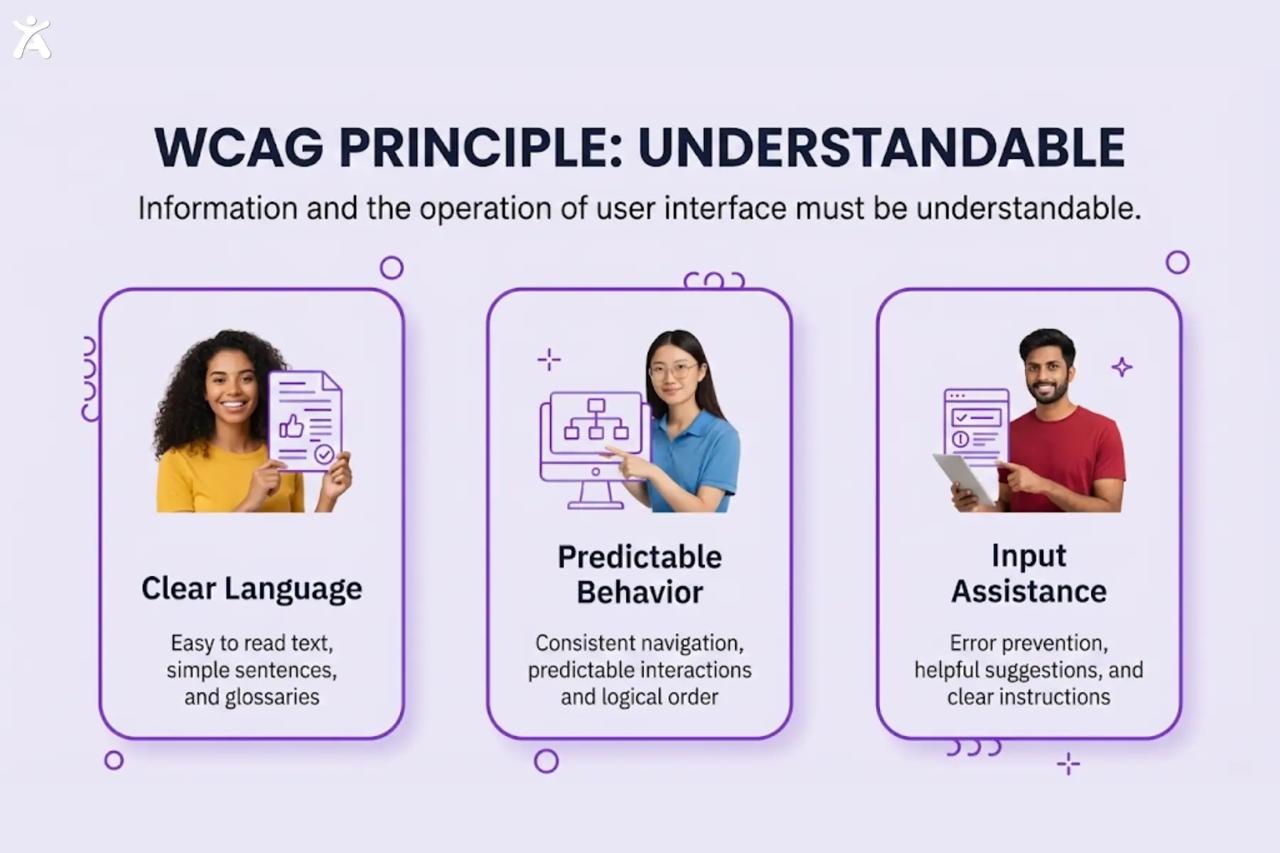
People can see and use a website, but it becomes unusable if they can’t understand the content or how things work. The Understandable principle addresses cognitive accessibility. This helps people with cognitive disabilities. It also benefits everyone else. This includes those reading in a second language, stressed users on urgent tasks, and anyone using your site in tough conditions.
Readable (Success Criteria 3.1.1 – 3.1.6)
Make text content readable and understandable:
- Specify the language of the page using the lang attribute
- State language changes within content
- Provide definitions for unusual words, idioms, and jargon
- Use the simplest language appropriate for your content
- Offer pronunciation guides for ambiguous words
Predictable (Success Criteria 3.2.1 – 3.2.6)
Make web pages appear and operate in predictable ways:
- Don’t trigger automatic changes when an element receives focus
- Changing a setting shouldn’t change context unless you first warn users.
- Keep navigation consistent across pages
- Label identical components with consistency.
- Confirm before finalizing important transactions.
Input Help (Success Criteria 3.3.1 – 3.3.6)
Help users avoid and correct mistakes:
- Identify errors and provide a detailed description of them in text.
- Provide labels or instructions for all user interface components
- Correct errors when you detect them.
- Prevent errors on legal, financial, or data-changing submissions through confirmation, review, or reversibility
- Provide context-sensitive help
- Avoid login forms and processes that depend entirely on cognitive function tests.
Futureproofing and Compatibility
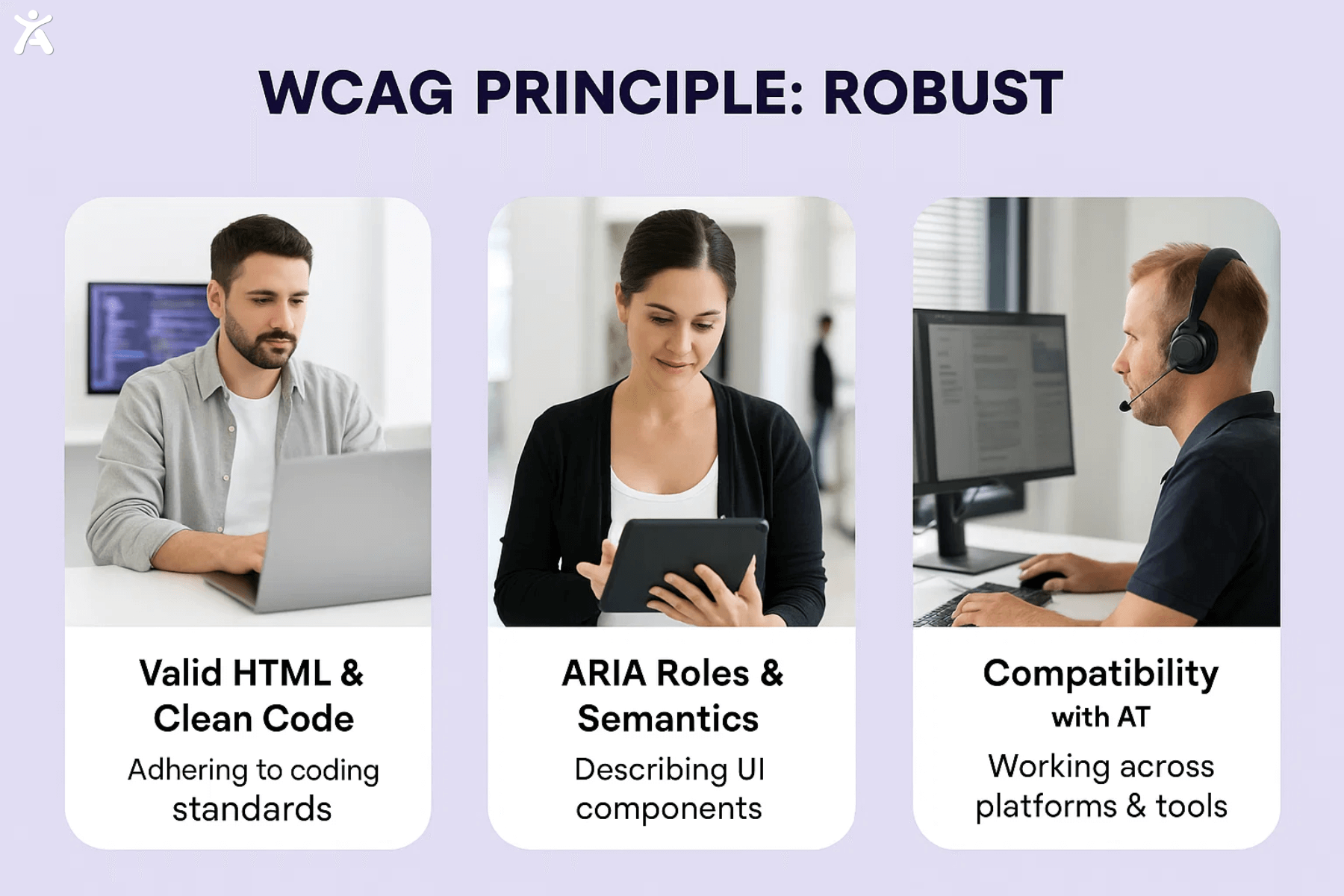
Technology evolves constantly. New browsers launch. Screen readers like Accessify app get updated. Devices change. The Robust principle makes sure your digital content works well across different technologies. This principle is particularly crucial for assistive technology users. Poorly structured code makes it hard for user agents, like browsers and assistive technologies, to interpret it. This creates barriers that keep people out.
Compatible (Success Criteria 4.1.1 – 4.1.3)
Maximize compatibility with current and future tools:
- Use valid HTML (avoid duplicate IDs, proper nesting, complete tags)
- Provide names, roles, and values for all user interface components.
- Use semantic HTML elements whenever possible.
- Ensure assistive technology announces status messages without receiving focus.
- Use ARIA (Accessible Rich Internet Applications) attributes wisely. But keep in mind, semantic HTML is better whenever you can.
Think of robust code as building a house with a solid foundation. The cosmetic details might change, but the structure will remain stable and functional for years.
Understanding WCAG Conformance
WCAG conformance comes in three tiers:
Level A: The least level of accessibility. Meeting only Level A leaves significant barriers in place.
Level AA: The target standard for most organizations. This level represents a practical balance between accessibility and feasibility. Most accessibility standards (including ADA, Section 508, and the European Accessibility Act) reference Level AA.
Level AAA: The highest level of accessibility. Some AAA criteria are impossible to satisfy for certain types of content, so full AAA conformance isn’t recommended as a general policy.
Most organizations should target Level AA conformance as a baseline. They can add AAA criteria when possible.

The Role of Success Criteria in Achieving WCAG Principles
Each POUR principle has success criteria. These are testable statements that show if you’ve met the principle. WCAG 2.2 includes 86 WCAG success criteria in total.
Success criteria are aim and technology-neutral. They describe what needs to happen (like “provide text alternatives”) without prescribing how to do it. This flexibility allows the guidelines to remain relevant as technology evolves.
Measuring and Maintaining Digital Accessibility
Achieving accessibility compliance requires ongoing testing.
Automated Testing
Tools like Accessify and Level Access’s platform can perform scans for common issues quickly.
- Missing alt text
- Insufficient color contrast
- Improper heading structure
- Form labels
- ARIA mistakes
Yet, automated tools usually identify only 25-35% of accessibility issues. They’re essential for efficiency, but never enough alone.
Manual Testing
Manual testing techniques remain critical:
- Keyboard navigation testing (can you reach and use everything with Tab, Enter, and arrow keys?)
- Screen reader testing with NVDA, JAWS, or Voiceover
- Zoom and magnification testing
- Testing with real users who have disabilities (the gold standard)
Continuous Monitoring
Accessibility isn’t a one-time project. New content gets added. Code changes. Third-party widgets update. Set up continuous monitoring with an Accessify app or a similar tool. This helps catch regressions before they affect users.
Shifting from Reactive Fixes to Inclusive Design
The best and cheapest way is to include accessibility from the beginning. It’s better than making changes later. Fixing accessibility issues after launch costs 30 to 100 times more than fixing them during design and development. Proactive accessibility creates smooth experiences, while reactive fixes often feel added on. Start at the design phase. Choose accessible color palettes. Plan keyboard interactions. Consider alternative formats for complex visualizations. When designers hand off accessible designs to developers, half the battle is already won.
Collaboration is Key
Accessibility isn’t one person’s job; it’s everyone’s responsibility. UX designers create wireframes and prototypes with accessibility in mind. Developers use tools to semantic HTML and ARIA in a manner that adheres to standards. Content authors write clear copy and meaningful alternative text. QA teams test with keyboards and screen readers. Product managers rank accessibility in roadmaps.
In Iowa, a Digital Transformation Project improved accessibility for all teams. The result? A government website that efficiently serves all citizens, irrespective of ability. Hold regular accessibility reviews. Create shared documentation. Celebrate accessibility wins as a team.
Leveraging Tools and Technologies
Modern tools make accessibility easier:
Design Tools
- Figma plugins like Stark for contrast checking and color blindness simulation
- Sketch plugins for accessibility annotation
- Adobe XD’s accessibility features
Development Tools
- Linters that catch accessibility issues during coding
- Browser extensions for quick audits
- Component libraries with built-in accessibility (like Accessify app)
- Content Management System plugins that enforce accessibility standards
Platform Solutions
Comprehensive platforms like Accessify app, Deque Systems, and similar solutions offer:
- Automated scanning across entire digital properties
- Issue tracking and remediation workflows
- Governance and reporting dashboards
- Integration with development pipelines
These tools speed up your journey but don’t replace human judgment. A Global CDN might deliver content quickly, but only thoughtful design makes it accessible.
Overcoming Common Barriers to Accessibility Compliance
Actually, an inaccessible design is expensive. Lawsuits, lost customers, and reputation damage cost far more than building accessibility. Plus, accessible design often improves everyone’s user experience. How do you know? Many disabilities are invisible. Also, situational and temporary disabilities impact everyone. For example, try using your phone in bright sunlight or with a broken wrist.
Some of the most creative, award-winning websites are fully accessible. Constraints often spark innovation. The challenge isn’t whether to be accessible, it’s how to achieve your creative vision accessibly. Later never comes, or costs exponentially more. Integrate accessibility into your definition of done. A feature isn’t complete until it’s accessible.
Reinforcing the Value of WCAG Principles for True Inclusivity
The POUR principles provide a framework for creating digital experiences that work for everyone. When you make content Perceivable, Operable, Understandable, and Robust, you’re not just checking compliance boxes but opening your web application or website to millions of potential users.
Accessibility benefits extend far beyond people with disabilities. Captions help people watching videos in noisy environments. Keyboard accessible controls speed up power users. Clear language helps everyone understand complex information faster.
Your Next Step for Embracing Accessible Web Design
Ready to improve your digital accessibility? Here’s your action plan:
- Audit your current state: Run automated scans and conduct manual testing to understand your baseline
- Focus on fixes: Address critical issues using Accessify first, keyboard traps, missing alt text, severe contrast ratio problems
- Train your team: Ensure everyone understands their role in accessibility
- Integrate testing: Add accessibility checks to your development workflow
- Check continuously: Use tools to catch new issues before they reach production
Don’t try to fix everything overnight. Pick one improvement each sprint. Celebrate progress. Learn from mistakes.
Conclusion
WCAG 3.0 is under development, promising a more flexible approach to conformance. Mobile accessibility continues to gain importance. Emerging technologies like AI, VR, and IoT introduce new accessibility challenges and opportunities.
Stay informed through resources like the Accessify web accessibility, W3C Web Accessibility Initiative, and reports, and accessibility conferences in your local community. Join accessibility communities online. Follow experts who share practical insights and accessibility best practices.
Contact us to explore how expert guidance and proven tools can speed up your accessibility journey. Start your WCAG conformance strategy today. Whether it’s your first or expanding an accessibility program, action now leads to a more inclusive tomorrow.
FAQs
The WCAG Principles, Perceivable, Operable, Understandable, and Robust form the foundation of web accessibility. They ensure websites work for users of all abilities, improving inclusivity, usability, and compliance with international accessibility standards like WCAG 2.1 and WCAG 2.2.
WCAG Principles guide designers to create accessible, user-friendly websites. Following these standards improves usability, SEO performance, and legal compliance, ensuring everyone, including people with disabilities, can interact with online content effectively and without barriers.
WCAG guidelines provide measurable standards for accessible content. They help developers design inclusive layouts, readable text, and easy navigation so users with visual, auditory, or motor impairments can browse and interact confidently.
Accessibility features such as alt text, captions, and keyboard navigation allow users with disabilities to access digital content equally. These features also enhance user experience and align websites with global accessibility standards.
Start by testing your website against WCAG guidelines, fixing color contrast, and adding alt text for visuals. Regular audits and user testing help ensure your design remains accessible and compliant across devices and browsers.