

In an increasingly digital global economy, a website is no longer just a virtual business card is your primary storefront, customer service desk, and brand headquarters. For businesses operating in the United Kingdom, ensuring that this digital space is open and usable for everyone is not just a matter of good customer service; it is a strict legal requirement.
The UK Equality Act 2010 protects individuals from discrimination, requiring service providers to make “reasonable adjustments” to ensure disabled persons are not placed at a substantial disadvantage. Just as physical shops must provide wheelchair ramps, websites must provide digital accommodations for users with visual, auditory, motor, cognitive, or neurological impairments.
Despite this clear mandate, thousands of UK businesses operate with non-compliant websites, exposing themselves to legal disputes, reputational damage, and lost revenue. This guide details how the UK website accessibility law applies to your business, the technical standards you must meet, and a step-by-step path to achieving complete compliance under Web Content Accessibility Guidelines (WCAG).
1. Does the UK Equality Act 2010 Apply to Websites?
The short answer is yes, absolutely.
While the UK Equality Act 2010 was drafted over a decade ago, its provisions are deliberately technology-neutral. Under Section 29 of the Act, any organization providing goods, facilities, or services to the public (whether for payment or free) must not discriminate against disabled people.
The law explicitly states that service providers must take proactive steps to provide auxiliary aids and services, and make “reasonable adjustments” to their practices and physical/digital environments to ensure equal access.
Private vs. Public Sector Requirements
In the UK, digital accessibility requirements are split across two core legal frameworks:
- The Equality Act 2010 (Private and Third Sectors): Applies to all private businesses, retail shops, charities, and non-profit organizations. It mandates “reasonable adjustments.” While it does not explicitly name a technical standard, UK courts and the Equality and Human Rights Commission (EHRC) recognize the international Web Content Accessibility Guidelines (WCAG) as the benchmark for what constitutes a “reasonable” digital adjustment.
- The Public Sector Bodies Accessibility Regulations 2018 (PSBAR): Applies strictly to public sector organisations, including local councils, NHS trusts, state schools, and universities. Under PSBAR requirements, these entities must ensure their websites and mobile apps meet WCAG 2.1 Level AA standards, publish an official Accessibility Statement, and update it annually.
For a deeper dive into how public and highly scrutinized institutions navigate these legal thresholds, see our comprehensive guide on Higher Education Website Accessibility.
2. The Legal and Financial Risks of Non-Compliance
Operating an inaccessible website in the UK carries severe business risks. Because there are no “compliance certificates” or official government seals of approval, compliance is enforced through civil litigation.
County Court Claims and Financial Damages
Unlike US class-action law, where settlements are often widely publicized, many UK digital discrimination disputes are settled privately before reaching open court. However, these settlements still cost businesses thousands of pounds in damages and legal fees, not including the compounding cost of paying developers to urgently rebuild a broken website under a court-mandated deadline.
Explore how modern businesses manage and mitigate these legal exposures in our global Web Accessibility Lawsuits Guide.
The Severe Cost of Reputational Damage
Beyond the courtroom, the social cost of an inaccessible website is immense. The disability community is highly organized and digitally active. If your brand is publicly called out for blocking disabled users, the resulting negative PR can permanently damage customer loyalty and brand reputation. Conversely, building an inclusive site demonstrates corporate social responsibility and opens your digital doors to the “Purple Pound” spending power of disabled households in the UK, estimated at £274 billion per year.
3. The Technical Benchmark: WCAG 2.2 AA

To legally protect your business and satisfy the requirements of the UK Equality Act, your website should align with the latest international guidelines set by the W3C Web Accessibility Initiative (WAI).
The current legal and technical baseline in 2026 is WCAG 2.2 Level AA. This standard builds upon older iterations by adding nine critical success criteria focusing on modern web interfaces, mobile devices, and cognitive impairments.
Your digital content must satisfy the four core WCAG POUR Principles:
- Perceivable: Information and user interface components must be presentable to users in ways they can perceive (e.g., adding text-alternatives to images).
- Operable: User interface components and navigation must be operable (e.g., ensuring full keyboard accessibility without mouse reliance).
- Understandable: Information and the operation of the user interface must be understandable (e.g., readable text and predictable navigation).
- Robust: Content must be robust enough that it can be interpreted reliably by a wide variety of user agents, including assistive technologies like screen readers.
For an exhaustive, step-by-step breakdown of how these principles translate to web development checklists, reference our WCAG 2.2 Complete Web Accessibility Checklist.
4. Top 4 Accessibility Failure Points on UK Business Sites
A significant portion of UK websites fail basic automated and manual accessibility audits due to easily preventable code errors. If you are using popular platforms like WordPress or Squarespace, these platform-specific templates frequently introduce the following critical barriers:
Failure #1: Poor Color Contrast
Many modern corporate palettes utilize light gray text on white backgrounds or primary brand colors that do not contrast sufficiently. WCAG 2.2 AA mandates a minimum contrast ratio of 4.5:1 for standard text.
- The Fix: Audit your stylesheets. Adjust background or text HEX codes to satisfy contrast requirements. For guidance on platform styling overrides, see our WordPress Accessibility Guide.
Failure #2: Keyboard-Inoperable Menus & Navigation
If a user cannot navigate your site with a mouse, they rely on the Tab and Shift + Tab keys to move through links, buttons, and form inputs. If your dropdown navigation menu requires a mouse hover to expand, keyboard-only users will be completely blocked from accessing secondary pages.
- The Fix: Implement clean, keyboard-accessible JavaScript focus states that trigger on
:focusand:focus-visibleCSS rules, ensuring all nested menus expand naturally upon keyboard tab interactions.
Failure #3: Unlabeled Web Forms and Broken Validations
If a user with a visual impairment fills out a contact or registration form, their screen reader must announce the function of each input field. If your forms rely solely on placeholder text inside the inputs rather than explicit HTML <label> elements, screen readers will fail to announce the fields.
- The Fix: Ensure every input element is bound to a semantic
<label>tag using matchingidandforattributes. Ensure error states (like “Please enter a valid email”) are read aloud immediately by usingaria-live="assertive"tags.
Failure #4: Inaccessible PDF Documents
Many UK companies publish annual reports, policy documents, or product guides as raw, untagged PDFs. Because search engines and screen readers cannot parse flat image layers, these documents fail both SEO and accessibility checks.
- The Fix: Use Adobe Acrobat’s Accessibility Wizard to tag reading orders, specify document languages, and define alt text for embedded diagrams before uploading them to your server.
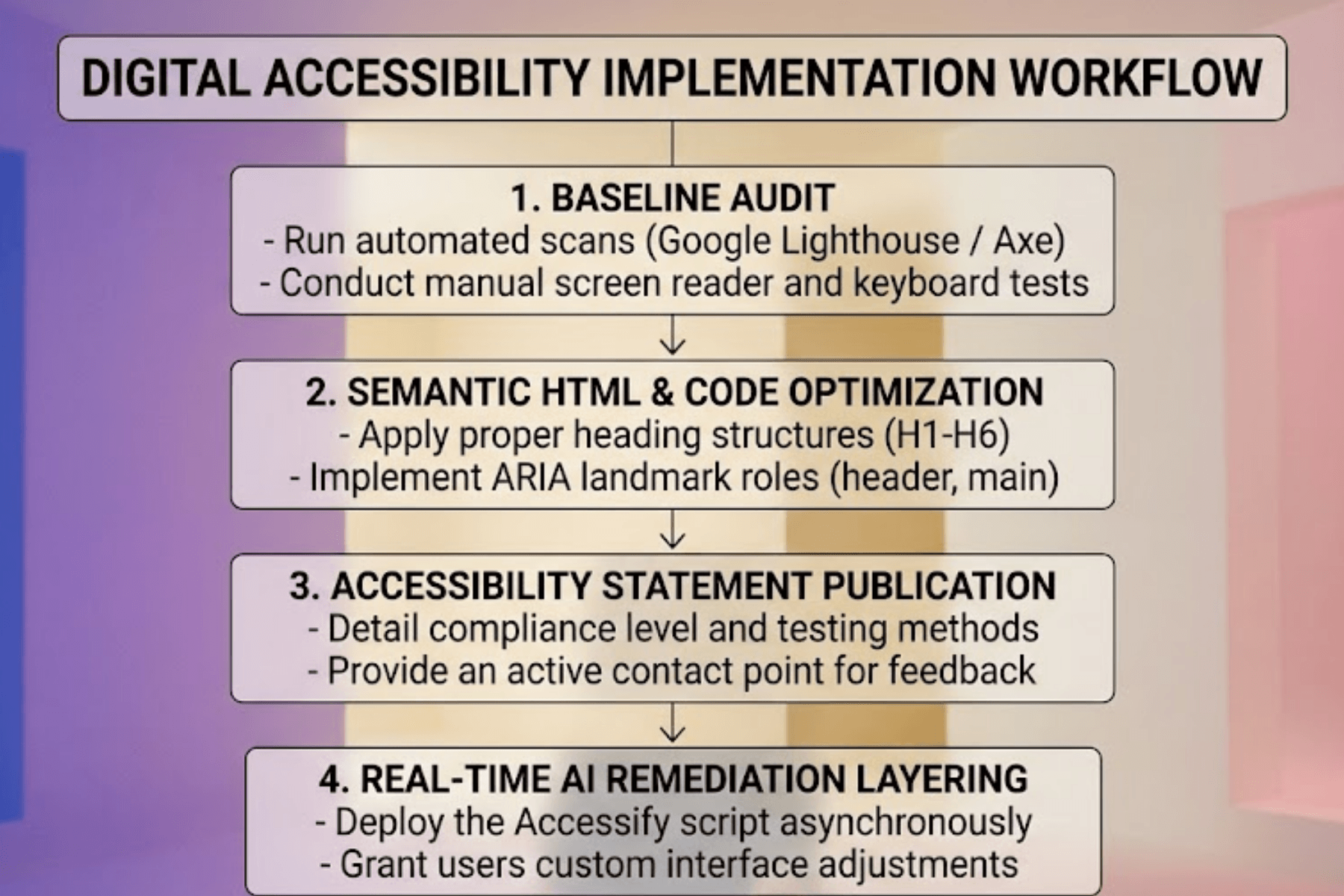
5. Step-by-Step UK Website Accessibility Remediation Plan
Achieving full compliance under the UK website accessibility law requires a structured, continuous approach. Follow this practical framework to secure your digital presence:
Step 1: Run a Comprehensive Accessibility Audit
Before modifying code, understand your current compliance gaps. Utilize automated scanners to catch raw violations, but never rely 100% on automated software. Automated checkers only capture roughly 30% to 40% of WCAG failures. Pair these scans with manual checks using free screen readers (like NVDA for Windows or VoiceOver for Mac) to test actual user navigation flows.
Step 2: Structured Semantic Markup
Instruct your content and development teams to treat HTML headings as an outline rather than design elements. Maintain a strict chronological hierarchy (one <h1> per page, nesting <h2> and <h3> tags correctly). Apply proper landmarks like <main>, <nav>, and <footer> so screen readers can interpret your layout layout in seconds.
Step 3: Publish an Accessibility Statement
Whether you are a public sector body or a private corporation, publishing a clear Accessibility Statement on your website is a vital defensive step. The statement should outline:
- Your level of compliance (e.g., WCAG 2.2 AA).
- The steps you are actively taking to maintain and improve accessibility.
- Any known, temporary limitations on the site.
- Clear instructions on how disabled users can report accessibility barriers or request alternative formats.
Providing a direct contact pathway shows active due diligence under the Equality Act, dramatically reducing the likelihood of a formal legal dispute.
6. The Fast Remit: Integrating Accessify on UK Business Sites
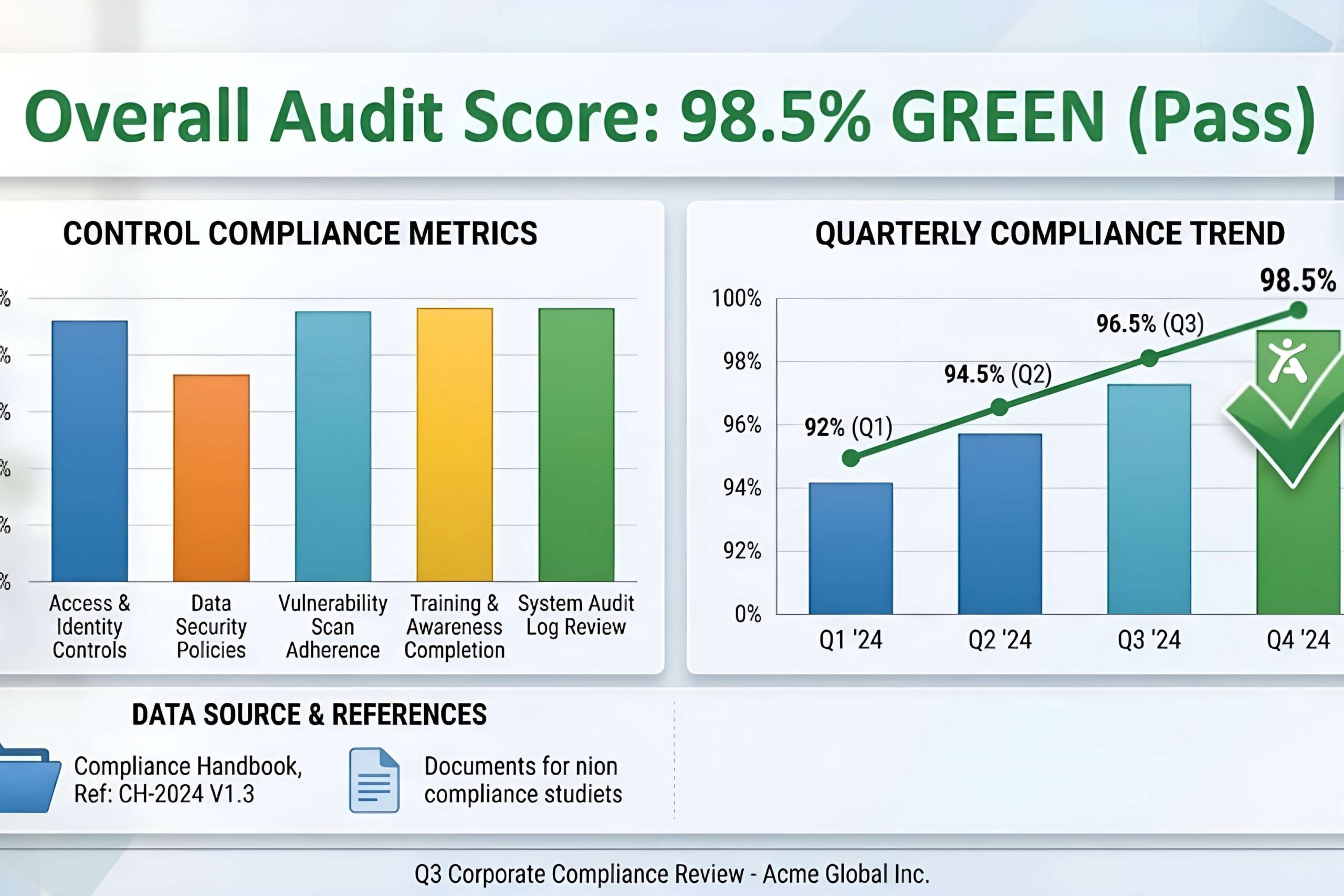
This is why deploying Accessify’s AI-powered accessibility widget is the most cost-effective, immediate path to protecting your brand and satisfying the UK website accessibility law.
Accessify runs quietly in the background as a single, lightweight, asynchronous JavaScript snippet. It acts as an automated, real-time remediation layer that patches code violations directly inside the visitor’s browser without modifying your core database or slowing down your page speeds.
Key Benefits of the Accessify Integration:
- Instant WCAG 2.2 Alignment: Solves complex focus orders, labels unlabeled form elements, and repairs contrast ratios instantly.
- On-Demand User Controls: Empowers UK visitors to adjust text sizes, convert layouts to a dyslexia-friendly font, stop animations, or swap color palettes according to their individual visual or physical needs.
- Frictionless Setup: Integrates cleanly with all major content management systems. For specific deployment tutorials, see our platform guides:
- Continuous Legal Safeguards: Hosts and displays your professional, dynamic Accessibility Statement to prove ongoing due diligence to legal auditors.
How to Deploy the Accessify Snippet on Your Website in 2 Minutes:
- Log in to your Accessify Dashboard and copy your unique script tag.
- Open your website’s CMS settings or theme template files.
- Paste the script tag directly into your Global Footer (just before the closing
</body>tag) to ensure optimal, asynchronous loading performance. - Click Publish to make the changes live across your entire domain.
Act Now to Build an Inclusive Digital UK
Digital accessibility is no longer an optional design choice is a core pillar of modern business. Governance under the UK Equality Act 2010. By taking proactive steps to clean your HTML architecture, audit your forms, and deploy an automated remediation layer with Accessify. You protect your organization from severe litigation. Expand your market reach, and ensure a seamless, inclusive digital experience for all UK citizens.
Is your website compliant under UK law?
Run a free website scan today to identify compliance gaps. Deploy the Accessify widget in minutes to secure instant WCAG 2.2 AA alignment.