

What is web accessibility? Web accessibility means designing and building websites, tools, and technologies so that people with disabilities can perceive, understand, navigate, and interact with them. It covers visual, auditory, motor, cognitive, and neurological disabilities, and it is guided by the Web Content Accessibility Guidelines (WCAG), the technical standard referenced by most accessibility laws, including the ADA and Section 508.
Introduction
This page answers the questions we hear most often from business owners, developers, and compliance teams, organized by topic so you can jump straight to what you need. Each answer links to a full guide if you want more depth. Bookmark this page. We update it as regulations and standards change.
Accessibility Basics
Q: What is web accessibility? A: Web accessibility means building digital content and tools so people with disabilities, including visual, auditory, motor, cognitive, and neurological disabilities, can use them effectively. It also benefits older adults and people using assistive technology or situational constraints like a broken arm or a noisy environment.
Q: What is WCAG? A: WCAG stands for Web Content Accessibility Guidelines, a technical standard published by the W3C that defines specific, testable success criteria for accessible web content. See our WCAG 2.0 vs 2.1 vs 2.2 comparison for how the versions differ.
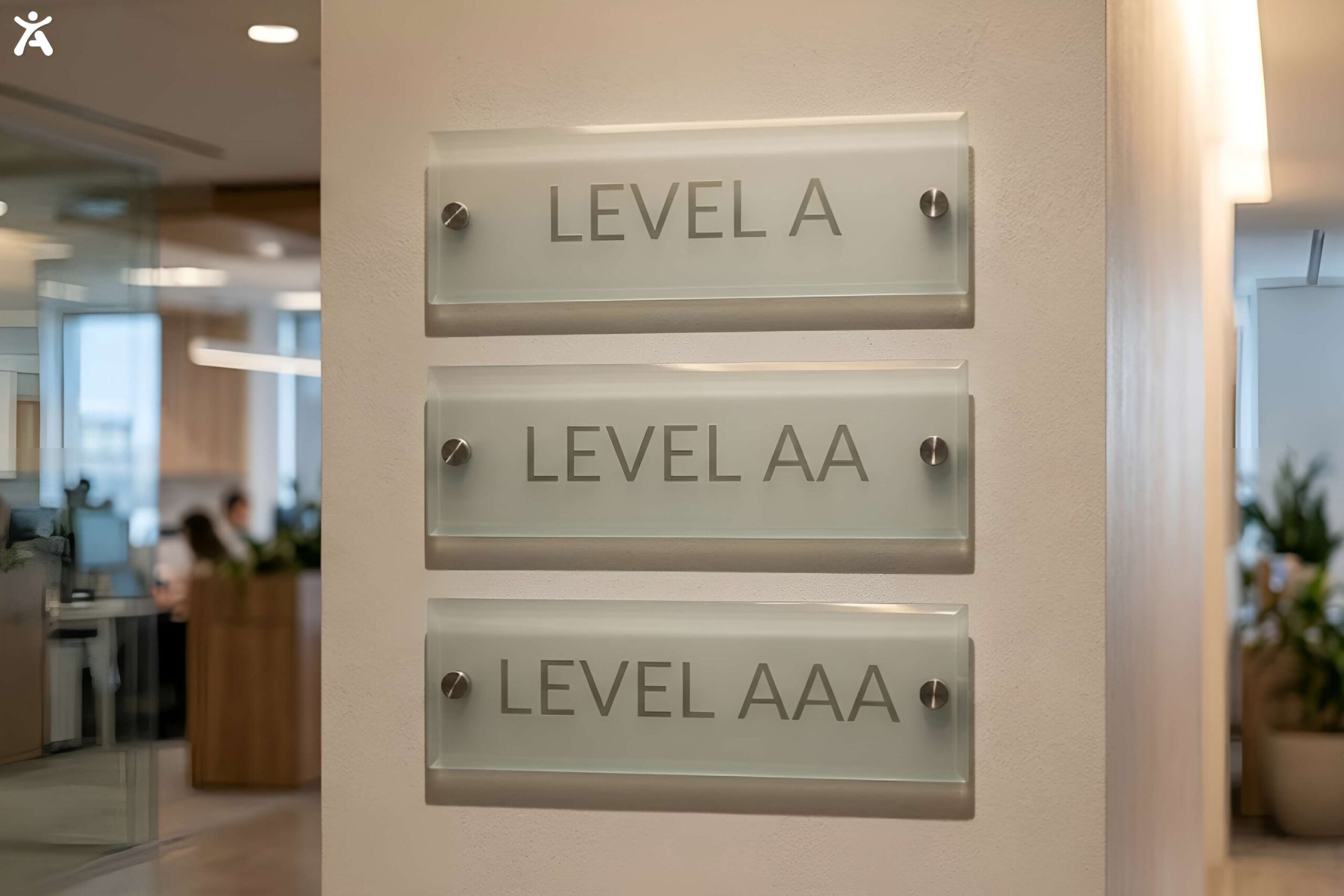
Q: What are the WCAG conformance levels? A: WCAG has three levels: A (minimum), AA (the level most laws require), and AAA (the highest, rarely required in full). Read our full breakdown in WCAG Compliance Levels: A, AA, and AAA Explained.
Q: What is the difference between accessibility and usability? A: Accessibility ensures people with disabilities can use a product at all. Usability is about how easy and efficient a product is to use for everyone, including people without disabilities. The two overlap but are not the same goal. See Accessibility vs Usability: Key Differences Explained.
Q: What are the POUR principles? A: POUR stands for Perceivable, Operable, Understandable, and Robust, the four organizing principles behind every WCAG success criterion. Full explanation in WCAG Principles: A Complete Guide to POUR.
Q: How many people are affected by inaccessible websites? A: Roughly 1.3 billion people globally live with some form of disability, according to World Health Organization estimates, making accessibility a significant portion of any website’s potential audience.
ADA and Legal Compliance
Q: Does the ADA require websites to be accessible? A: Courts have increasingly interpreted the ADA to apply to websites, particularly for businesses that operate as places of public accommodation under Title III. There is no single federal regulation specifying an exact technical standard for private businesses yet, but WCAG 2.1 AA is the standard most courts and settlements reference.
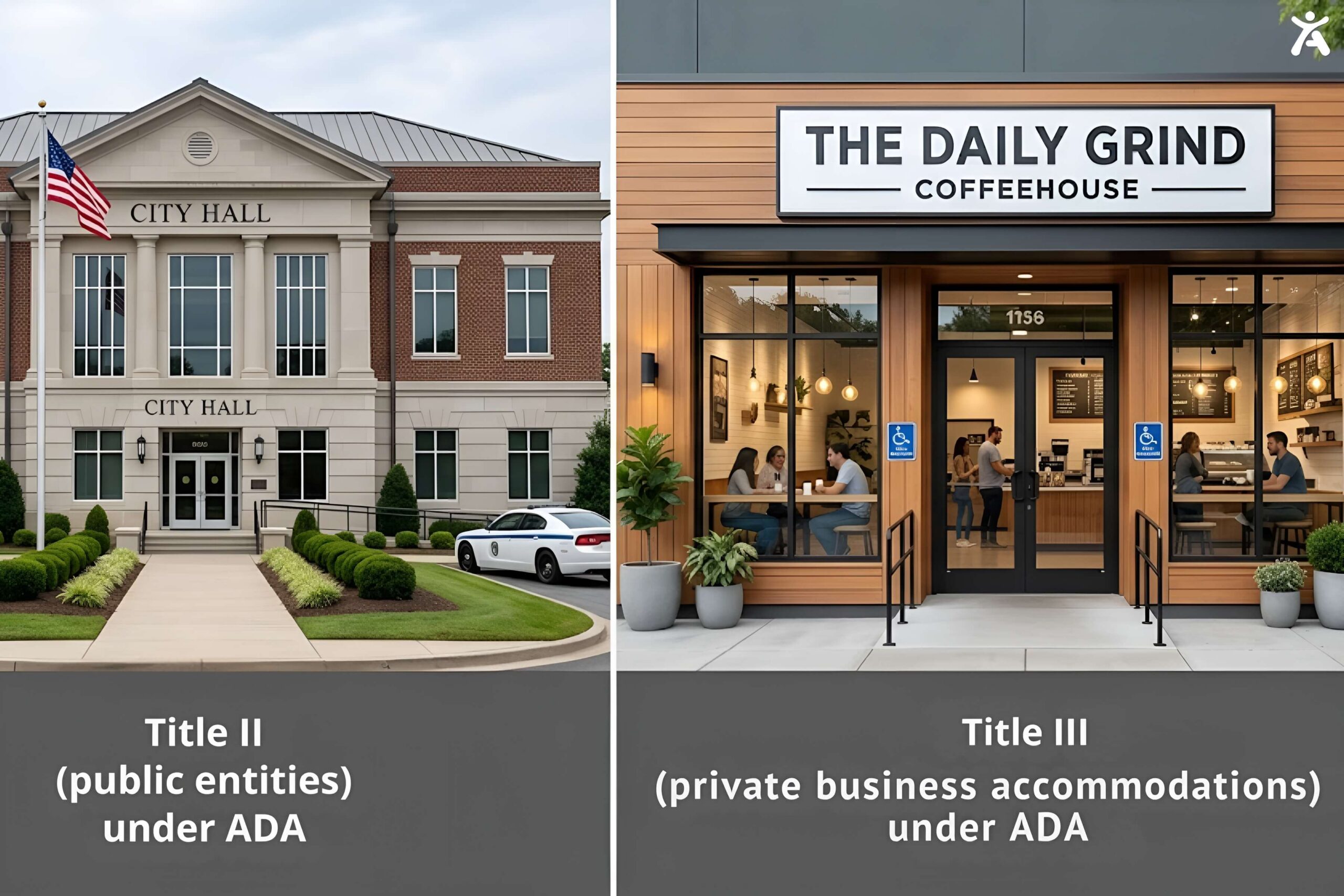
Q: What is ADA Title II versus Title III? A: Title II covers state and local government entities and now has a specific DOJ rule requiring WCAG 2.1 AA. Title III covers private businesses operating as public accommodations. Full detail in ADA Title II Deadlines 2027 and 2028.
Q: What is the ADA Title II compliance deadline? A: April 26, 2027 for government entities serving 50,000 or more people, and April 26, 2028 for smaller entities and special districts, following an April 2026 DOJ extension.
Q: Is my small business required to be ADA compliant online? A: Even small businesses can face ADA demand letters and lawsuits if their website is inaccessible, particularly if they sell products or services online. See our ADA Compliance for Websites: Small Business Guide.
Q: How many web accessibility lawsuits are filed each year? A: More than 8,600 ADA web accessibility lawsuits were filed in the United States in 2025, and filings have continued at a similar pace into 2026. See Web Accessibility Lawsuits 2026: Top Cases and Avoidance.
Q: What is the European Accessibility Act? A: The EAA is EU legislation requiring many private sector products and services, including e-commerce, banking, and transport, to meet accessibility standards. Full guide: European Accessibility Act: What Every Website Owner Must Know.
Q: What is Section 508? A: Section 508 is a federal law requiring accessible information and communication technology for federal agencies and their contractors, based on WCAG 2.0 AA. Full guide: Section 508 Compliance Guide.
Q: Do I need a lawyer to become ADA compliant? A: Not necessarily to remediate your site, but legal counsel is valuable for reviewing your accessibility statement and responding to any demand letter or complaint you receive.
Cost and Budgeting
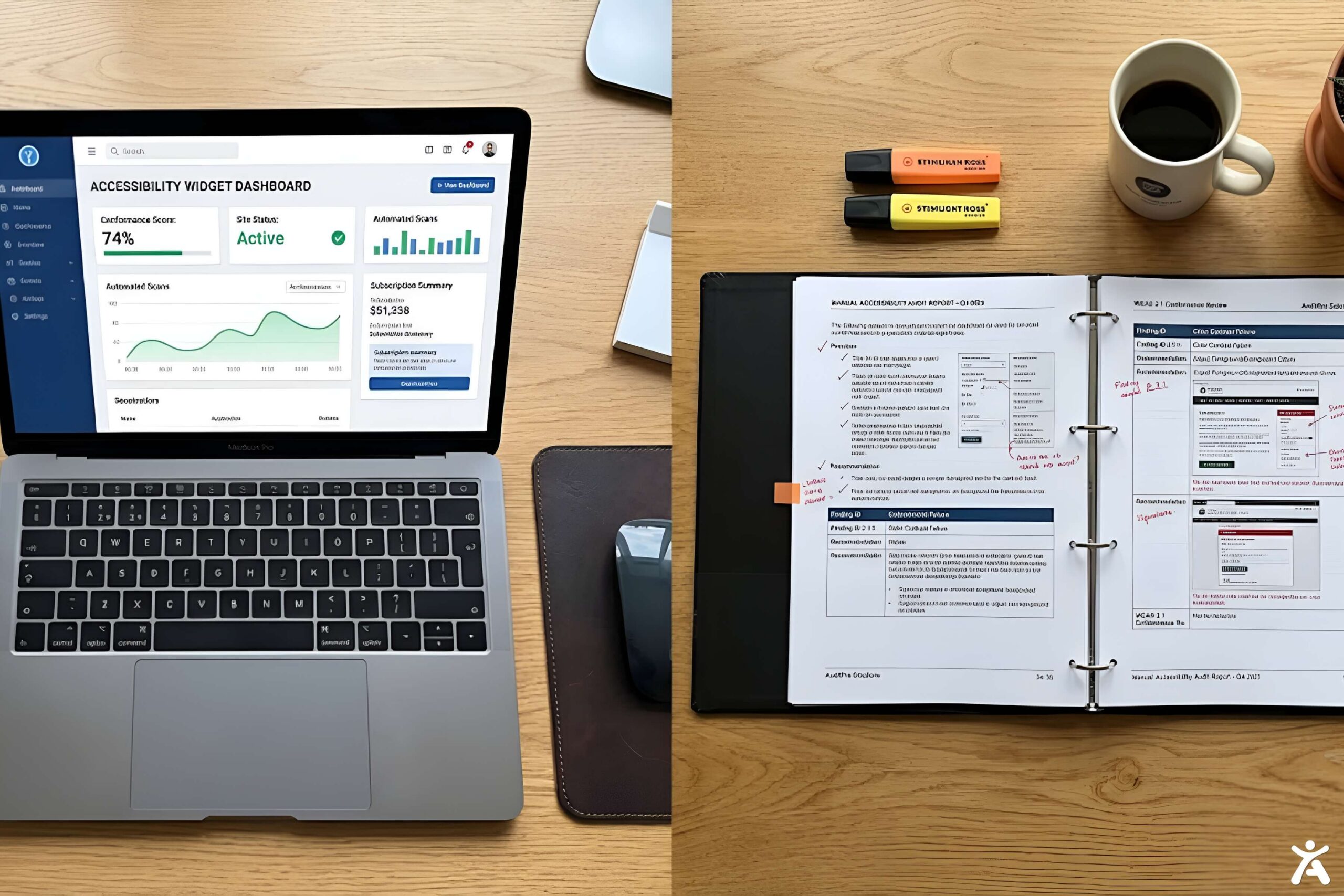
Q: How much does ADA website compliance cost? A: Costs vary widely based on site size and current state, ranging from a few hundred dollars a year for an automated widget to five figures for a full manual audit and remediation project. See ADA Website Compliance Cost in 2026.
Q: How much does a professional accessibility audit cost? A: A comprehensive manual audit typically runs from a few thousand dollars for a small site to $20,000 or more for a large, complex site, depending on the number of unique page templates and depth of testing required. See Web Accessibility Audit Cost: Price Ranges 2026.
Q: Are free accessibility checkers good enough? A: Free checkers are a useful starting point but only catch an estimated 30 to 40 percent of issues, since many accessibility problems require human judgment to identify. See 10 Free Web Accessibility Checker Tools Ranked.
Q: Is an accessibility widget cheaper than manual remediation? A: Yes, typically. Widgets and AI-powered tools like Accessify are usually priced as an affordable monthly or annual subscription, while full manual remediation is a larger one-time or ongoing project cost.
Tools and Testing
 Q: What is the difference between an accessibility checker and a validator? A: A checker typically scans for a broad range of WCAG issues, while a validator often focuses on a narrower technical check, such as HTML markup validity. See Web Accessibility Validator vs Checker Tools.
Q: Should I use automated testing or manual testing? A: Both. Automated tools quickly catch a meaningful share of common issues, but manual testing with real assistive technology is necessary to catch issues automated tools cannot detect, like illogical reading order or inaccurate alt text. See Automated Web Accessibility vs Manual Testing Guide.
Q: What is WAVE and is it reliable? A: WAVE is a widely used, free browser-based accessibility evaluation tool. It is a solid starting point but, like all automated tools, has real limitations. Full review: WAVE Web Accessibility Evaluation Tool.
Q: What screen readers should I test with? A: NVDA (free, Windows) and JAWS (paid, Windows) are the most common for testing, with VoiceOver (built into macOS and iOS) important for Apple users.
Q: What is a color contrast checker? A: A tool that measures whether text and background color combinations meet WCAG’s minimum contrast ratios. See Web Accessibility Contrast Checker Tools & Tips.
Accessify and AI-Powered Accessibility
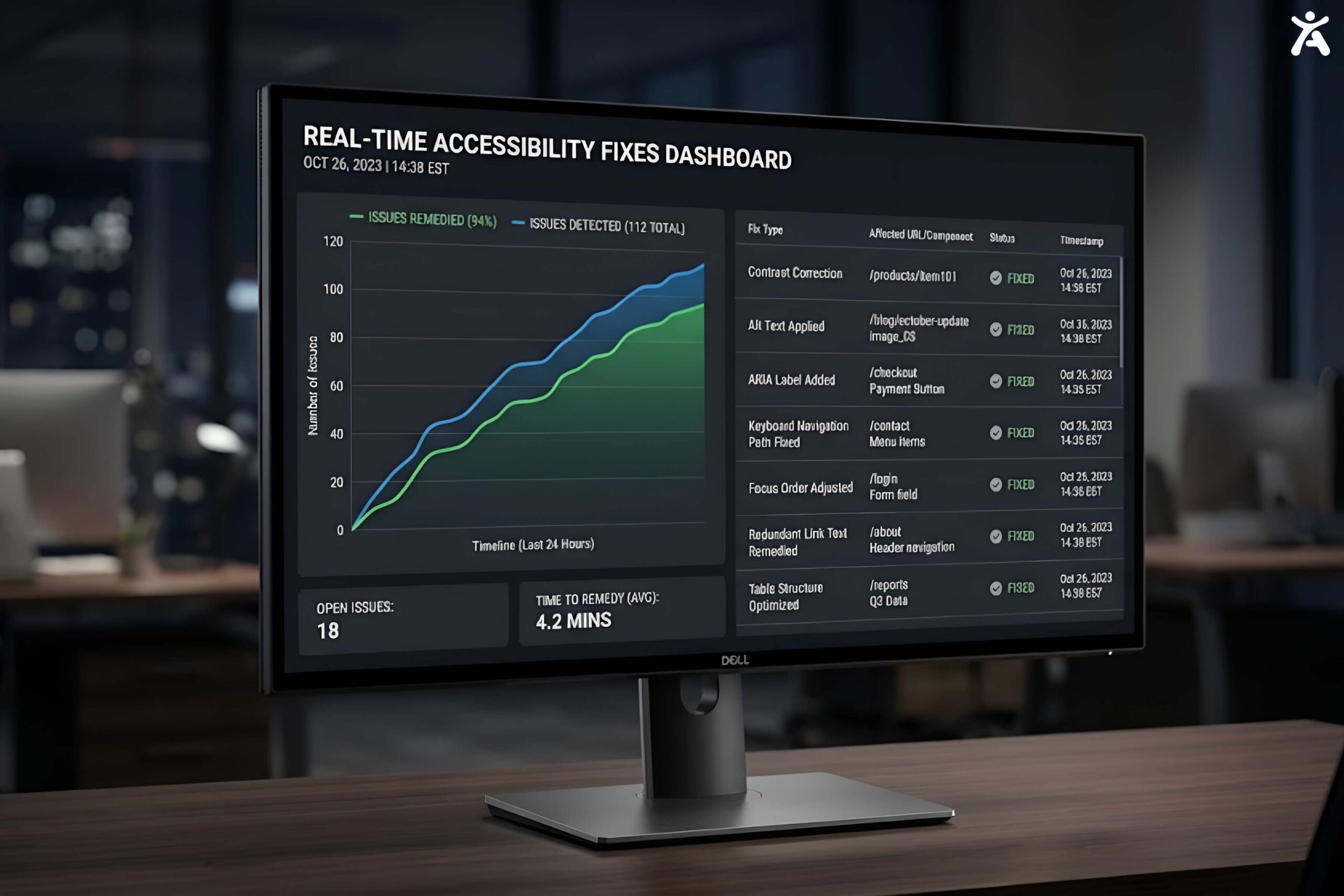
Q: How does Accessify work? A: Accessify installs as a lightweight script that scans your site, identifies accessibility issues like missing alt text or low contrast, and applies intelligent, non-destructive fixes in real time without modifying your underlying source code.
Q: Will Accessify slow down my website? A: No. The script loads asynchronously and is designed not to block your page’s main thread or hurt Core Web Vitals scores.
Q: Does Accessify work with my platform? A: Yes. Accessify integrates with Shopify, WooCommerce, WordPress, Wix, Webflow, Squarespace, BigCommerce, Magento, and custom-built sites.
Q: Can AI alone make my site fully compliant? A: AI-powered tools like Accessify close a large share of the gap quickly and continuously, but a comprehensive compliance program for a complex site benefits from combining automated fixes with periodic manual review. See AI for Web Accessibility: Best Tools and Real Limits.
Q: How is Accessify different from a widget-only tool? A: Accessify combines a user-facing accessibility toolbar with AI-driven, code-level remediation of underlying issues, rather than only offering front-end display adjustments.
“See exactly what Accessify would fix on your site.”
Platform-Specific Questions
Q: How do I make my Shopify store ADA compliant? A: Start with theme-level fixes for contrast, alt text, and keyboard navigation, then layer in ongoing monitoring. Full walkthrough: How to Make Your Shopify Store ADA Compliant.
Q: Is WordPress accessible by default? A: Core WordPress has improved accessibility over time, but theme and plugin choices heavily affect real-world accessibility. See WordPress ADA Compliance: Complete Guide.
Q: Does Webflow support accessible design? A: Webflow gives you the tools to build accessible markup, but accessibility is not automatic and depends on how a site is built. Full guide: Webflow Accessibility: Complete ADA and WCAG Compliance Guide.
Q: How do I make WooCommerce accessible? A: Focus on accessible product pages, cart and checkout flows, and form labeling, since checkout is the highest-risk area for lost conversions from inaccessible design. Full guide: WooCommerce Accessibility: How to Make Your Store ADA Compliant.
Sector-Specific Questions
Q: Do healthcare websites have specific accessibility deadlines? A: Yes. Healthcare organizations receiving HHS federal funding must comply with Section 504 accessibility requirements, with deadlines in 2027 and 2028 depending on organization size. See Healthcare Website Accessibility: The HHS Section 504 Rule.
Q: Are colleges and universities required to have accessible websites? A: Public colleges and universities generally fall under ADA Title II, while private institutions are typically covered under Title III and, if they receive federal funding, Section 504 as well. See Higher Education Web Accessibility Guide.
Q: Does my SaaS product need to be WCAG compliant? A: If your customers include government agencies, healthcare organizations, or public institutions, your product’s accessibility becomes their compliance risk too, often written directly into vendor contracts. See SaaS Accessibility: Why B2B Software Needs WCAG Compliance.
Design and Content Questions
Q: What is alt text and why does it matter? A: Alt text is a written description of an image that screen readers announce to users who cannot see the image. It also improves SEO by giving search engines context about image content.
Q: What color contrast ratio does WCAG require? A: WCAG AA requires a minimum contrast ratio of 4.5:1 for normal text and 3:1 for large text. See Color Accessibility: Beyond Contrast Ratios for what contrast tools miss, like color-only cues.
Q: What is cognitive accessibility? A: Cognitive accessibility focuses on design for users with ADHD, autism, dyslexia, and other cognitive or learning differences, including clear language, predictable navigation, and reduced visual clutter. Full guide: Cognitive and Neurodivergent Accessibility.
Q: Do PDFs need to be accessible? A: Yes, if they are part of your public-facing content or required under a law like Section 508 or ADA Title II. See PDF Accessibility: How to Make Documents WCAG Compliant.
Q: What is an accessibility statement and do I need one? A: An accessibility statement is a public page describing your commitment to accessibility, the standards you follow, and how users can report issues. It is considered a best practice and, in some cases, a legal requirement. See What Is a Website Accessibility Statement?
Q: Are mobile apps covered by accessibility laws? A: Yes. ADA Title II explicitly covers mobile apps for government entities, and Section 508 covers mobile ICT for federal agencies. See Mobile App Accessibility: WCAG and ADA Requirements.
Emerging Topics
Q: Does accessibility affect how AI search tools find and cite my content? A: Increasingly, yes. Clean semantic HTML, proper heading structure, and descriptive alt text, the same elements WCAG requires, also make it easier for AI crawlers to parse and cite your content accurately. See Accessibility and AI Search: Why WCAG-Compliant Sites Rank Better with AI Overviews.
Q: Is overlay technology the same as an AI accessibility widget? A: Not exactly. Traditional overlays typically only adjust front-end display settings. AI-powered platforms like Accessify combine that user-facing toolbar with code-level detection and remediation of underlying issues.
Q: What accessibility certifications exist for professionals? A: The IAAP offers the most widely recognized credentials, including the CPACC and WAS certifications. See Top Pro Accessibility Certifications.
How Accessify Helps
Whichever question brought you here, the underlying task is usually the same: find out where your site actually stands against WCAG, then fix it without a six-month development project. Accessify scans your site, shows you exactly where the gaps are, and starts applying fixes in real time.
“Still have a question?” contact from link.